

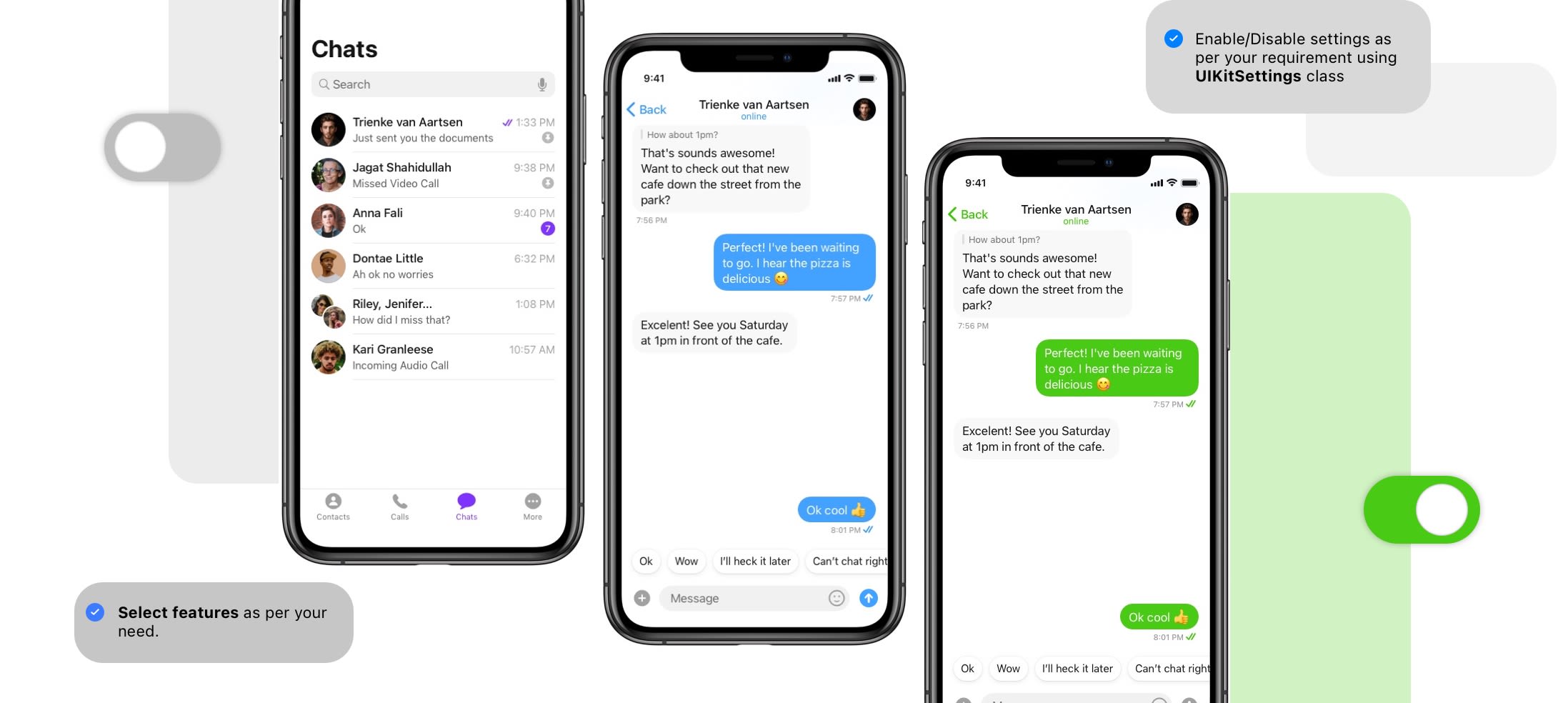
CometChat SDK & UI Kit both need to be configured before starting the customization in UI Kit.
:::
To Modify and customize UI Kit, you need to refer to theUIKitSettings class present in the UI Kit Library. You will be easily able to modify the color, enable/disable some of the features which you won’t require in your app.important- UI Kit Settings must be called before launching any UI Screen or UI Unified. By default, all settings will be enabled.
- For advanced level customization, you can modify the source code of the library as per your requirement.
| Sr No | Description | Code Snippet | Settings |
|---|---|---|---|
| 1. | Modify primary colour | UIKitSettings.color = #F3F3F3 | Requires Hex value of color as String Ex: “#F3F3F3” |
2. Tab bar settings
| Sr No | Description | Code Snippet | Settings |
|---|---|---|---|
| 1. | Hide/Show recents chats tab | UIKitSettings.conversations = true | You can show it using true or hide it using false. |
| 2. | Hide/Show calls tab | UIKitSettings.calls = true | You can show it using true or hide it using false. |
| 3. | Hide/Show users tab | UIKitSettings.users = true | You can show it using true or hide it using false. |
| 4. | Hide/Show groups tab | UIKitSettings.groups = true | You can show it using true or hide it using false. |
| 5. | Hide/Show user information tab | UIKitSettings.userSettings = true | You can show it using true or hide it using false. |
3. Recent chat settings
| Sr No | Description | Code Snippet | Settings |
|---|---|---|---|
| 1. | Show unread count | UIKitSettings.unreadCount = true | You can show it using true or hide it using false. |
| 2. | Show search bar in chats | UIKitSettings.searchChats = true | You can show it using true or hide it using false. |
| 3. | Show all users/groups or both | UIKitSettings.chatListMode = true’ | You can show all users and groups using true or hide users and group using false. |
4. Call settings
| Description | Code Snippet | Settings |
|---|---|---|
| Enable audio call for user | UIKitSettings.userAudioCall = true | You can show it using true or hide it using false. |
| Enable audio call for group | UIKitSettings.groupAudioCall = true | You can show it using true or hide it using false. |
| Enable video call for user | UIKitSettings.userVideoCall = true | You can show it using true or hide it using false. |
| Enable video call for group | UIKitSettings.groupVideoCall = true | You can show it using true or hide it using false. |
| Enable sound for calls | UIKitSettings.enableSoundForCalls = true | You can show it using true or hide it using false. |
5. User settings
| Sr No | Description | Code Snippet | Settings |
|---|---|---|---|
| 1. | Show all users/friends | UIKitSettings.userInMode = true | You can show it using true or hide it using false. |
| 2. | Show user presence | UIKitSettings.showUserPresence = true | You can show it using true or hide it using false. |
| 3. | Show block user | UIKitSettings.blockUser = true | You can show it using true or hide it using false. |
| 4. | Show search user | UIKitSettings.searchUsers = true | You can show it using true or hide it using false. |
| 5. | Show view profile | UIKitSettings.viewProfile = true | You can show it using true or hide it using false. |
6. Group settings
| Sr No | Description | Code Snippet | Settings |
|---|---|---|---|
| 1. | Show create group | UIKitSettings.groupCreation = true | You can show it using true or hide it using false. |
| 2. | Show join or leave group | UIKitSettings.joinOrLeaveGroup = true | You can show it using true or hide it using false. |
| 3. | Show delete group | UIKitSettings.allowDeleteGroup = true | You can show it using true or hide it using false. |
| 4. | Show group members | UIKitSettings.viewGroupMembers = true | You can show it using true or hide it using false. |
| 5. | Show add member | UIKitSettings.allowAddMembers = true | You can show it using true or hide it using false. |
| 6. | Allow moderator to delete messages of participants | UIKitSettings.allowModeratorToDeleteMemberMessages = true | You can show it using true or hide it using false. |
| 7. | Allow user to kick members | UIKitSettings.kickMember = true | You can show it using true or hide it using false. |
| 8. | Allow user to ban members | UIKitSettings.banMember = true | You can show it using true or hide it using false. |
| 9. | Allow user to promote or demote members | UIKitSettings.allowPromoteDemoteMembers = true | You can show it using true or hide it using false. |
| 10. | Show public group option for creating groups. | UIKitSettings.publicGroup = true | You can show it using true or hide it using false. |
| 11. | Show private group option for creating groups. | UIKitSettings.privateGroup = true | You can show it using true or hide it using false. |
| 12. | Show password protected group option for creating groups. | UIKitSettings.passwordGroup = true | You can show it using true or hide it using false. |
| 13. | Show search groups | UIKitSettings.searchGroups = true | You can show it using true or hide it using false. |
| 14. | Enable message in private from Groups | UIKitSettings.messageInPrivate = true | You can show it using true or hide it using false. |
| 15. | Enable message receipt information from Groups | UIKitSettings.messageInformation = true | You can show it using true or hide it using false. |
7. Message settings
| Sr No | Description | Code Snippet | Settings |
|---|---|---|---|
| 1. | Show message composer for one-on-one chat | UIKitSettings.sendMessageInOneOnOne = true | You can show it using true or hide it using false. |
| 2. | Show message composer for group chat | UIKitSettings.sendMessageInGroup = true | You can show it using true or hide it using false. |
| 3 | Show send text message | UIKitSettings.sendTextMessage = true | You can show it using true or hide it using false. |
| 4. | Show send photos & videos | UIKitSettings.sendPhotoVideos = true | You can show it using true or hide it using false. |
| 5. | Show send files & documents | UIKitSettings.sendFiles = true | You can show it using true or hide it using false. |
| 6. | Show send voice notes | UIKitSettings.sendVoiceNotes = true | You can show it using true or hide it using false. |
| 7. | Show send emojis from keyboard | UIKitSettings.sendEmojis = true | You can show it using true or hide it using false. |
| 8. | Show send emojis in Larger Size | UIKitSettings.sendEmojisInLargerSize = true | You can show it using true or hide it using false. |
| 9. | Show send stickers | UIKitSettings.sendStickers = true | You can show it using true or hide it using false. |
| 10. | Send typing indicator | UIKitSettings.sendTypingIndicator = true | You can show it using true or hide it using false. |
| 11. | Send message reaction | UIKitSettings.sendMessageReaction = true | You can show it using true or hide it using false. |
| 12. | Send live reaction | UIKitSettings.sendLiveReaction = true | You can show it using true or hide it using false. |
| 13.. | Ability to edit the message | UIKitSettings.editMessage = true | You can show it using true or hide it using false. |
| 14. | Ability to delete the message | UIKitSettings.deleteMessage = true | You can show it using true or hide it using false. |
| 15. | Ability to share, copy & forward the message | UIKitSettings.shareCopyForwardMessage = true | You can show it using true or hide it using false. |
| 16. | Ability to reply on message | UIKitSettings.replyToMessage = true | You can show it using true or hide it using false. |
| 17. | Ability to start new thread for message | UIKitSettings.threadedChats = true | You can show it using true or hide it using false. |
| 18. | Ability to share live reaction | UIKitSettings.shareLiveReaction = true | You can show it using true or hide it using false. |
| 19. | Ability to share your location | UIKitSettings.shareLocation = true | You can show it using true or hide it using false. |
| 20. | Show shared media | UIKitSettings.viewShareMedia = true | You can show it using true or hide it using false. |
| 21. | Show read/delivery receipts for Messages | UIKitSettings.showReadDeliveryReceipts = true | You can show it using true or hide it using false. |
| 22. | Ability to create poll (Poll Extension must be enabled from Dashboard) | UIKitSettings.polls = true | You can show it using true or hide it using false. |
| 23. | Enable sound for Messages | UIKitSettings.enableSoundForMessages = true | You can show it using true or hide it using false. |
| 24. | Enable Message Reactions | UIKitSettings.messageReaction = true | You can show it using true or hide it using false. |
| 20. | Enable Collaborative Document | UIKitSettings.collaborativeDocument = true | You can show it using true or hide it using false. |
| 25. | Enable Collaborative Whiteboard | UIKitSettings.collaborativeWhiteboard = true | You can show it using true or hide it using false. |
| 22. | Enable Message Translation | UIKitSettings.messageTranslation = true | You can show it using true or hide it using false. |
| 26. | Hide/show delete messages | UIKitSettings.hideDeletedMessages = true | You can show it using true or hide it using false. |
| 27. | Enable Message History | UIKitSettings.messageHistory = true | You can show it using true or hide it using false. |
| 28. | Show smart replies (Smart Replies Extension must be enabled from Dashboard) | UIKitSettings.smartReplies = true | You can show it using true or hide it using false. |