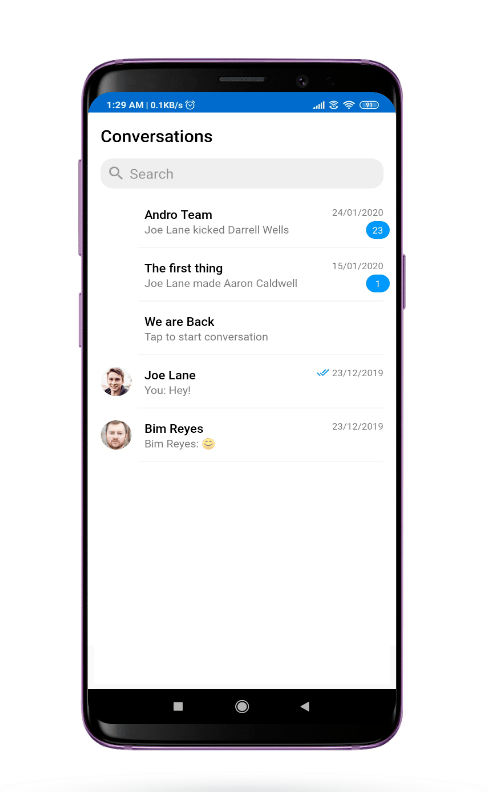
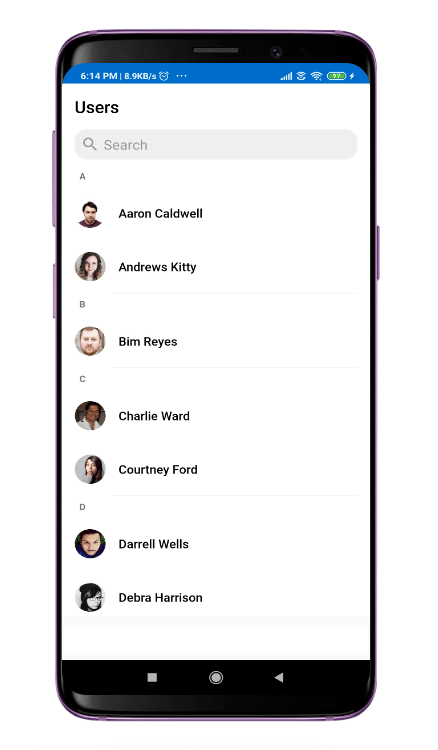
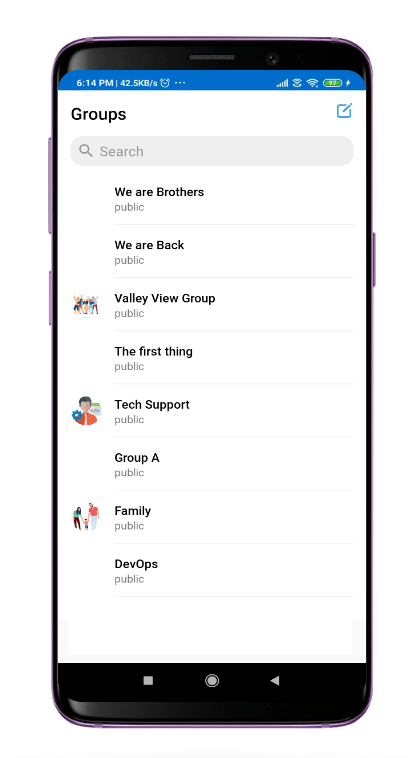
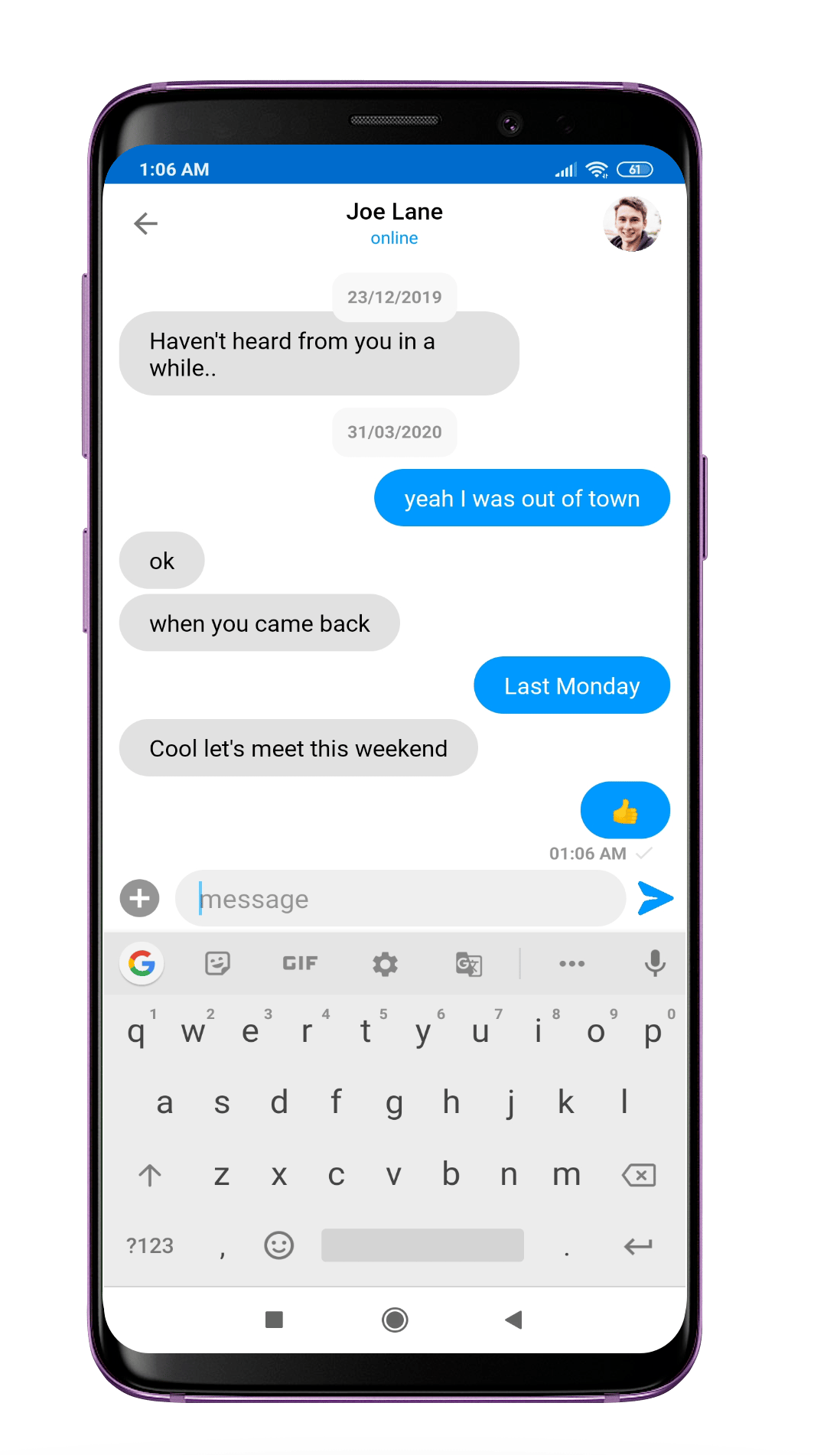
UI Components are building a block of the UI Kit. UI Components are a set of custom classes specially designed to build a feature-rich chat app. To achieve high customizability while building an app one can use the UI Components. There are different UI Components available in the UI Kit library.
1. CometChatUI
CometChatUI is an option to launch a fully functional chat application using the UI Kit. In CometChatUI all the UI Components are interlinked and work together to launch a fully functional chat on your mobile application.
CometChatUI is an Activity class, so you can launch CometChatUI using the below code snippet Make sure to add the following code snippet after onSuccess of CometChat login.
Make sure that the above code snippet is added after onSuccess of CometChat login
2. CometChatConversationList
The CometChatConversationList is Fragment which will help you to display a list of recent conversations. The Fragment has all the necessary listeners and methods required to display the list of conversations.
Usage
In your layout file (.xml file) add the following snippet to use the CometChatConversationList. Adding the following code snippet will give you a fully working list of conversations.
Note About setItemClickListener on CometChatConversationList
To get the click event of the list you must use setItemClickListener. The setItemClickListener has OnItemClick() to handle single click and OnItemLongClick() to handle long click events.
3. CometChatUserList
The CometChatUserList is a fragment with a List of users. The Fragment has all the necessary listeners and methods required to display the user’s list.
Usage
In your layout file (.xml file) add the following snippet to use the CometChatUserList. Adding the following code snippet will give you a fully working list of users.
Note About setItemClickListener on CometChatUserList
To get the click event of the list you must use setItemClickListener. The setItemClickListener has OnItemClick() to handle single click and OnItemLongClick() to handle long click events.
4. CometChatGroupList
The CometChatGroupList is a fragment with a List of groups Fragment has all the necessary listeners and methods required to display the list of groups
Usage
In your layout.xml add the following snippet to use the CometChatGroupList.Adding the following code snippet will give you a full working list of groups.
Note About setItemClickListener on CometChatGroupList
To get the click event of the list you must use setItemClickListener. The setItemClickListener has OnItemClick() to handle single click and OnItemLongClick() to handle long click events.
5. CometChatMessageList
CometChatMessageList is a fragment that consists of send and received messages. It is capable of sending and receiving different types of messages such as text, image, and documents.
Usage
To use CometChatMessageList follow the below code snippets. CometChatMessageList is a dynamic so it will require some arguments. Add a FrameLayout in your layout.xml
In your activity set the required parameter in the following manner.
6 CometChatCallList
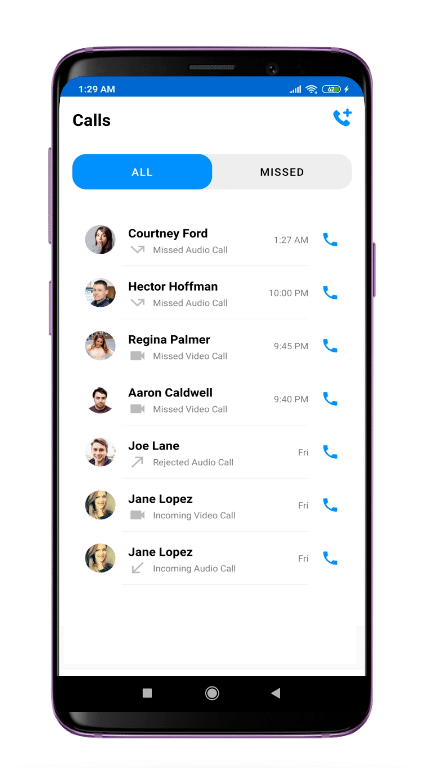
You can use the CometChatCallList to get a list of all the calls made by the logged-in user to other users and groups.
Usage
Add the following code in your layout file (.xml file)
7. CometChatUserProfile
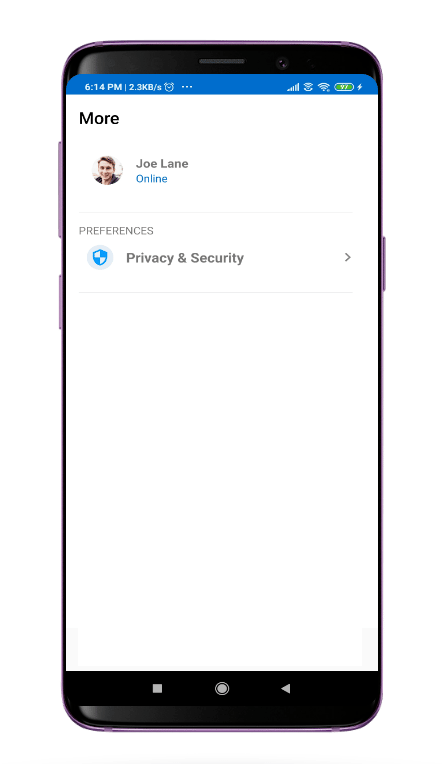
CometChatUserProfile is a fragment which provides detail about the currently logged-in user in the CometChat.
Usage
Add the following code in your layout file (.xml file)
8. Shared
There are certain core components that are being used everywhere in uiKit library. You will find those components in shared folder under ui_components. Below are core components that are being used in uiKit library.
8.1. CometChatAvatar
This is an image view customize only to display Avatar. This view can be used with image URLs as well as with CometChat objects like User and Group
Usage
In your layout.xml add the following code snippet.
Here avatar_shape is a static property. It should be either circle or rectangle. whereas the avatar URL needs to be set dynamically following is the sample code for the same.
The CometChatAvatar Component works well with CometChat User and Group object. The setAvatar() method accepts User or Group object if Avatar of User or Group is not available it automatically show the initials of the user or group name as a placeholder Avatar.
Common Features
CometChat Avatar class provides functionality for an Avatar feature. There are commonly used properties to control the look of the Avatar.
8.2. CometChatUserPresence
This view will be used to show the user status if the user is online or offline. This view will take user status and display the color accordingly.
Usage
In your layout.xml add the following code
User status can be set dynamically using the following code.
Common Features
CometChatUserPresence provides app:user_status attribute and method setUserStatus to set Status of the user.
The app:user_status attribute can also be used with DataBinding in the following manner
e.g app:user_status="@{user.status}" you can also use different objects according to their use case. The attribute will continue to work as long as receives a string parameter
8.3. CometChatBadgeCount
The CometChatBadgeCount component can be used to show an unread count. You can use it in different scenarios according to their use case.
Add the following code to your layout.xml
The count can be set dynamically using the setCount method. The setCount method takes an int as a parameter.
Common Feature
The CometChatBadgeCount component provides different attributes and methods to control the behavior and appearance of the BadgeCount view.
The attribute app: count can also be used with DataBinding
8.4. CometChatUsers
The CometChatUsers is custom RecyclerView which helps to display a list of users present in your CometChat app.
Note about CometChatUsers using with DataBinding:
Your project should have DataBinding enabled. You can use CometChatUsers using DataBinding in the following manner
In your layout.xml add the following code :
In your corresponding activity or fragment add the following code
For getting the list of users you can use UsersRequestBuilder(). Visit the below link for more details on how to retrieve a list of users.
In onSuccess of the fetchNext method you can set the data the ObservableArrayList you have created. The advantage of using the ObservableArrayList is one doesn’t have to manually set the data on binding.setUserList(userList); every time you get a new set of data.
Note About CometChatUsers Without DataBinding
If you are not using DataBinding in your project you can use the CometChatUser in the following manner.
In your layout.xml add the following code
In your corresponding activity or fragment.
To get the list of users you can use UsersRequestBuilder(). Visit the link below for more details on Retrieve Users
Note About Using setItemClickListener
For getting the click event of CometChatUsers you can make use of setItemClickListener class.
Common Usage
The CometChatUser component provides different properties to control the behavior of CometChatUser view.
8.5. CometChatGroups
The CometChatGroups is a custom RecyclerView that helps you to display a list of groups.
Note About CometChatGroups Using With DataBinding
If you are using DataBinding in your project you can use the CometChatGroups in the following manner.
In your layout.xml add the following code snippet
In your corresponding activity or fragment .
For getting the list of groups you can use GroupsRequestBuilder().Visit the below link for more details on how to retrieve a list of group.
In onSuccess of the fetchNext method you can set the data the ObservableArrayList you have created. The advantage of using the ObservableArrayList is one doesn’t have to manually set the data on binding.setGroupList(groupList); every time you get a new set of data.
Note About CometChatGroups Without DataBinding
If you are not using DataBinding in your project you can use the CometChatGroups in the following manner.
In your layout.xml add the following code
In your corresponding activity or fragment
You can refer to how to Retrieve Groups.
Note About Using setItemClickListener
For getting the click event of CometChatGroups you can make use of setItemClickListener class.
Common Usage
The CometChatGroups component provides different properties to control the behavior of CometChatGroups view. You can perform different operations like an update, remove, add, etc.
8.6.CometChatConversations
CometChatConversations is a custom RecyclerView which will help you to display a list of all the users and groups in which the logged-in user has made any conversation.
Note about CometChatConversations using with DataBinding
If you are using DataBinding in your project you can use the CometChatConversations in the following manner.
In your layout.xml add the following code.
In your corresponding activity or fragment.
For getting the list of conversation you can use ConversationsRequestBuilder() .visit the below link for more details on how to retrieve a list of conversation
In onSuccess of the fetchNext method you can set the data the ObservableArrayList you have created. The advantage of using the ObservableArrayList is one doesn’t have to manually set the data on binding.setConversationList(conversationList); every time you get a new set of data.
Note About CometChatConversations Without DataBinding
If you are not using DataBinding in your project you can use the CometChatConversations in the following manner.
In your layout.xml add the following code
In your corresponding activity or fragment
In onSuccess of the fetchNext method of ConversationsRequestBuilder, you can set the data. You can refer how to Retrieve Conversations
Note About Using setItemClickListener
For getting the click event of CometChatConversations you can make use of the ConversationItemClickListener class.
Common Usage
The CometChatConversations component provides different properties to control the behavior of the CometChatConversations view. You can perform different operations like an update, remove, add, etc
8.7. CometChatCalls
CometChatCalls is custom RecyclerView which will help you to display list of calls.
You can use the CometChatCalls in the following manner.
In your layout.xml add the following code :
In your corresponding activity or fragment
In onSuccess of the fetchNext method of MessagesRequestBuilder you can set the data. You need to add setCategory(CometChatConstants.CATEGORY_CALL) in your MessagesRequestBuilder to fetch only call messages
You can refer an example here.
Note About Using CallItemClickListener:
For getting the click event of CometChatCalls you can make use of ItemClickListener class.
There are two events given by CometChatCalls.
This event is performed when clicking on the User or Group item displayed in the call list.
This event is performed when click on call icon visible after each Group or User item in call list.
Common Usage:
The CometChatCalls component provides different properties to control the behavior of the CometChatCalls view. You can perform different operations like an update, remove.