It provides a set of prebuilt, production-ready messaging components backed by CometChat’s real-time infrastructure. With CometChat UI Kit Builder, you can:
  • Configure chat and calling features
  • Apply theming and layout options
  • Export Next.js-ready code
The exported UI connects to CometChat’s SDK and infrastructure, which manages message transport, sync, and backend scaling.

What You Can Configure

Toggle these features on or off directly in the UI Kit Builder. For a full reference of each setting, see UI Kit Builder Settings.

Chat Features

Call Features

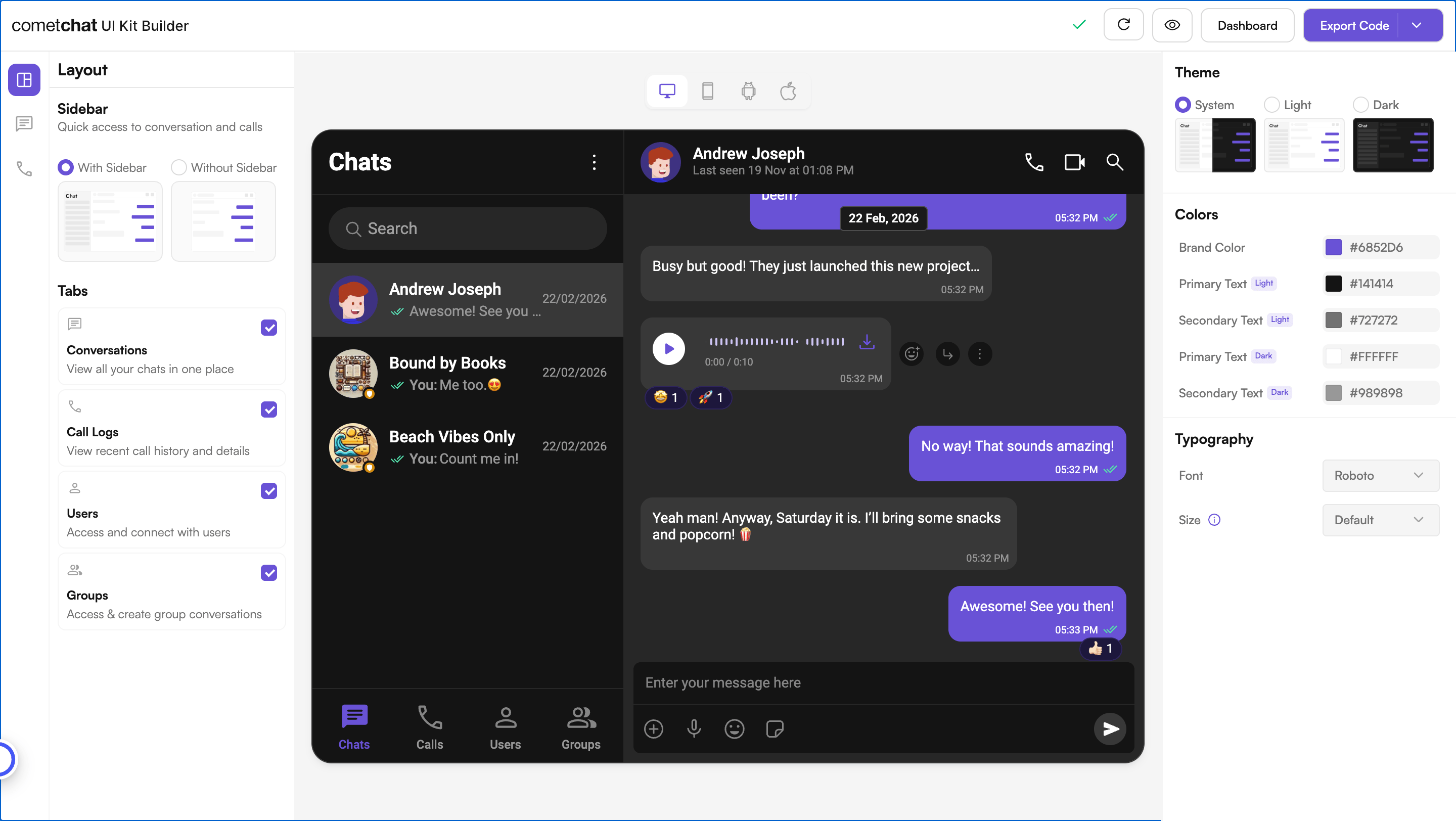
Layout

Theming


How to Use UI Kit Builder

1. Design

Configure your chat layout, toggle features, and pick a theme using the UI Kit Builder.
2. Export

Click Export Code to generate a production-ready Next.js codebase based on your configuration.

3. Integrate

Drop the exported code into your Next.js project, add your CometChat credentials, and run the app. See the Integration Guide for full steps.

Try Live Demo

Experience the CometChat UI Kit Builder in action:

Launch Live Demo

or follow the video walkthrough below: