

Message Flow
Send a User Message
Send a text message to a specific user by their UID.- Blueprint
- C++
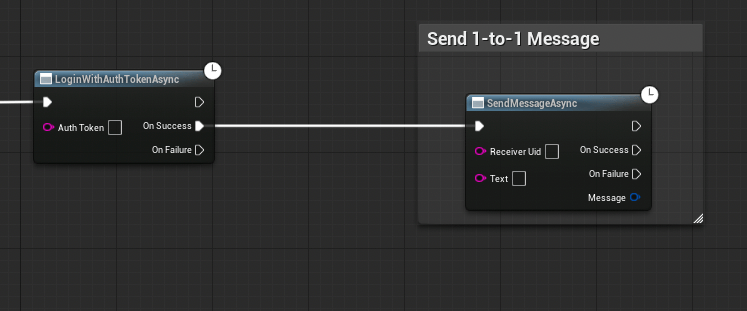
- Get a reference to the CometChat Subsystem
- Call the Send Message Async node
- Wire the On Success and On Failure pins
On Success returns an
FCometChatMessage with the sent message details (including the server-assigned Id and SentAt timestamp).Send a Group Message
Send a text message to a group by its GUID.- Blueprint
- C++
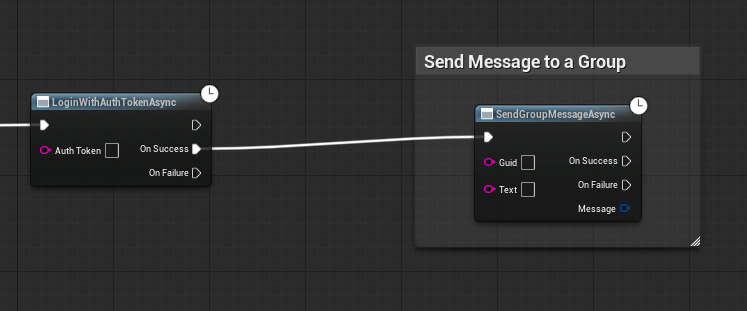
On Success returns an
FCometChatMessage.The FCometChatMessage Struct
Both send operations return anFCometChatMessage on success. Here’s a quick reference of the key fields:
For the full struct definition, see Key Concepts → FCometChatMessage.
Next Steps
Receive Messages
Fetch message history and listen for incoming messages in real time.
Groups
Create and manage groups before sending group messages.