

AI Integration Quick Reference
AI Integration Quick Reference
| Field | Value |
|---|---|
| Kotlin XML Views | Override XML styles extending CometChatIncomingMessageBubbleStyle / CometChatOutgoingMessageBubbleStyle in themes.xml |
| Jetpack Compose | Pass CometChatMessageListStyle.default().copy() with nested bubble styles to CometChatMessageList |
| Hub styles | Incoming and Outgoing bubble styles act as central hubs for per-type bubble customization |
| Per-type styles | Text, Image, Audio, Video, File, Sticker, Poll, Collaborative, Meet Call, Delete, Action, Call Action |
| Related | Theme Introduction · Component Styling · Message List |
Styling Architecture
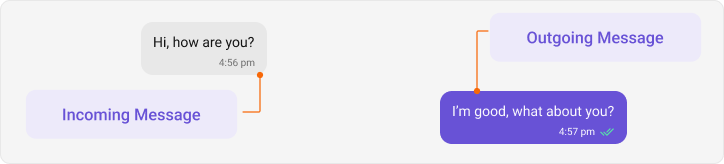
Message bubbles follow a hub-and-spoke pattern:- Hub styles —
IncomingMessageBubbleStyleandOutgoingMessageBubbleStylecontrol the base bubble appearance - Per-type styles — Text, Image, Audio, etc. are nested inside the hub styles
Global Setup
- Kotlin (XML Views)
- Jetpack Compose
themes.xml
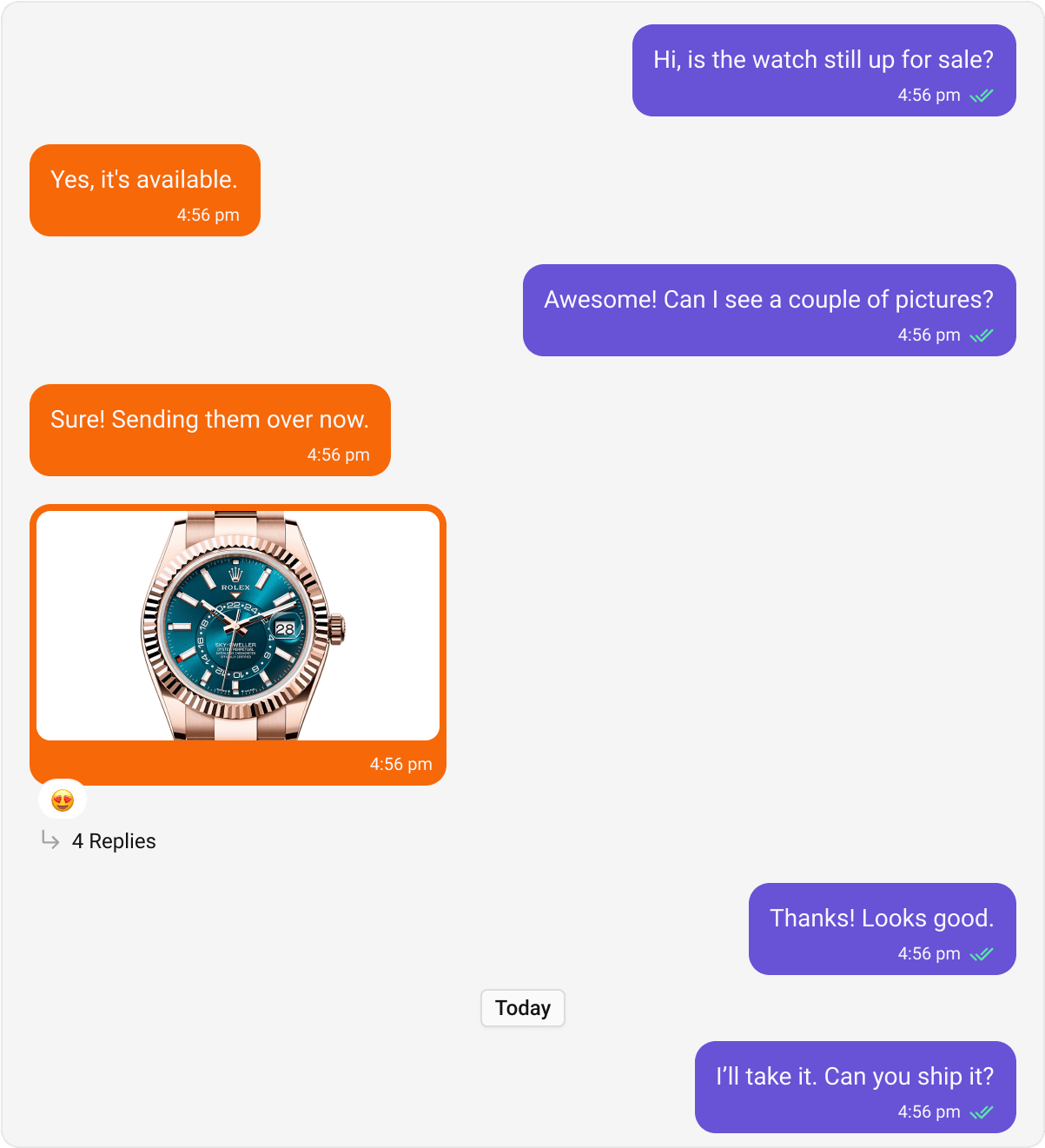
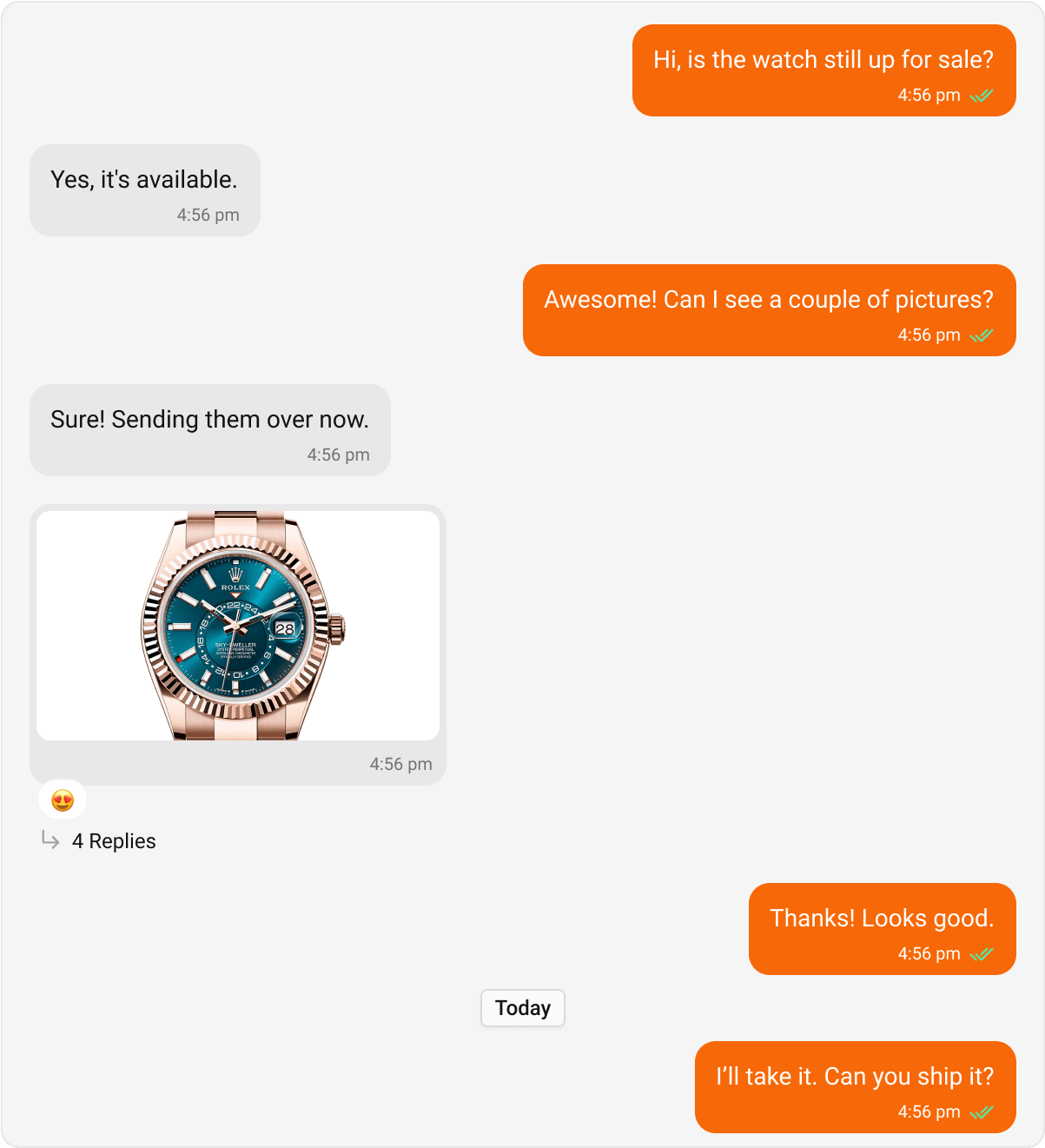
<!-- Hub for Incoming Messages -->
<style name="CustomIncomingBubble" parent="CometChatIncomingMessageBubbleStyle">
    <item name="cometchatMessageBubbleBackgroundColor">#FEEDE1</item>
</style>

<!-- Hub for Outgoing Messages -->
<style name="CustomOutgoingBubble" parent="CometChatOutgoingMessageBubbleStyle">
    <item name="cometchatMessageBubbleBackgroundColor">#F76808</item>
</style>

<!-- Connect to AppTheme -->
<style name="AppTheme" parent="CometChatTheme.DayNight">
    <item name="cometchatIncomingMessageBubbleStyle">@style/CustomIncomingBubble</item>
    <item name="cometchatOutgoingMessageBubbleStyle">@style/CustomOutgoingBubble</item>
</style>
CometChatMessageList(
    style = CometChatMessageListStyle.default().copy(
        incomingMessageBubbleStyle = CometChatIncomingMessageBubbleStyle.default().copy(
            backgroundColor = Color(0xFFFEEDE1)
        ),
        outgoingMessageBubbleStyle = CometChatOutgoingMessageBubbleStyle.default().copy(
            backgroundColor = Color(0xFFF76808)
        )
    )
)
Core Message Bubbles
Text Bubble
- Kotlin (XML Views)
- Jetpack Compose
themes.xml
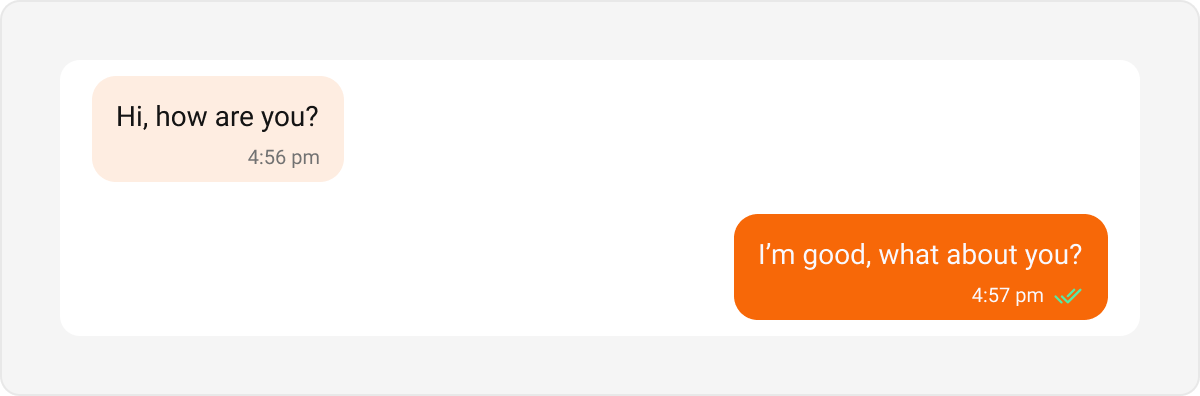
<style name="CustomIncomingTextBubble" parent="CometChatIncomingTextMessageBubbleStyle">
    <item name="cometchatTextBubbleBackgroundColor">#FEEDE1</item>
</style>

<style name="CustomOutgoingTextBubble" parent="CometChatOutgoingTextBubbleStyle">
    <item name="cometchatTextBubbleBackgroundColor">#F76808</item>
</style>

<style name="CustomIncomingBubble" parent="CometChatIncomingMessageBubbleStyle">
    <item name="cometchatTextBubbleStyle">@style/CustomIncomingTextBubble</item>
</style>

<style name="CustomOutgoingBubble" parent="CometChatOutgoingMessageBubbleStyle">
    <item name="cometchatTextBubbleStyle">@style/CustomOutgoingTextBubble</item>
</style>
// Inside CometChatMessageListStyle
incomingMessageBubbleStyle = CometChatIncomingMessageBubbleStyle.default().copy(
    textBubbleStyle = CometChatTextBubbleStyle.default().copy(
        backgroundColor = Color(0xFFFEEDE1)
    )
),
outgoingMessageBubbleStyle = CometChatOutgoingMessageBubbleStyle.default().copy(
    textBubbleStyle = CometChatTextBubbleStyle.default().copy(
        backgroundColor = Color(0xFFF76808)
    )
)
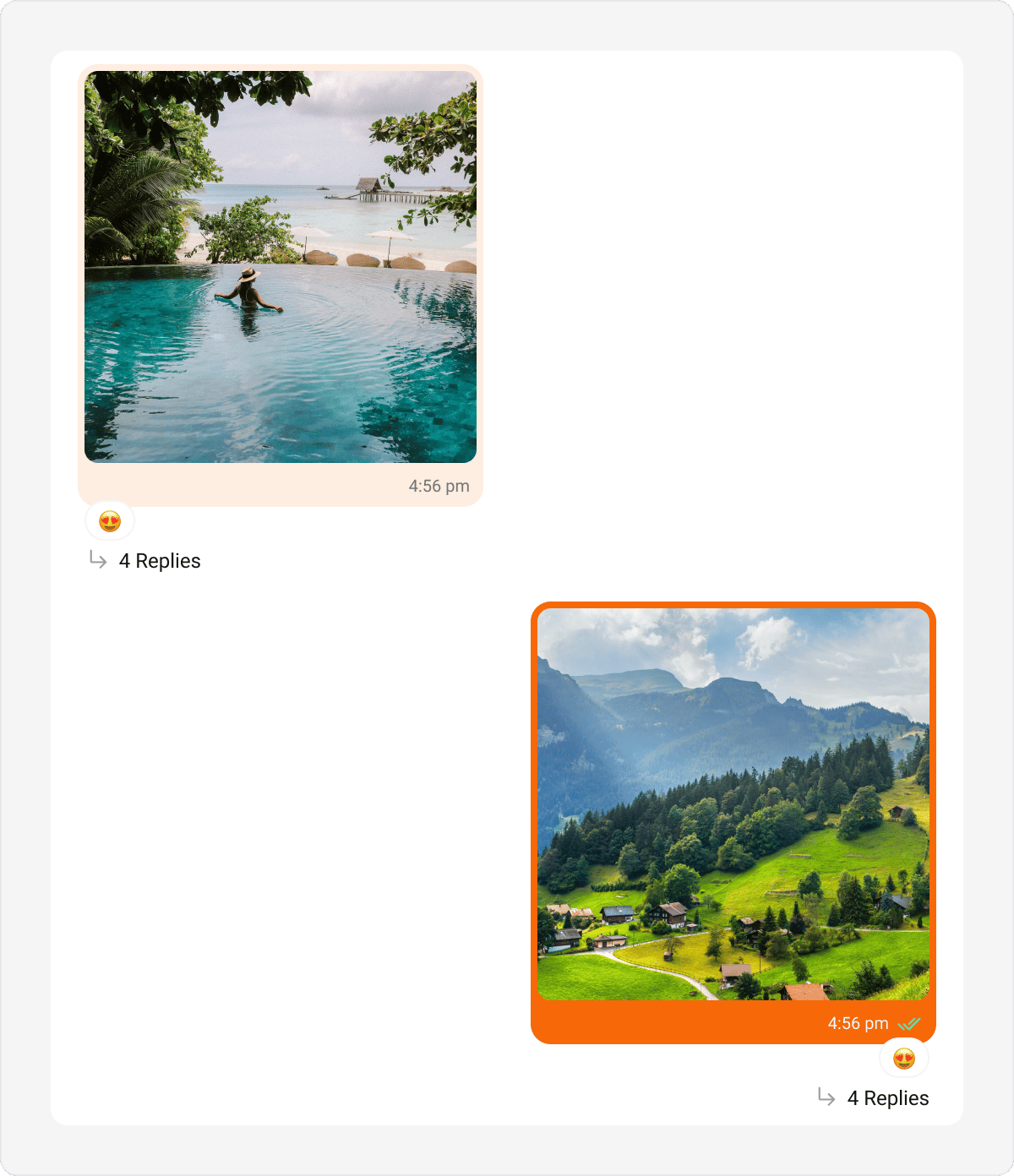
Image Bubble
- Kotlin (XML Views)
- Jetpack Compose
themes.xml
<style name="CustomIncomingImageBubble" parent="CometChatIncomingImageMessageBubbleStyle">
    <item name="cometchatImageBubbleBackgroundColor">#FEEDE1</item>
</style>

<style name="CustomIncomingBubble" parent="CometChatIncomingMessageBubbleStyle">
    <item name="cometchatImageBubbleStyle">@style/CustomIncomingImageBubble</item>
</style>
incomingMessageBubbleStyle = CometChatIncomingMessageBubbleStyle.default().copy(
    imageBubbleStyle = CometChatImageBubbleStyle.default().copy(
        backgroundColor = Color(0xFFFEEDE1)
    )
)
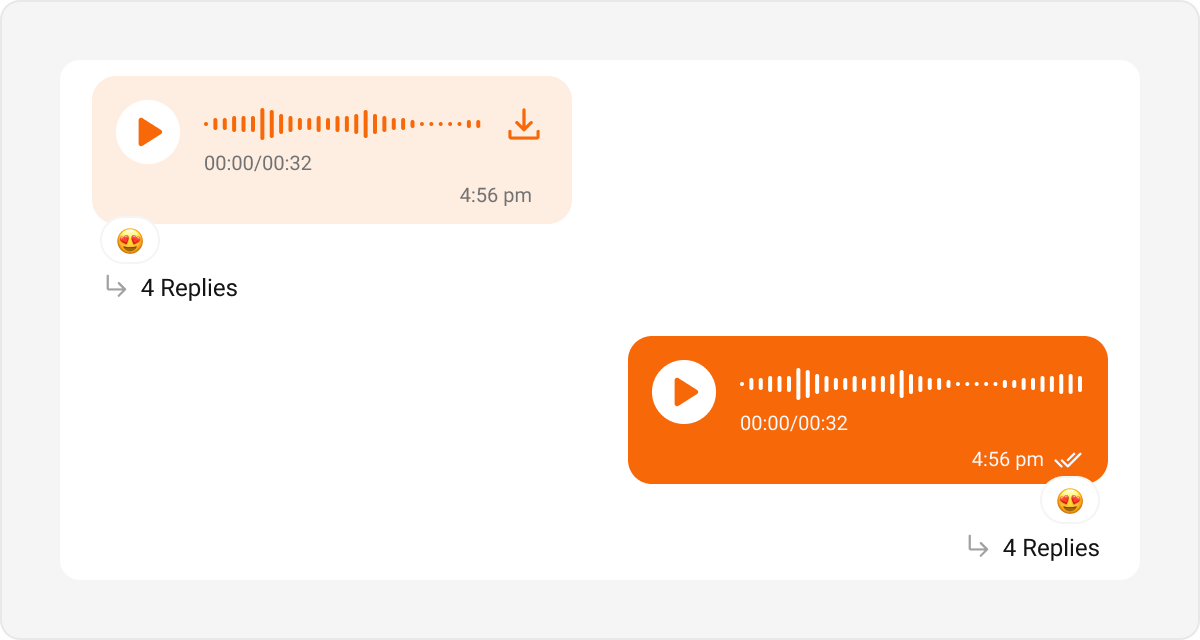
Audio Bubble
- Kotlin (XML Views)
- Jetpack Compose
themes.xml
<style name="CustomIncomingAudioBubble" parent="CometChatIncomingAudioBubbleStyle">
    <item name="cometchatAudioBubbleAudioWaveColor">#F76808</item>
    <item name="cometchatAudioBubblePlayIconTint">#F76808</item>
    <item name="cometchatAudioBubbleBackgroundColor">#FEEDE1</item>
</style>

<style name="CustomIncomingBubble" parent="CometChatIncomingMessageBubbleStyle">
    <item name="cometchatAudioBubbleStyle">@style/CustomIncomingAudioBubble</item>
</style>
incomingMessageBubbleStyle = CometChatIncomingMessageBubbleStyle.default().copy(
    audioBubbleStyle = CometChatAudioBubbleStyle.default().copy(
        playIconTint = Color(0xFFF76808),
        backgroundColor = Color(0xFFFEEDE1)
    )
)
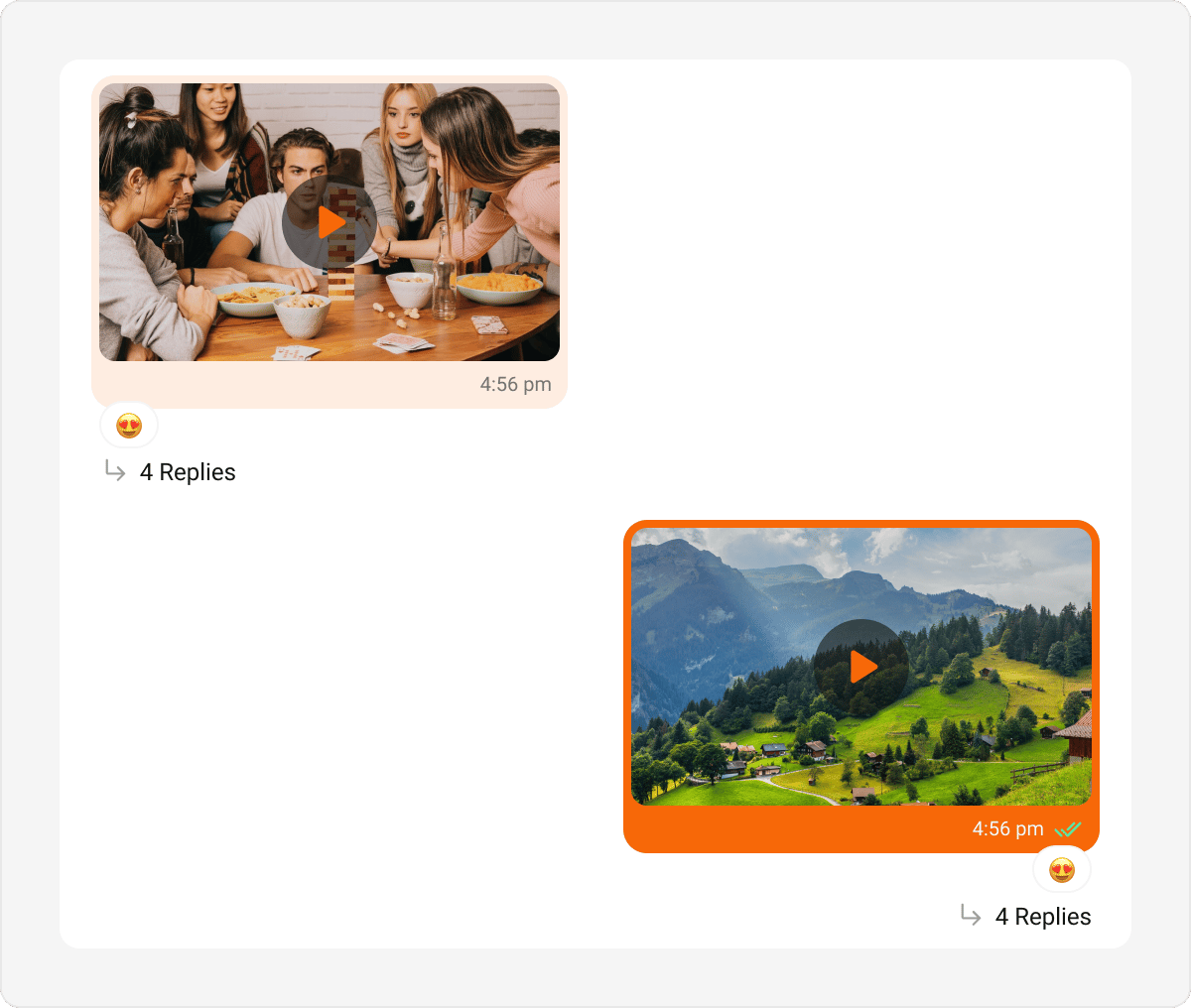
Video Bubble
- Kotlin (XML Views)
- Jetpack Compose
themes.xml
<style name="CustomIncomingVideoBubble" parent="CometChatIncomingVideoBubbleStyle">
    <item name="cometchatVideoBubbleBackgroundColor">#FEEDE1</item>
    <item name="cometchatVideoBubblePlayIconTint">#F76808</item>
</style>

<style name="CustomIncomingBubble" parent="CometChatIncomingMessageBubbleStyle">
    <item name="cometchatVideoBubbleStyle">@style/CustomIncomingVideoBubble</item>
</style>
incomingMessageBubbleStyle = CometChatIncomingMessageBubbleStyle.default().copy(
    videoBubbleStyle = CometChatVideoBubbleStyle.default().copy(
        backgroundColor = Color(0xFFFEEDE1),
        playIconTint = Color(0xFFF76808)
    )
)
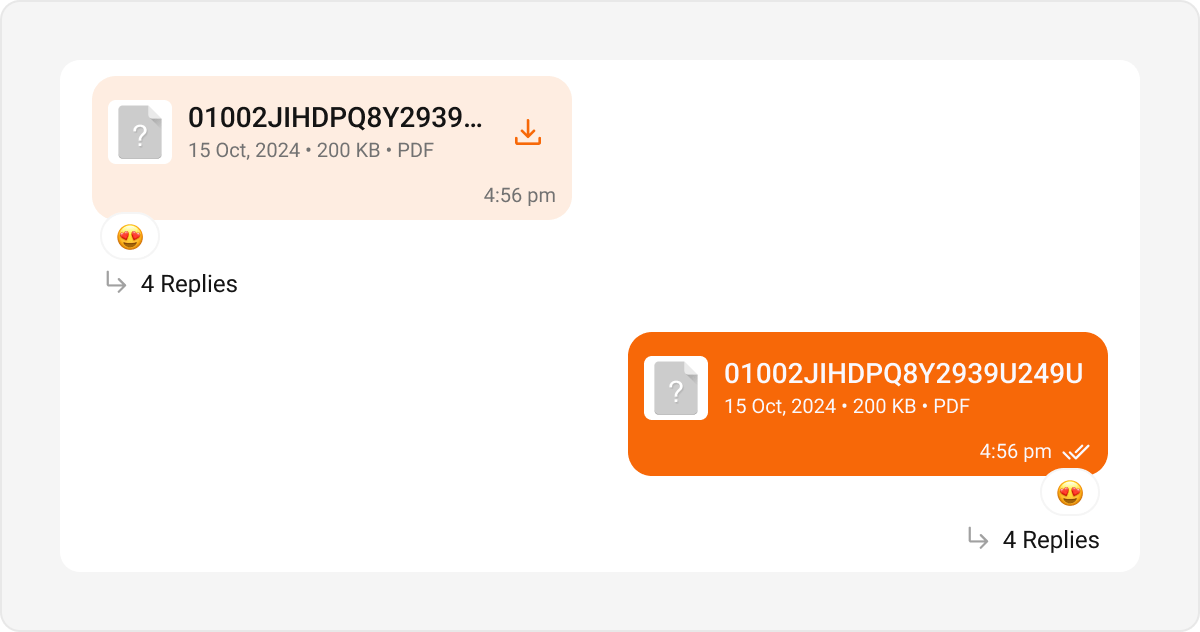
File Bubble
- Kotlin (XML Views)
- Jetpack Compose
themes.xml
<style name="CustomIncomingFileBubble" parent="CometChatIncomingFileBubbleStyle">
    <item name="cometchatFileBubbleBackgroundColor">#FEEDE1</item>
    <item name="cometchatFileBubbleFileDownloadIconTint">#F76808</item>
</style>

<style name="CustomIncomingBubble" parent="CometChatIncomingMessageBubbleStyle">
    <item name="cometchatFileBubbleStyle">@style/CustomIncomingFileBubble</item>
</style>
incomingMessageBubbleStyle = CometChatIncomingMessageBubbleStyle.default().copy(
    fileBubbleStyle = CometChatFileBubbleStyle.default().copy(
        backgroundColor = Color(0xFFFEEDE1),
        downloadIconTint = Color(0xFFF76808)
    )
)
Sticker Bubble
- Kotlin (XML Views)
- Jetpack Compose
themes.xml
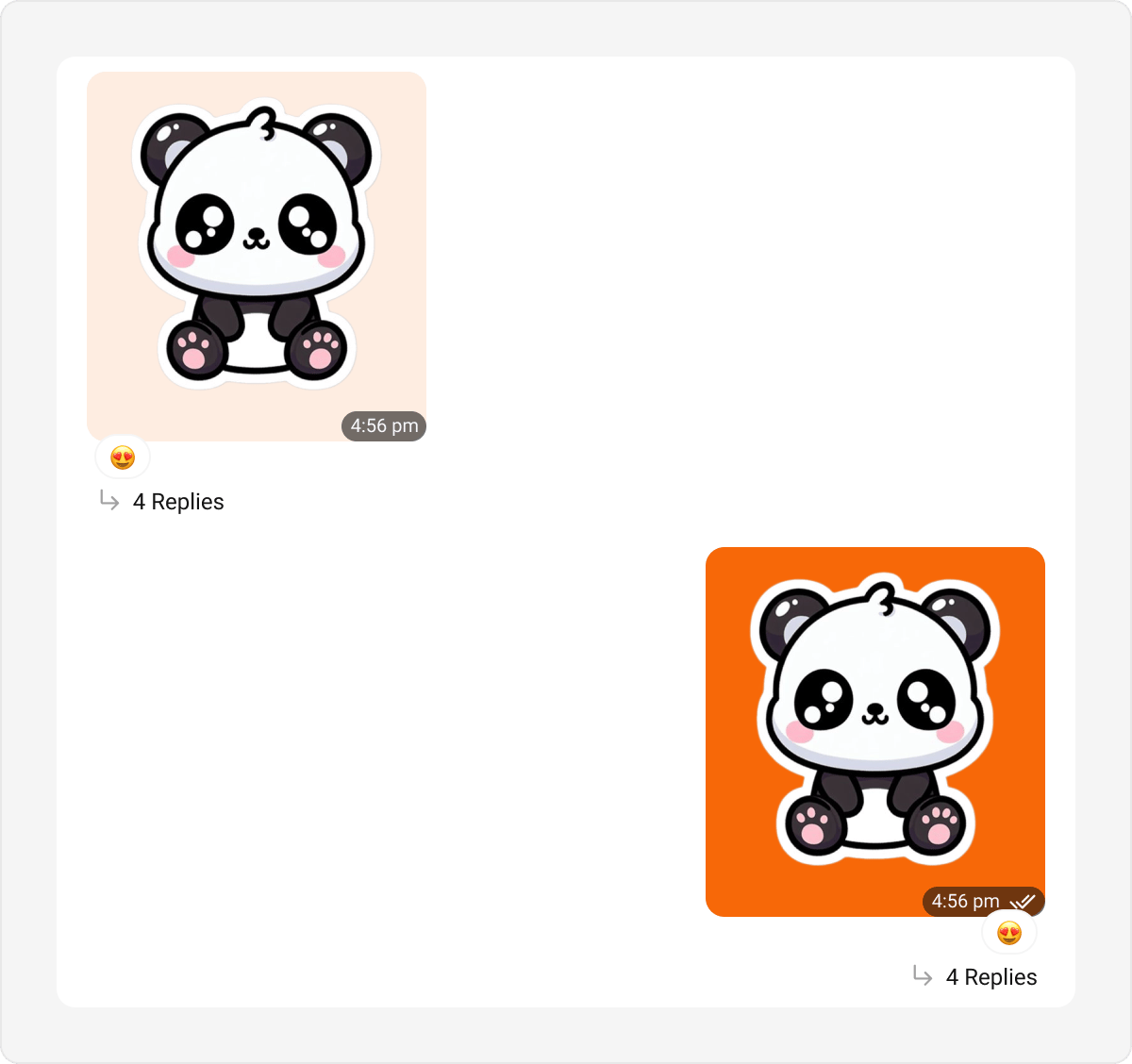
<style name="CustomStickerBubble" parent="CometChatStickerBubbleStyle">
    <item name="cometchatStickerBubbleBackgroundColor">#FEEDE1</item>
</style>

<style name="CustomIncomingBubble" parent="CometChatIncomingMessageBubbleStyle">
    <item name="cometchatStickerBubbleStyle">@style/CustomStickerBubble</item>
</style>
incomingMessageBubbleStyle = CometChatIncomingMessageBubbleStyle.default().copy(
    stickerBubbleStyle = CometChatStickerBubbleStyle.default().copy(
        backgroundColor = Color(0xFFFEEDE1)
    )
)
Poll Bubble
- Kotlin (XML Views)
- Jetpack Compose
themes.xml
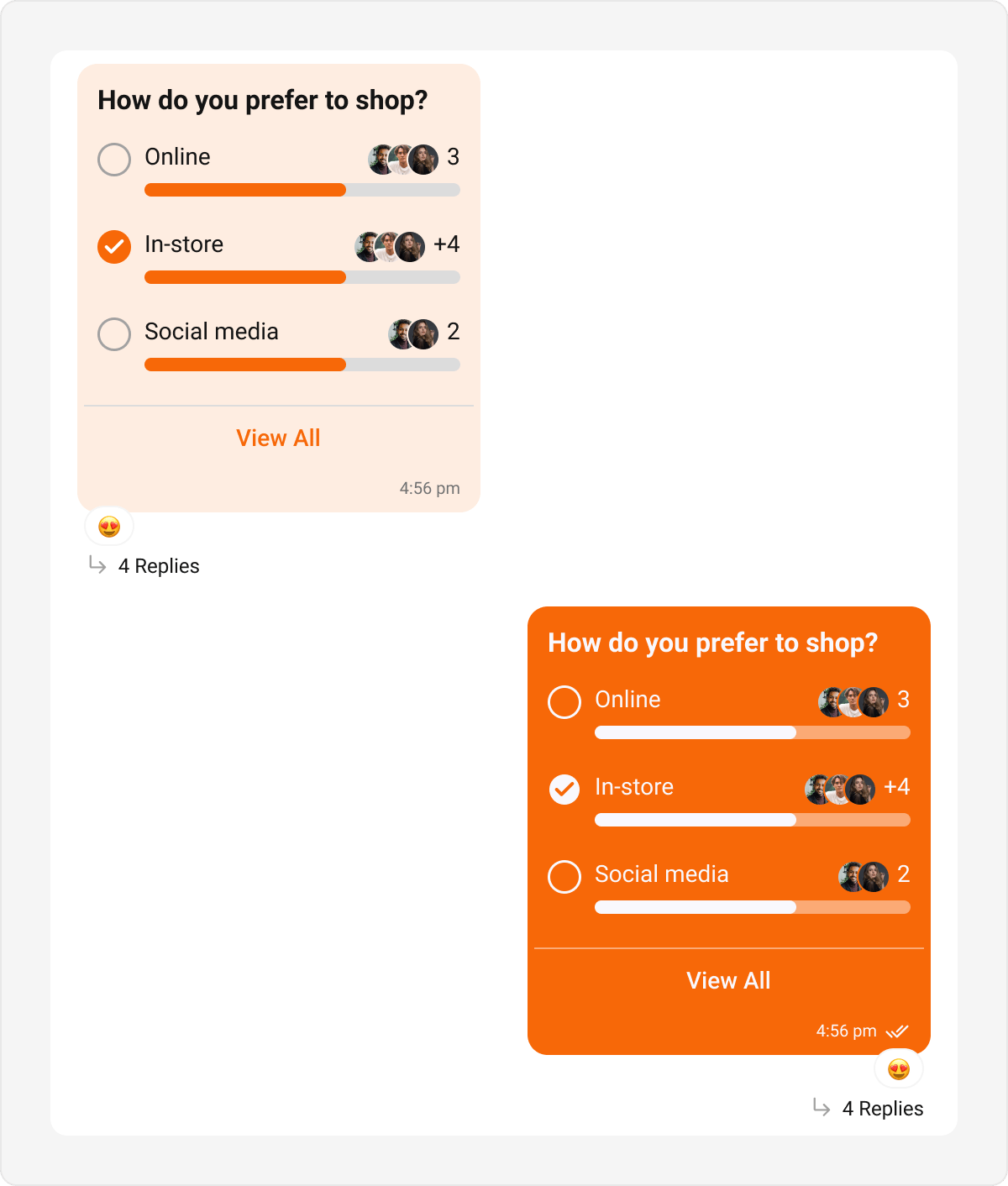
<style name="CustomOutgoingPollBubble" parent="CometChatOutgoingPollBubbleStyle">
    <item name="cometchatPollBubbleBackgroundColor">#F76808</item>
    <item name="cometchatPollBubbleProgressBackgroundColor">#FBAA75</item>
</style>

<style name="CustomOutgoingBubble" parent="CometChatOutgoingMessageBubbleStyle">
    <item name="cometchatPollBubbleStyle">@style/CustomOutgoingPollBubble</item>
</style>
outgoingMessageBubbleStyle = CometChatOutgoingMessageBubbleStyle.default().copy(
    pollBubbleStyle = CometChatPollBubbleStyle.default().copy(
        backgroundColor = Color(0xFFF76808),
        progressBackgroundColor = Color(0xFFFBAA75)
    )
)
Collaborative Bubble
- Kotlin (XML Views)
- Jetpack Compose
themes.xml
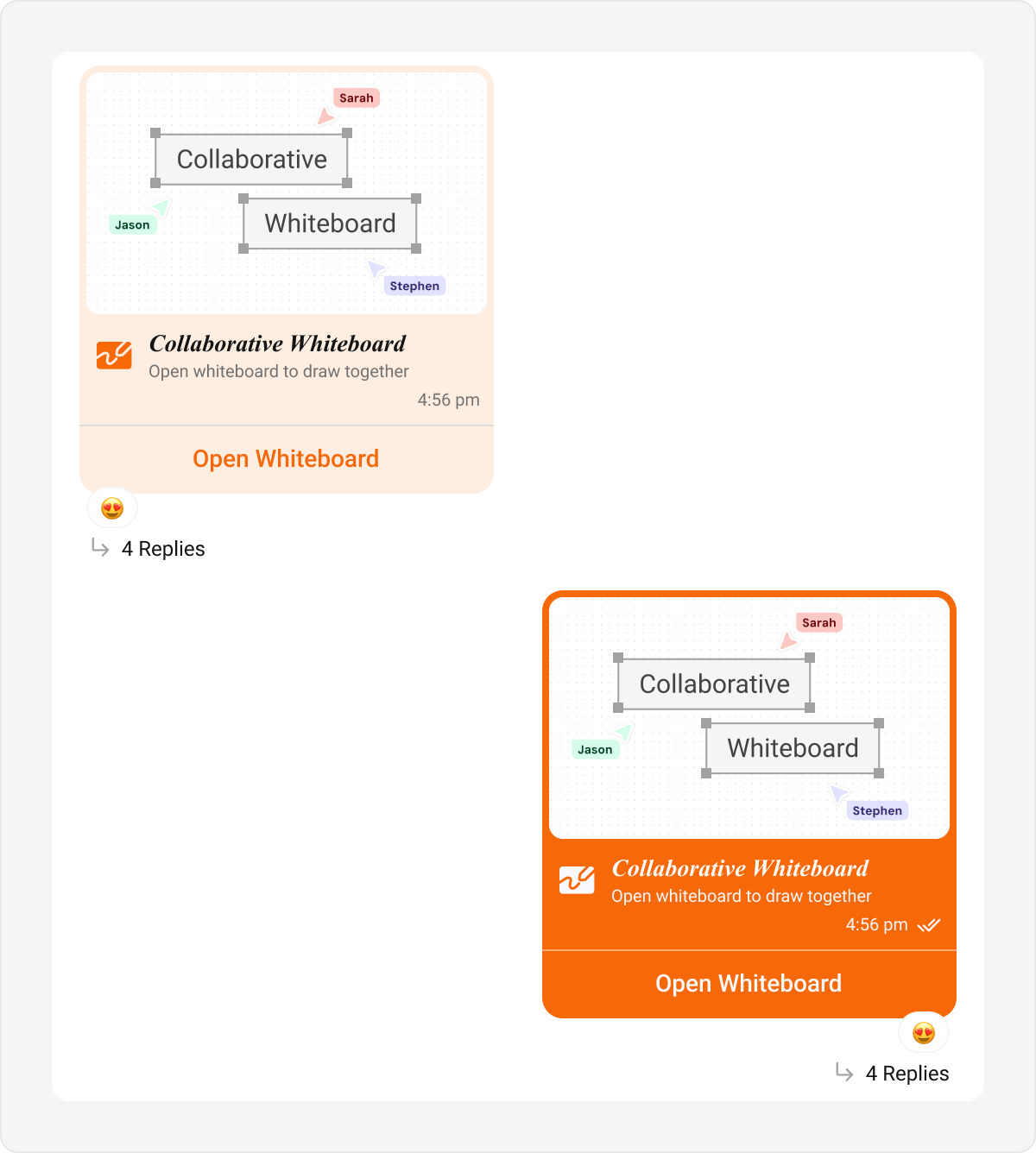
<style name="CustomCollaborativeBubble" parent="CometChatOutgoingCollaborativeBubbleStyle">
    <item name="cometchatCollaborativeBubbleBackgroundColor">#F76808</item>
    <item name="cometchatCollaborativeBubbleSeparatorColor">#FBAA75</item>
</style>

<style name="CustomOutgoingBubble" parent="CometChatOutgoingMessageBubbleStyle">
    <item name="cometchatCollaborativeBubbleStyle">@style/CustomCollaborativeBubble</item>
</style>
outgoingMessageBubbleStyle = CometChatOutgoingMessageBubbleStyle.default().copy(
    collaborativeBubbleStyle = CometChatCollaborativeBubbleStyle.default().copy(
        backgroundColor = Color(0xFFF76808),
        separatorColor = Color(0xFFFBAA75)
    )
)
Meet Call Bubble
- Kotlin (XML Views)
- Jetpack Compose
themes.xml
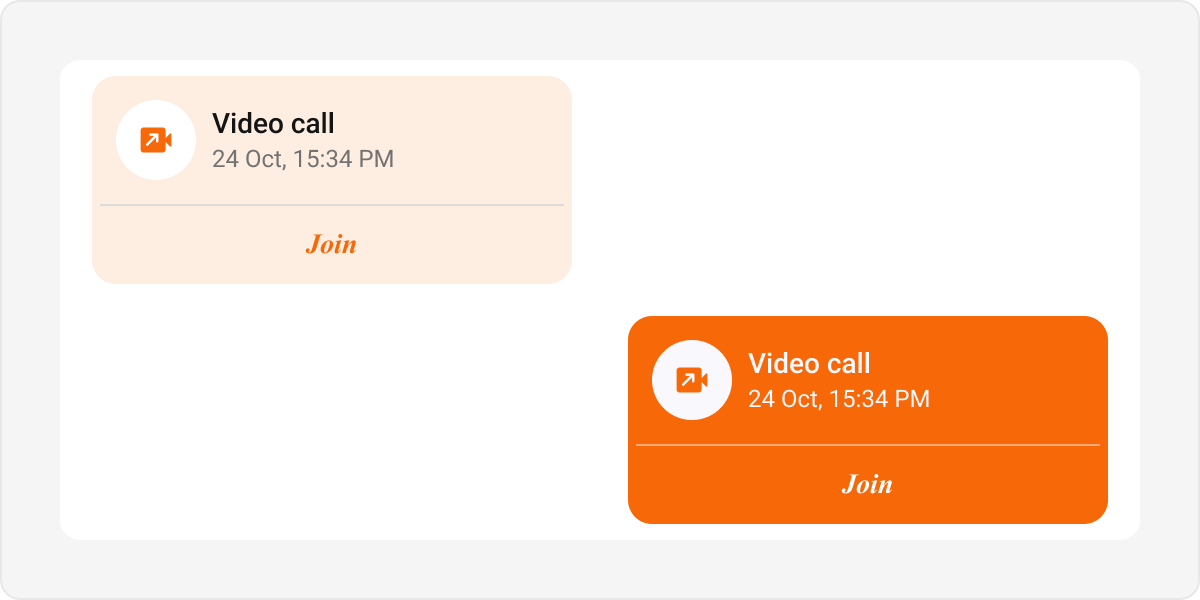
<style name="CustomMeetCallBubble" parent="CometChatOutgoingMeetCallBubbleStyle">
    <item name="cometchatMeetCallBubbleBackgroundColor">#F76808</item>
    <item name="cometchatMeetCallBubbleCallIconTint">#F76808</item>
</style>

<style name="CustomOutgoingBubble" parent="CometChatOutgoingMessageBubbleStyle">
    <item name="cometchatMeetCallBubbleStyle">@style/CustomMeetCallBubble</item>
</style>
outgoingMessageBubbleStyle = CometChatOutgoingMessageBubbleStyle.default().copy(
    meetCallBubbleStyle = CometChatMeetCallBubbleStyle.default().copy(
        backgroundColor = Color(0xFFF76808),
        callIconTint = Color(0xFFF76808)
    )
)
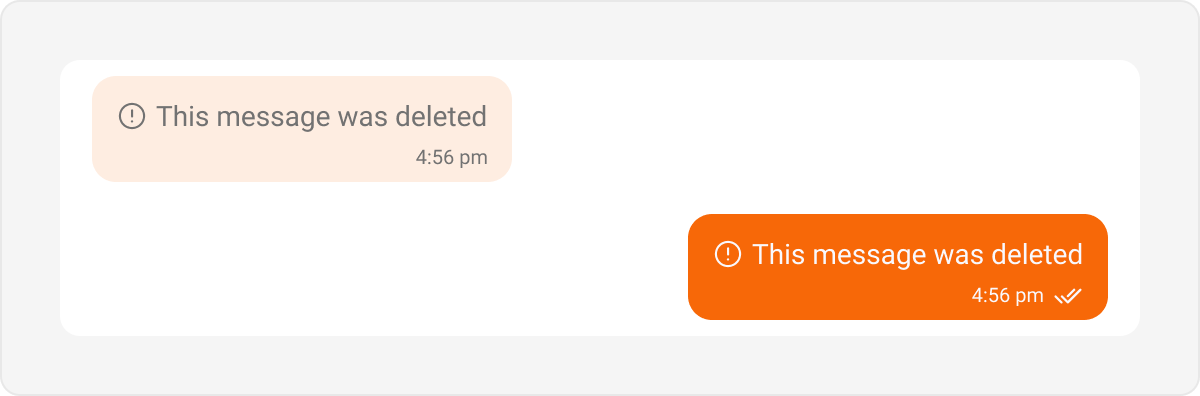
Delete Bubble
- Kotlin (XML Views)
- Jetpack Compose
themes.xml
<style name="CustomDeleteBubble" parent="CometChatOutgoingDeleteBubbleStyle">
    <item name="cometchatMessageBubbleBackgroundColor">#F76808</item>
</style>

<style name="CustomOutgoingBubble" parent="CometChatOutgoingMessageBubbleStyle">
    <item name="cometchatDeleteBubbleStyle">@style/CustomDeleteBubble</item>
</style>
outgoingMessageBubbleStyle = CometChatOutgoingMessageBubbleStyle.default().copy(
    deleteBubbleStyle = CometChatDeleteBubbleStyle.default().copy(
        backgroundColor = Color(0xFFF76808)
    )
)
List-Level Bubbles
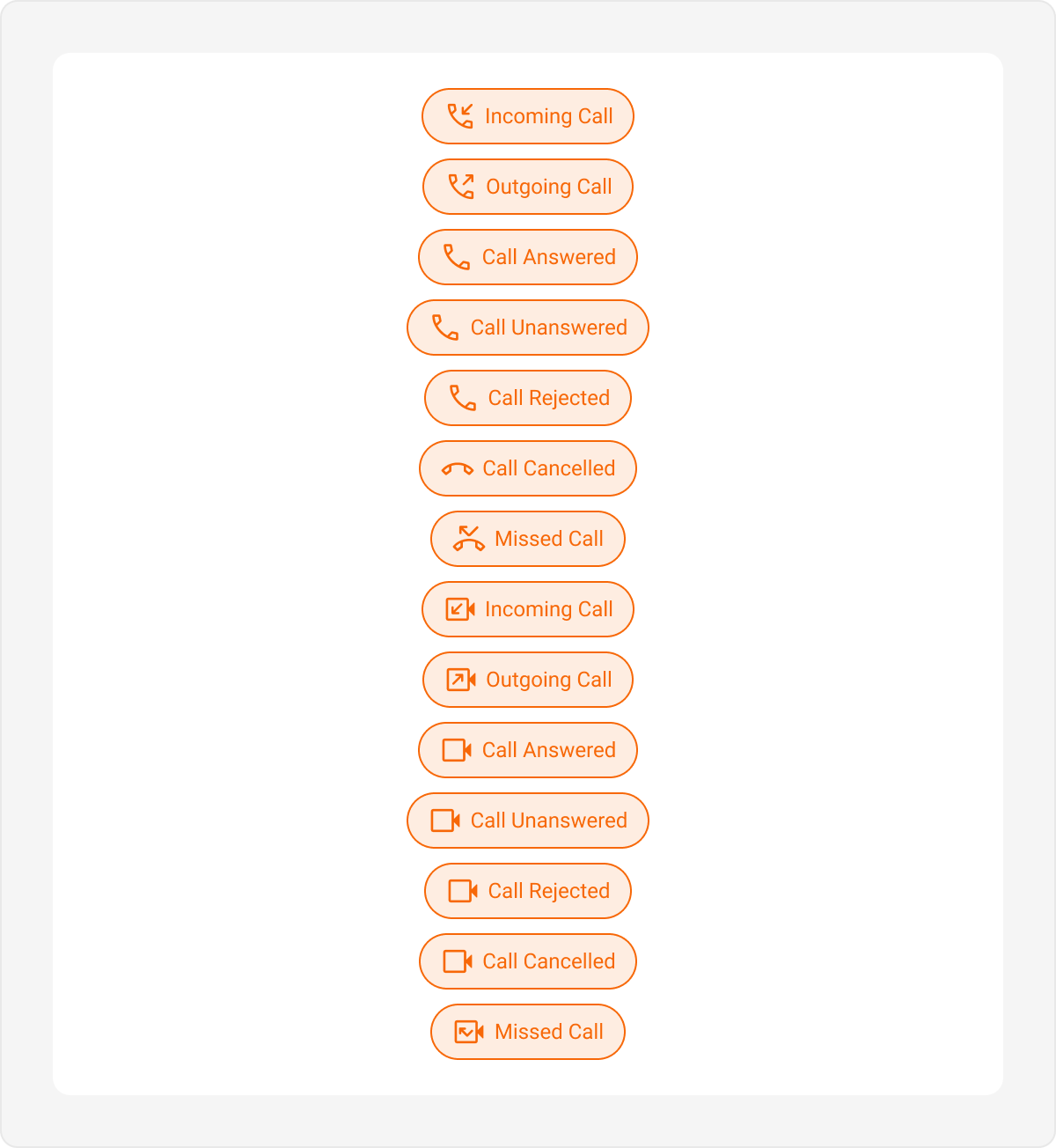
These bubbles are tied to the Message List style, not the Incoming/Outgoing hubs.Call Action Bubble
- Kotlin (XML Views)
- Jetpack Compose
themes.xml
<style name="CustomCallActionBubble" parent="CometChatCallActionBubbleStyle">
    <item name="cometchatCallActionBubbleBackgroundColor">#FEEDE1</item>
    <item name="cometchatCallActionBubbleTextColor">#F76808</item>
    <item name="cometchatCallActionBubbleIconTint">#F76808</item>
</style>

<style name="CustomMessageListStyle" parent="CometChatMessageListStyle">
    <item name="cometchatMessageListCallActionBubbleStyle">@style/CustomCallActionBubble</item>
</style>

<style name="AppTheme" parent="CometChatTheme.DayNight">
    <item name="cometchatMessageListStyle">@style/CustomMessageListStyle</item>
</style>
CometChatMessageList(
    style = CometChatMessageListStyle.default().copy(
        callActionBubbleStyle = CometChatCallActionBubbleStyle.default().copy(
            backgroundColor = Color(0xFFFEEDE1),
            textColor = Color(0xFFF76808),
            iconTint = Color(0xFFF76808)
        )
    )
)
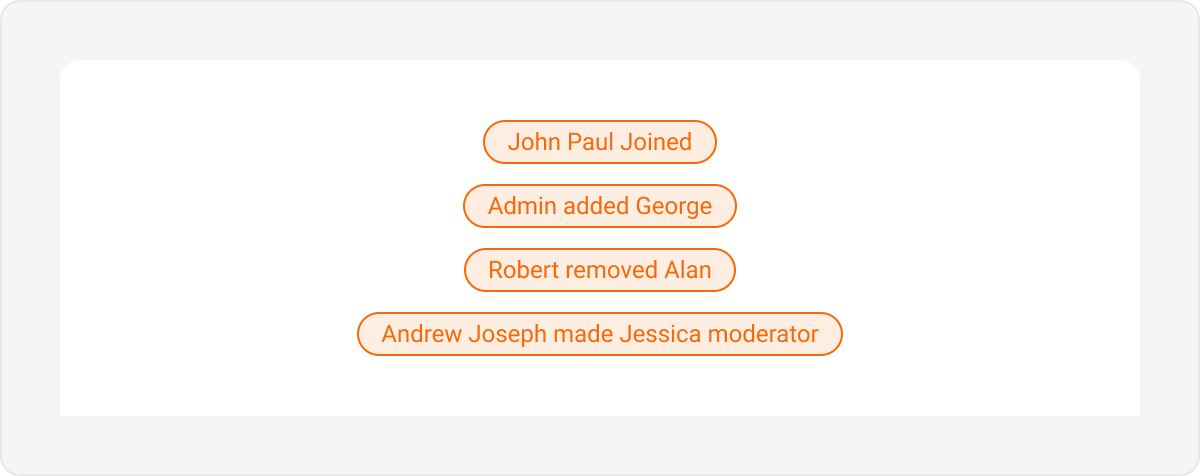
Action Bubble
- Kotlin (XML Views)
- Jetpack Compose
themes.xml
<style name="CustomActionBubble" parent="CometChatActionBubbleStyle">
    <item name="cometchatActionBubbleBackgroundColor">#FEEDE1</item>
    <item name="cometchatActionBubbleTextColor">#F76808</item>
</style>

<style name="CustomMessageListStyle" parent="CometChatMessageListStyle">
    <item name="cometchatMessageListActionBubbleStyle">@style/CustomActionBubble</item>
</style>

<style name="AppTheme" parent="CometChatTheme.DayNight">
    <item name="cometchatMessageListStyle">@style/CustomMessageListStyle</item>
</style>
CometChatMessageList(
    style = CometChatMessageListStyle.default().copy(
        actionBubbleStyle = CometChatActionBubbleStyle.default().copy(
            backgroundColor = Color(0xFFFEEDE1),
            textColor = Color(0xFFF76808)
        )
    )
)