

Overview
MessageList is a composite component that displays a list of messages and effectively manages real-time operations. It includes various types of messages such as Text Messages, Media Messages, Stickers, and more.
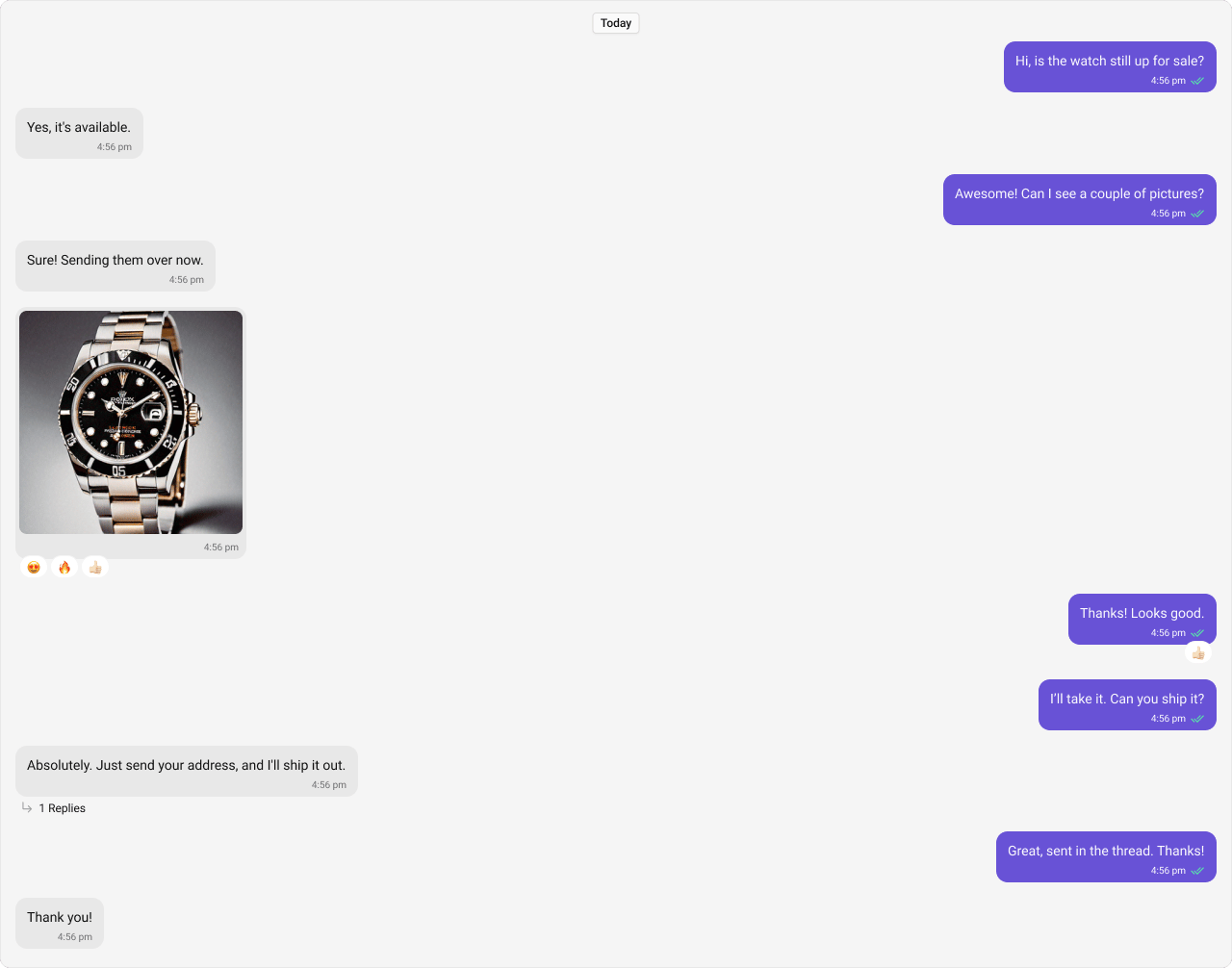
Usage
Integration
The following code snippet illustrates how you can directly incorporate the MessageList component into your Application.- MessageListDemo.tsx
- App.tsx
Actions
Actions dictate how a component functions. They are divided into two types: Predefined and User-defined. You can override either type, allowing you to tailor the behavior of the component to fit your specific needs.1. onThreadRepliesClick
onThreadRepliesClick is triggered when you click on the threaded message bubble. The onThreadRepliesClick action doesn’t have a predefined behavior. You can override this action using the following code snippet.
- TypeScript
- JavaScript
2. onError
This action doesn’t change the behavior of the component but rather listens for any errors that occur in the MessageList component.- TypeScript
- JavaScript
3. onReactionClick
onReactionClick is triggered when you click on the reaction item of the message bubble. The onReactionClick action doesn’t have a predefined behavior. You can override this action using the following code snippet.
- TypeScript
- JavaScript
4. onReactionListItemClick
onReactionListItemClick is triggered when you click on the reaction list item of the reaction list. The onReactionListItemClick action doesn’t have a predefined behavior. You can override this action using the following code snippet.
- TypeScript
- JavaScript
Filters
1. Messages Request Builder
You can adjust theMessagesRequestBuilder in the MessageList Component to customize your message list. Numerous options are available to alter the builder to meet your specific needs. For additional details on MessagesRequestBuilder, please visit MessagesRequestBuilder.
In the example below, we are applying a filter to the messages based on a search substring and for a specific user. This means that only messages that contain the search term and are associated with the specified user will be displayed
- TypeScript
- JavaScript
The following parameters in messageRequestBuilder will always be altered inside the message list
- UID
- GUID
2. Reactions Request Builder
You can adjust theReactionsRequestBuilder in the MessageList Component to customize and fetch the reactions for the messages. Numerous options are available to alter the builder to meet your specific needs.
- TypeScript
- JavaScript
Events
Events are emitted by aComponent. By using event you can extend existing functionality. Being global events, they can be applied in Multiple Locations and are capable of being Added or Removed.
The list of events emitted by the Message List component is as follows.
Adding
CometChatMessageEvents Listener’s
- TypeScript
- JavaScript
Removing
CometChatMessageEvents Listener’s
- TypeScript
- JavaScript
Customization
To fit your app’s design requirements, you can customize the appearance of the Message List component. We provide exposed properties that allow you to modify the experience and behavior according to your specific needs.Style
You can set the css to the MessageList Component Component to customize the styling. Example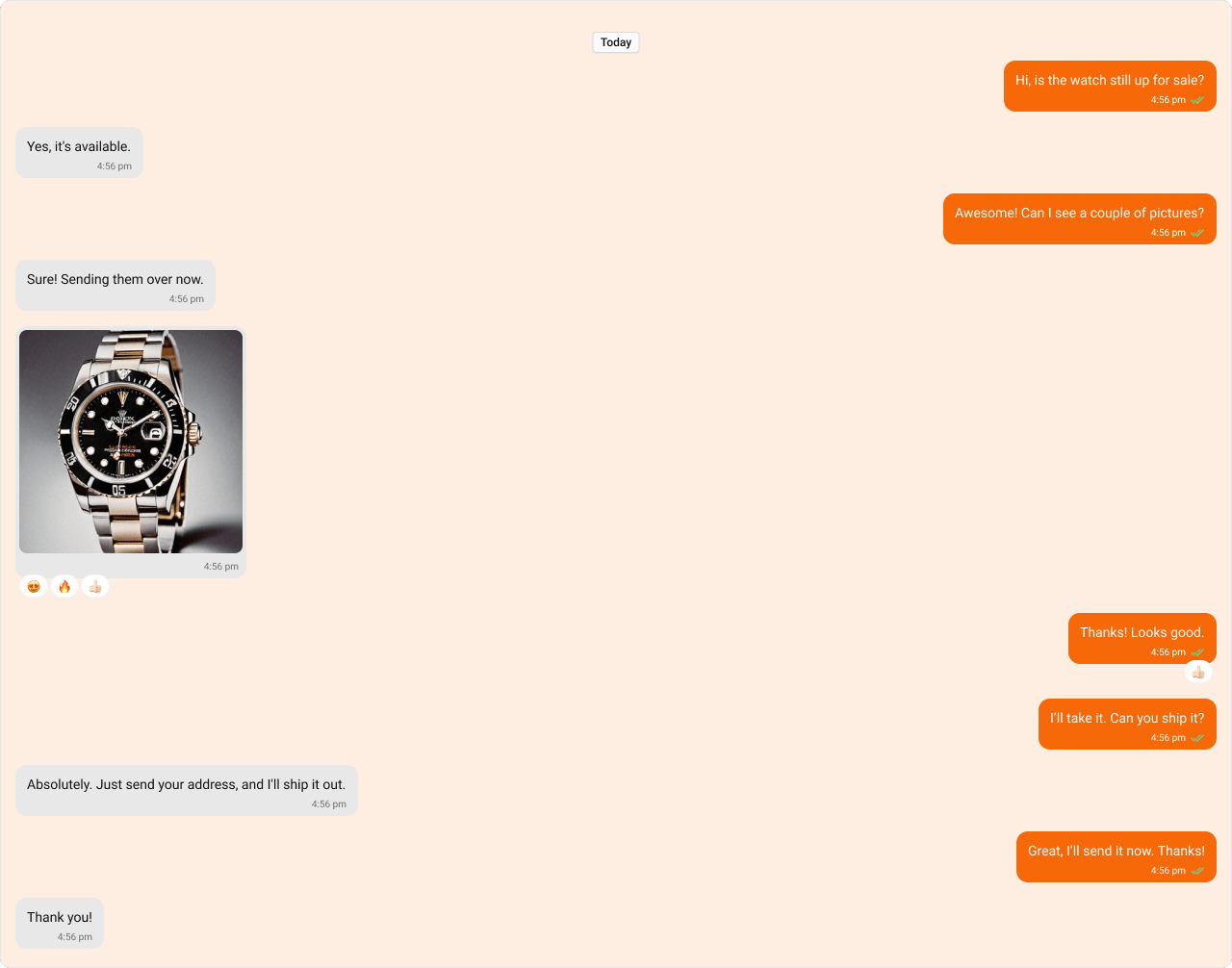
- TypeScript
- CSS
Functionality
These are a set of small functional customizations that allow you to fine-tune the overall experience of the component. With these, you can change text, set custom icons, and toggle the visibility of UI elements.- TypeScript
- JavaScript
Below is a list of customizations along with corresponding code snippets
Advanced
For advanced-level customization, you can set custom views to the component. This lets you tailor each aspect of the component to fit your exact needs and application aesthetics. You can create and define your views, layouts, and UI elements and then incorporate those into the component.Templates
CometChatMessageTemplate is a pre-defined structure for creating message views that can be used as a starting point or blueprint for creating message views often known as message bubbles. For more information, you can refer to CometChatMessageTemplate. You can set message Templates to MessageList by using the following code snippet.- TypeScript
- JavaScript
DatePattern
You can customize the date pattern of the message list separator using theDatePattern prop. Choose from predefined options like time, DayDate, DayDateTime, or DateTime.
- TypeScript
- JavaScript
TimePattern
You can modify the date pattern to your requirement using TimePattern. Choose from predefined options liketime, DayDate, DayDateTime, or DateTime.
TimePatterns describes a specific format or arrangement used to represent dates in a human-readable form.
- If timestamp < 48hrs display “Yesterday”
- If timestamp < 7days display “EEE” i.e , SUNDAY
- else display “d MMM, yyyy” | | DayDateTime | Date format displayed in the following format.1) If timestamp < 24hrs display “hh:mm a”
- If timestamp < 48hrs display “Yesterday”
- If timestamp < 7days display “EEE” i.e SUNDAY
- else display “dd MM yyyy” |
- TypeScript
- JavaScript
Headerview
You can set custom headerView to the Message List component using the following method. The customized chat interface is displayed below.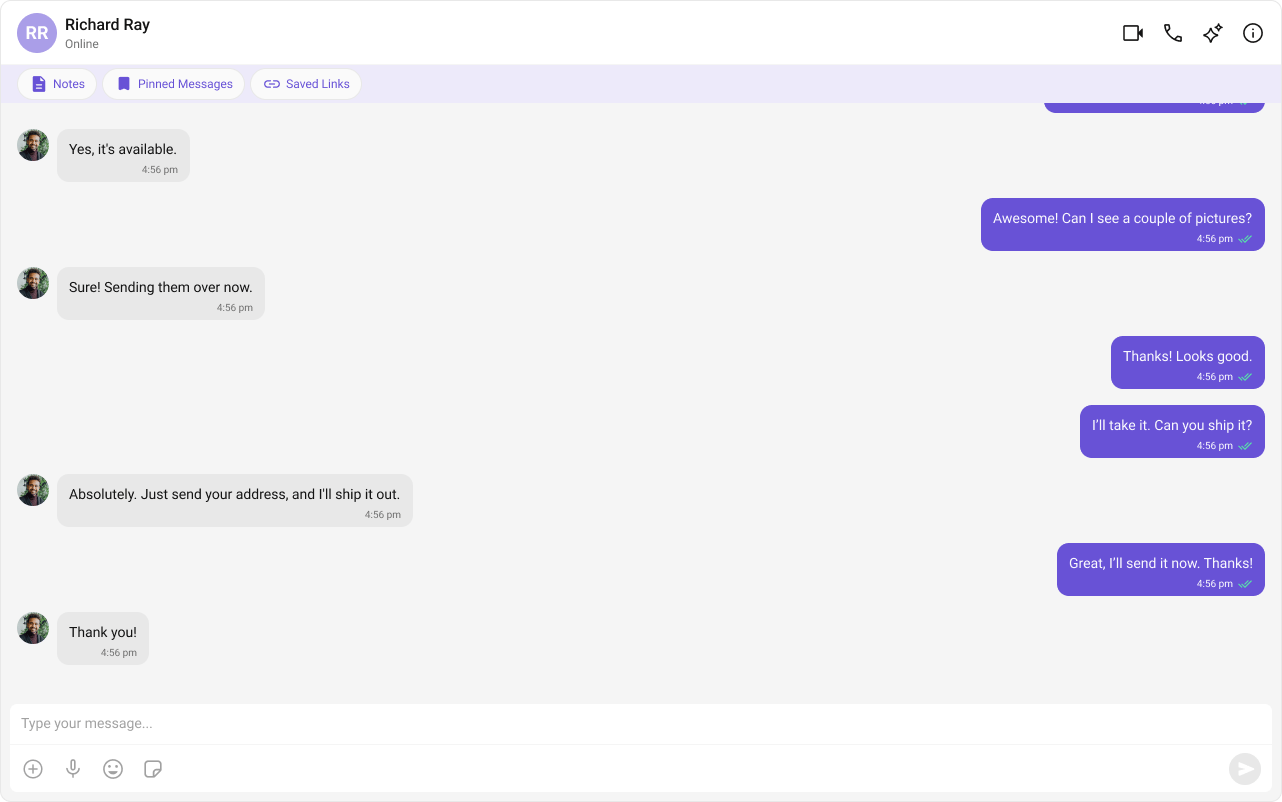
- TypeScript
- JavaScript
- CSS
FooterView
You can set custom footerview to the Message List component using the following method. The customized chat interface is displayed below.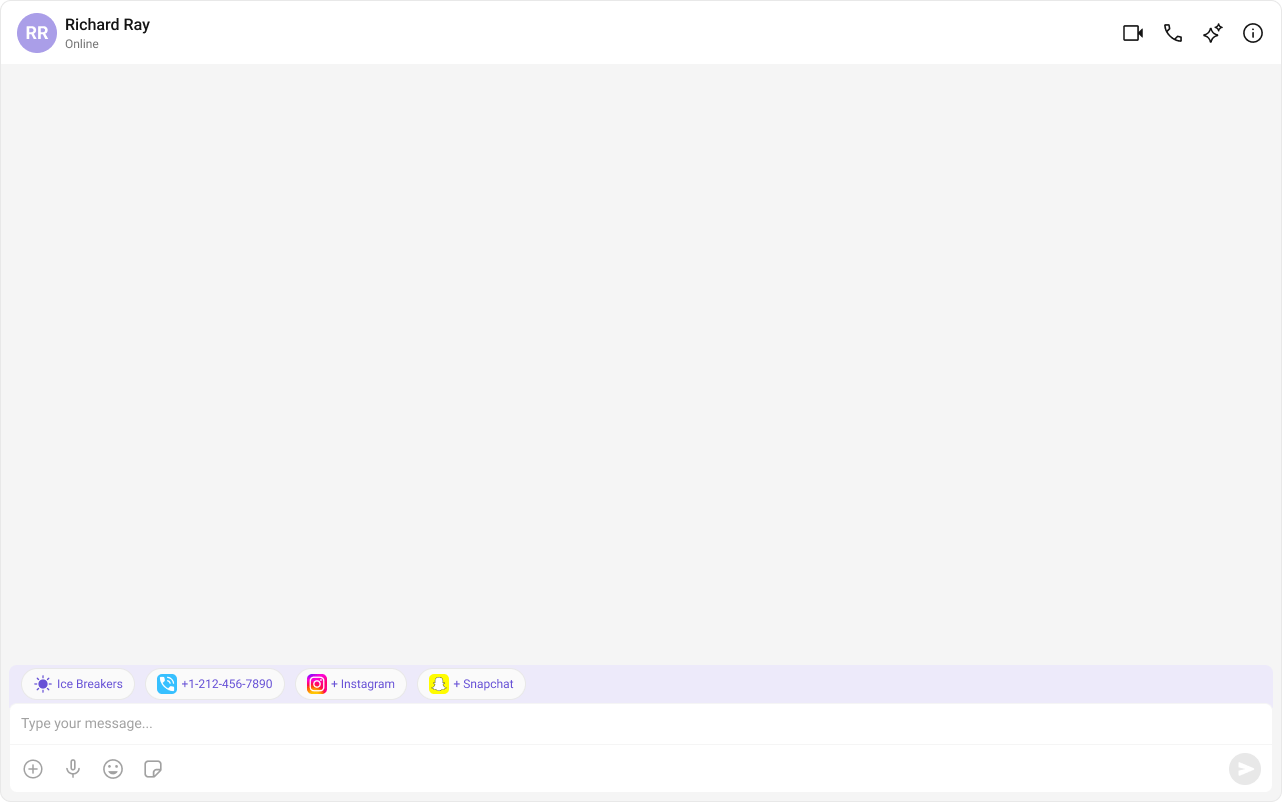
- TypeScript
- JavaScript
- CSS
TextFormatters
Assigns the list of text formatters. If the provided list is not null, it sets the list. Otherwise, it assigns the default text formatters retrieved from the data source. To configure the existing Mentions look and feel check out CometChatMentionsFormatter- ShortCutFormatter.ts
- Dialog.tsx
- MessageListDemo.tsx