

AI Integration Quick Reference
AI Integration Quick Reference
Where It Fits
CometChatIncomingCall is a call-handling component. It renders when the logged-in user receives an incoming voice or video call, displaying the caller’s information and providing accept/reject controls. Wire it to CometChatOngoingCallActivity after the user accepts the call.
- Kotlin
- Java
CallHandlerActivity.kt
Quick Start
Add the component to your layout XML:layout_activity.xml
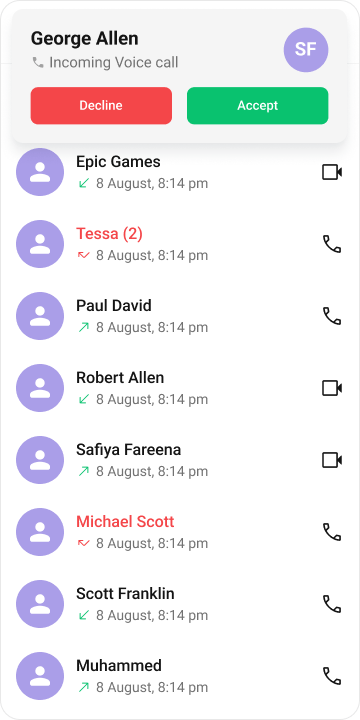
CometChatUIKit.init(), a user logged in, and the cometchat-chat-uikit-android dependency added.
In your Activity, get a reference and set the Call object:
- Kotlin
- Java
YourActivity.kt
- Kotlin
- Java
YourActivity.kt
- Kotlin
- Java
YourFragment.kt
Actions and Events
Callback Methods
setOnAcceptClick
Fires when the user taps the accept button. Override this to replace the default call-accept behavior.
- Kotlin
- Java
YourActivity.kt
What this does: Replaces the default accept-button behavior. When the user taps the accept button, your custom OnClick lambda executes instead of the built-in call-accept logic.
setOnRejectClick
Fires when the user taps the reject button. Override this to replace the default call-reject behavior.
- Kotlin
- Java
YourActivity.kt
What this does: Replaces the default reject-button behavior. When the user taps the reject button, your custom OnClick lambda executes instead of the built-in call-decline logic.
setOnError
Fires on internal errors (network failure, call failure, SDK exception).
- Kotlin
- Java
YourActivity.kt
What this does: Registers an error listener. If the component encounters an error, your callback receives the CometChatException so you can handle it with custom logic.
- Verify: After setting an action callback, trigger the corresponding user interaction (tap accept, tap reject) and confirm your custom logic executes instead of the default behavior.
Global UI Events (CometChatCallEvents)
CometChatCallEvents emits events subscribable from anywhere in the application. Add a listener and remove it when no longer needed.
- Kotlin
- Java
Add Listener
SDK Events
The component listens to these SDK events internally. No manual attachment needed unless additional side effects are required.Automatic: call state changes update the component in real time.
Functionality
Small functional customizations such as toggling call sounds and setting custom ringtones.- Verify: After calling
disableSoundForCalls(true), confirm no ringtone plays on incoming calls. After callingsetCustomSoundForCalls, confirm the custom sound plays.
Custom View Slots
Each slot replaces a section of the default UI. IncomingCall view slots accept plainView objects (not ViewHolderListener).
setItemView
Replace the entire incoming call card with a custom view.
- Kotlin
- Java
YourActivity.kt
What this does: Replaces the entire default incoming call card with your custom View. The custom view is responsible for rendering all caller information and call controls.
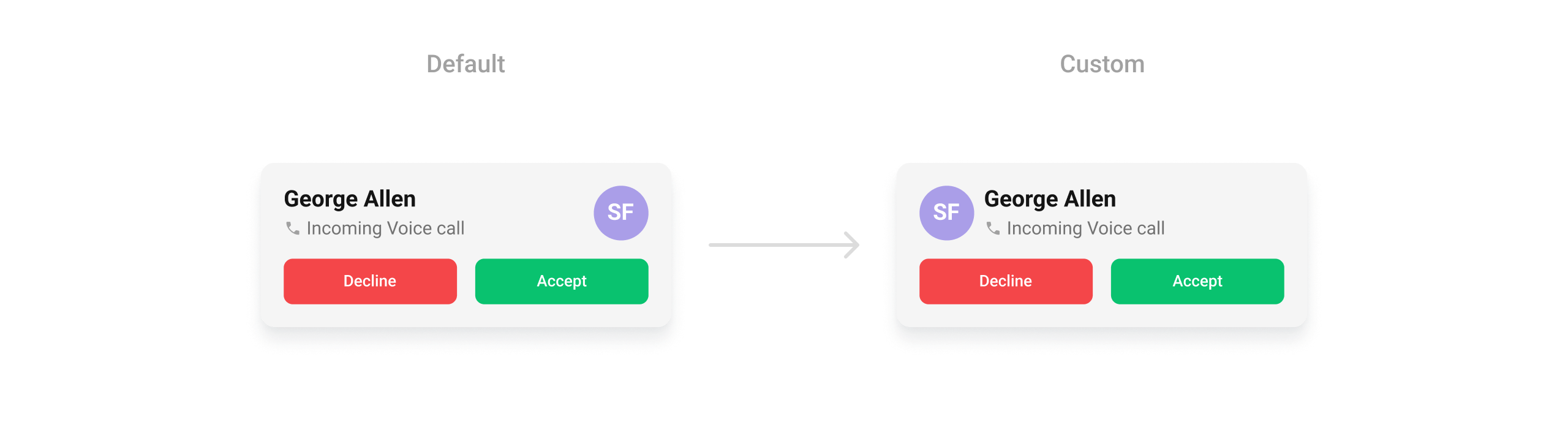
setLeadingView
Replace the avatar / left section.
- Kotlin
- Java
YourActivity.kt
What this does: Replaces the default leading (left) area of the incoming call screen with your custom View.
Example:
leading_view.xml
- Kotlin
- Java
YourActivity.kt
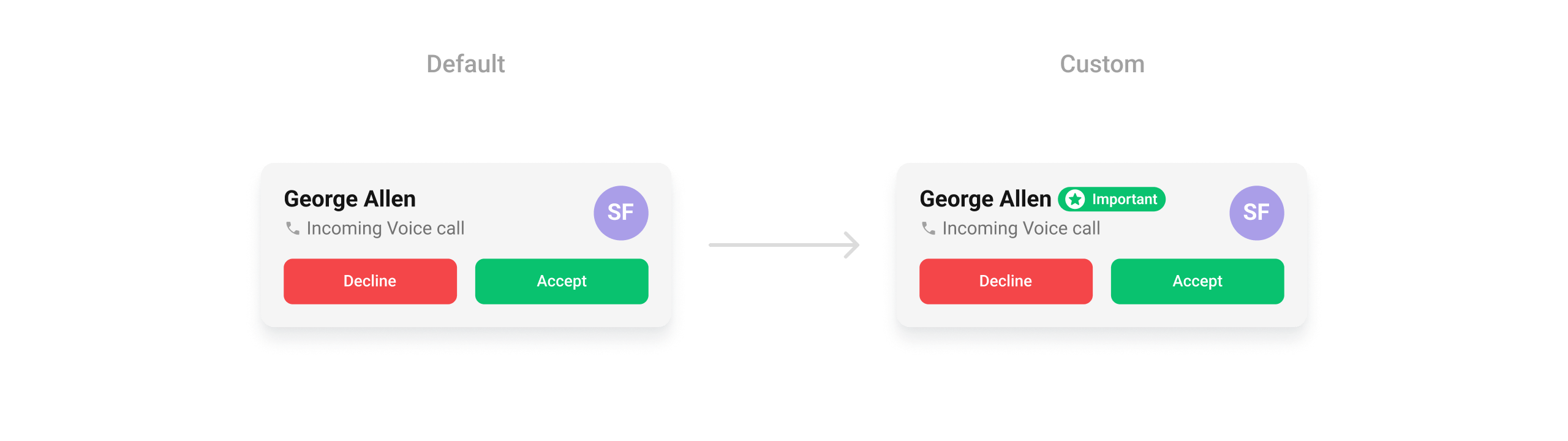
setTitleView
Replace the caller name / title text.
- Kotlin
- Java
YourActivity.kt
What this does: Replaces the default title area of the incoming call screen with your custom View.
Example:
custom_title_view.xml
- Kotlin
- Java
YourActivity.kt
setSubtitleView
Replace the subtitle text below the caller’s name.
- Kotlin
- Java
YourActivity.kt
What this does: Replaces the default subtitle area of the incoming call screen with your custom View. Use this to show additional information below the caller’s name.
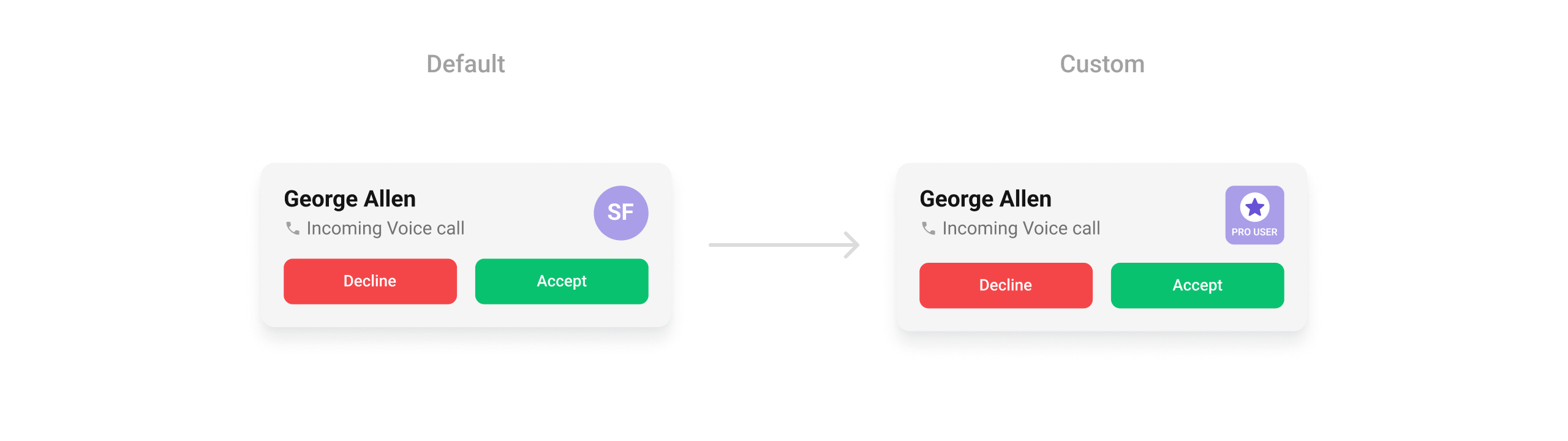
setTrailingView
Replace the right section of the incoming call card.
- Kotlin
- Java
YourActivity.kt
What this does: Replaces the default trailing (right) area of the incoming call screen with your custom View.
Example:
trailing_view.xml
- Kotlin
- Java
YourActivity.kt
- Verify: After setting any custom view slot, confirm the custom view renders in the correct position on the incoming call screen and displays the expected caller information.
Common Patterns
Silent incoming call
- Kotlin
- Java
Custom ringtone
- Kotlin
- Java
Custom call settings
- Kotlin
- Java
Override accept to add logging
- Kotlin
- Java
Advanced Methods
setCall
Sets the Call object for the incoming call screen. Required for accept/reject actions to work correctly. The component extracts the caller’s name, avatar, and call type from this object.
- Kotlin
- Java
setCallSettingsBuilder
Provides a custom CallSettingsBuilder to configure call settings (audio mode, video resolution, etc.) used when the call is accepted.
- Kotlin
- Java
Internal Access
These methods provide direct access to internal components for advanced use cases.Use these only when the standard API is insufficient. Directly manipulating the ViewModel or binding may conflict with the component’s internal state management.
Style
The component uses XML theme styles. Define a custom style with parentCometChatIncomingCallStyle in themes.xml, then apply with setStyle().
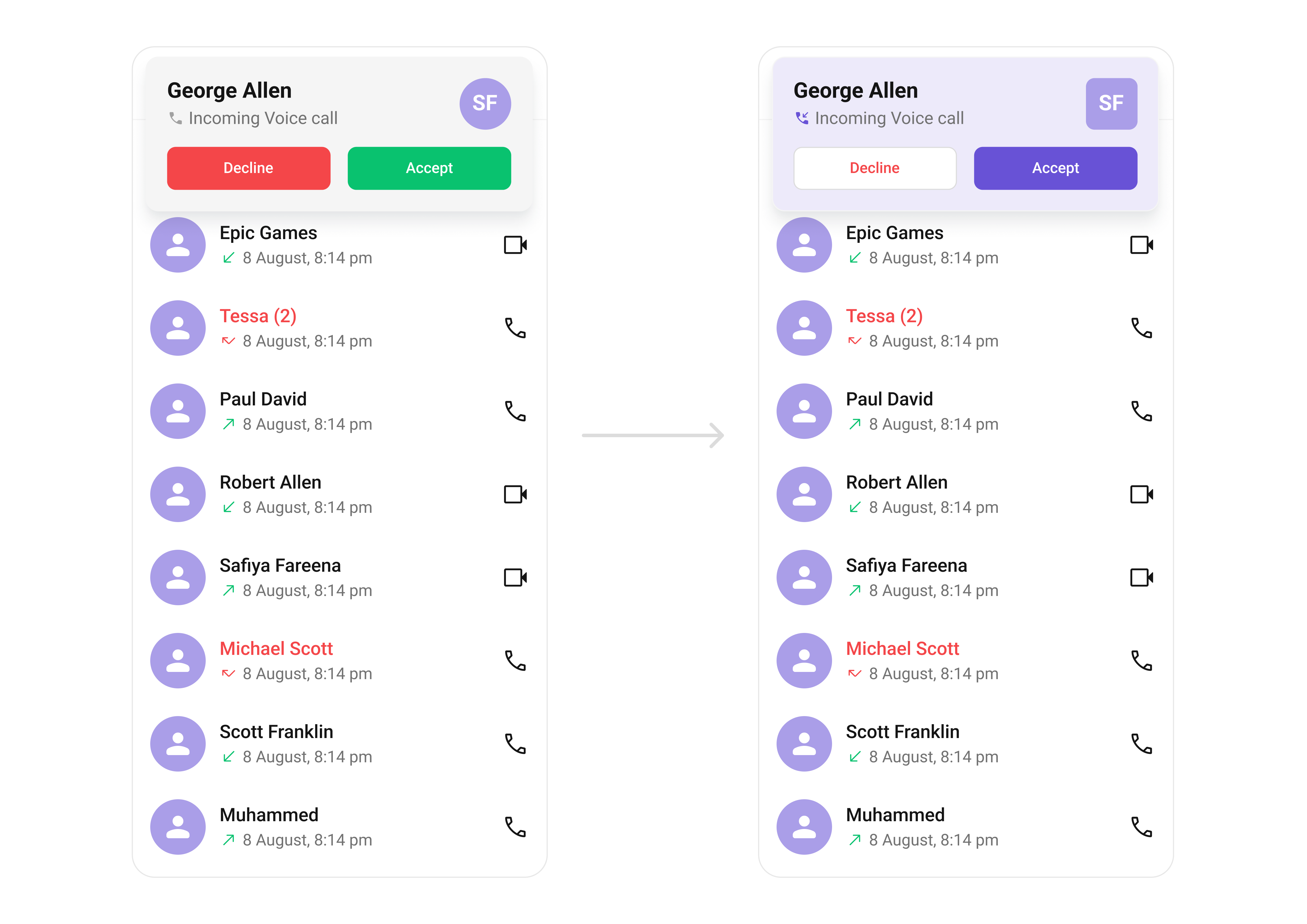
themes.xml
- Kotlin
- Java
Programmatic Style Properties
In addition to XML theme styles, the component exposes programmatic setters for fine-grained control:- Verify: The incoming call screen displays with a purple background (
#AA9EE8), custom button colors, and avatars with rounded corners (8dp radius) and an orange background (#FBAA75).
Customization Matrix
Next Steps
Outgoing Call
Outgoing call screen with end-call control
Call Buttons
Voice and video call initiation buttons
Call Logs
View call history
Conversations
Browse recent conversations