

AI Integration Quick Reference
AI Integration Quick Reference
CometChatTextFormatter is an abstract class for formatting text in the message composer and message bubbles. Extend it to build custom formatters — hashtags, keywords, or any regex-based pattern.
Steps
1. Import the base class
2. Extend it
3. Implement the regex pattern
Return the regex that matches your target pattern fromgetRegex():
4. Implement the format method
Theformat() method receives the raw text and returns formatted HTML:
5. Optionally implement shouldFormat
Control when the formatter is applied:Example
A hashtag formatter used withcometchat-message-list and cometchat-message-composer.
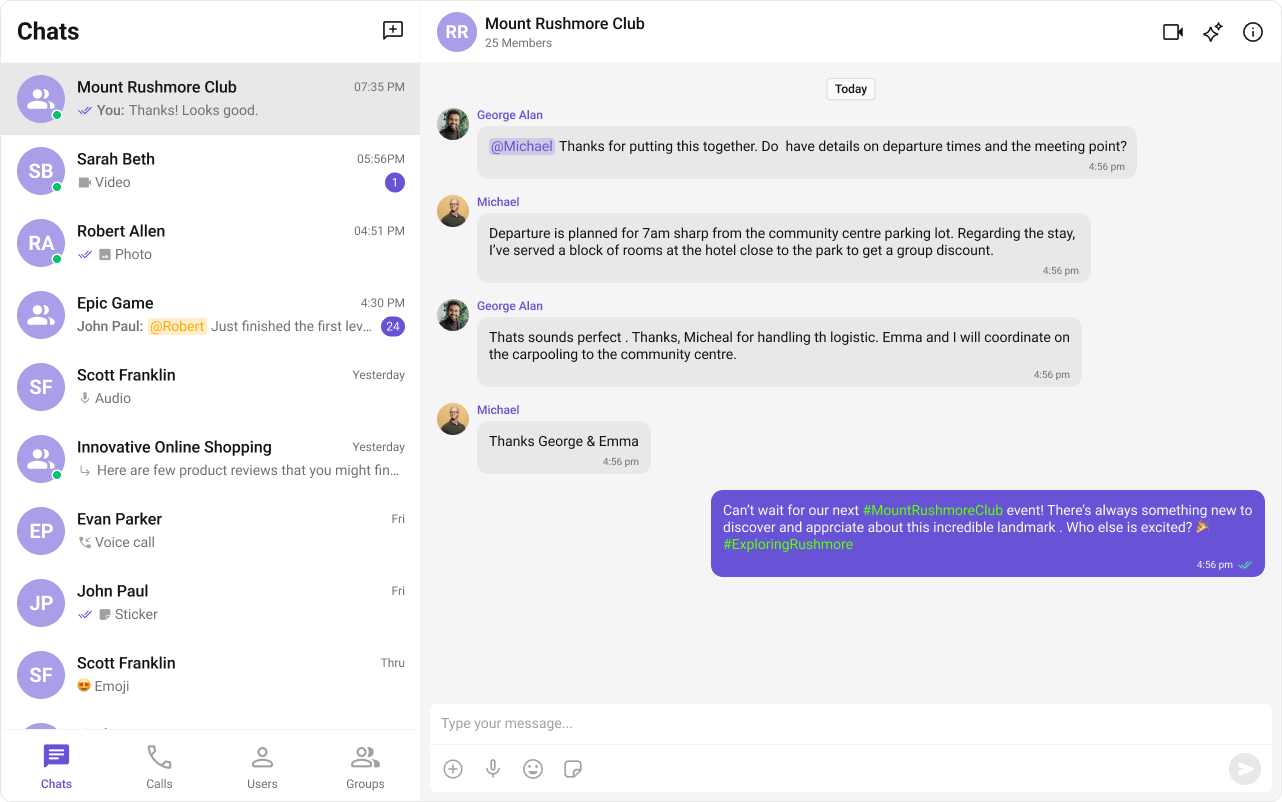
- HashTagTextFormatter.ts
- Component Usage
Methods Reference
Override Methods
- format
- getRegex
- shouldFormat
- reset
The core method that applies formatting. Store original text, apply transformations, store metadata, and return the result.
Next Steps
Mentions Formatter
Add @mentions with styled tokens.
Message Composer
Customize the message input component.
All Guides
Browse all feature and formatter guides.
ShortCut Formatter
Implement text expansion shortcuts.