

AI Integration Quick Reference
AI Integration Quick Reference
Overview
CometChat AI features enhance your chat experience with intelligent suggestions and summaries. Once enabled in your dashboard, they integrate automatically into the UI Kit components.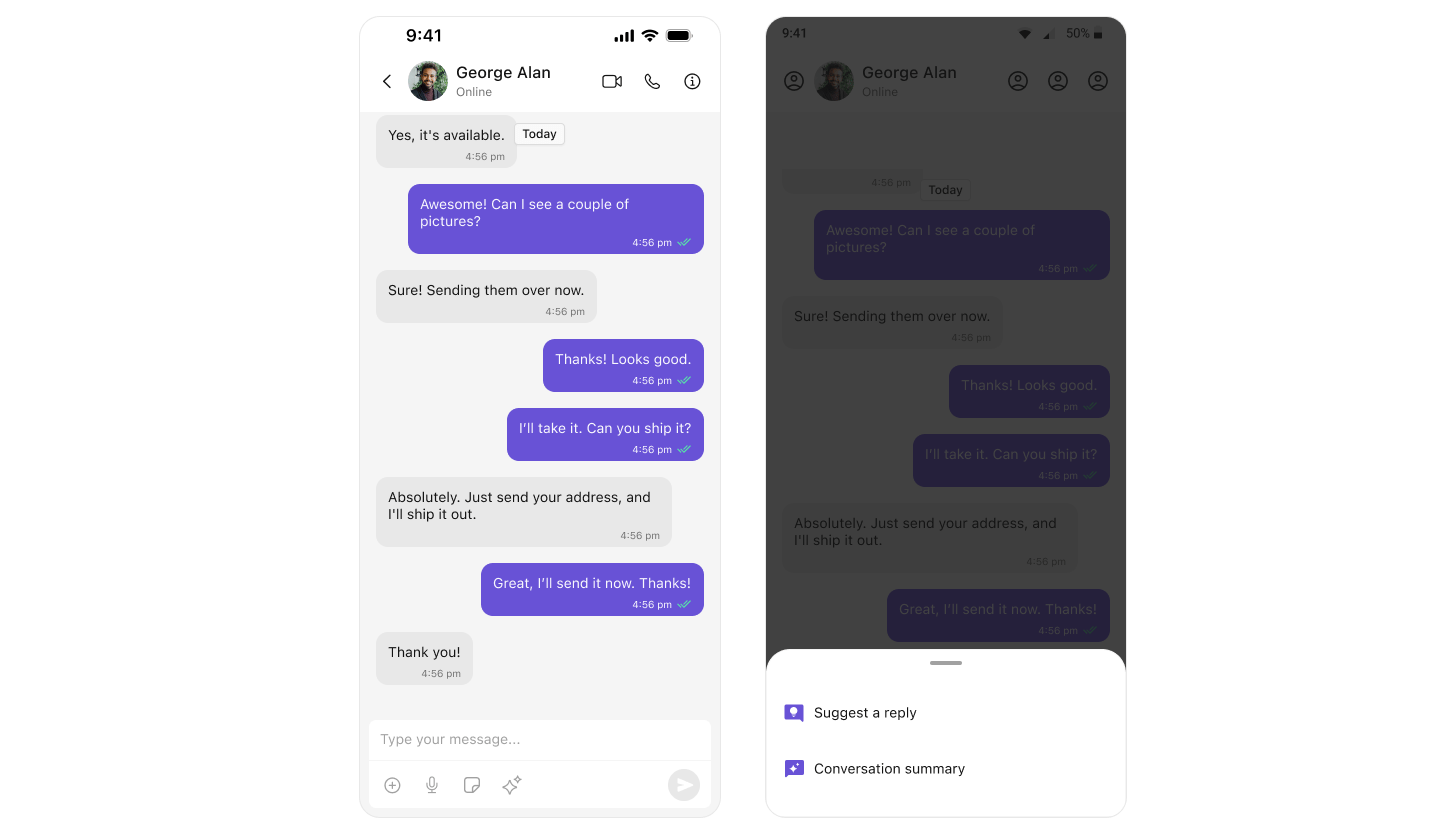
Enable AI Features
1
Open CometChat Dashboard
Go to app.cometchat.com and select your app.
2
Navigate to AI Features
Click AI in the sidebar, then enable the features you want:
- ✅ Conversation Starter
- ✅ Smart Replies
- ✅ Conversation Summary
3
Configure (Optional)
Customize AI behavior, response style, and triggers in the dashboard settings.
Conversation Starters
When a user opens a new chat with no message history, AI suggests conversation openers.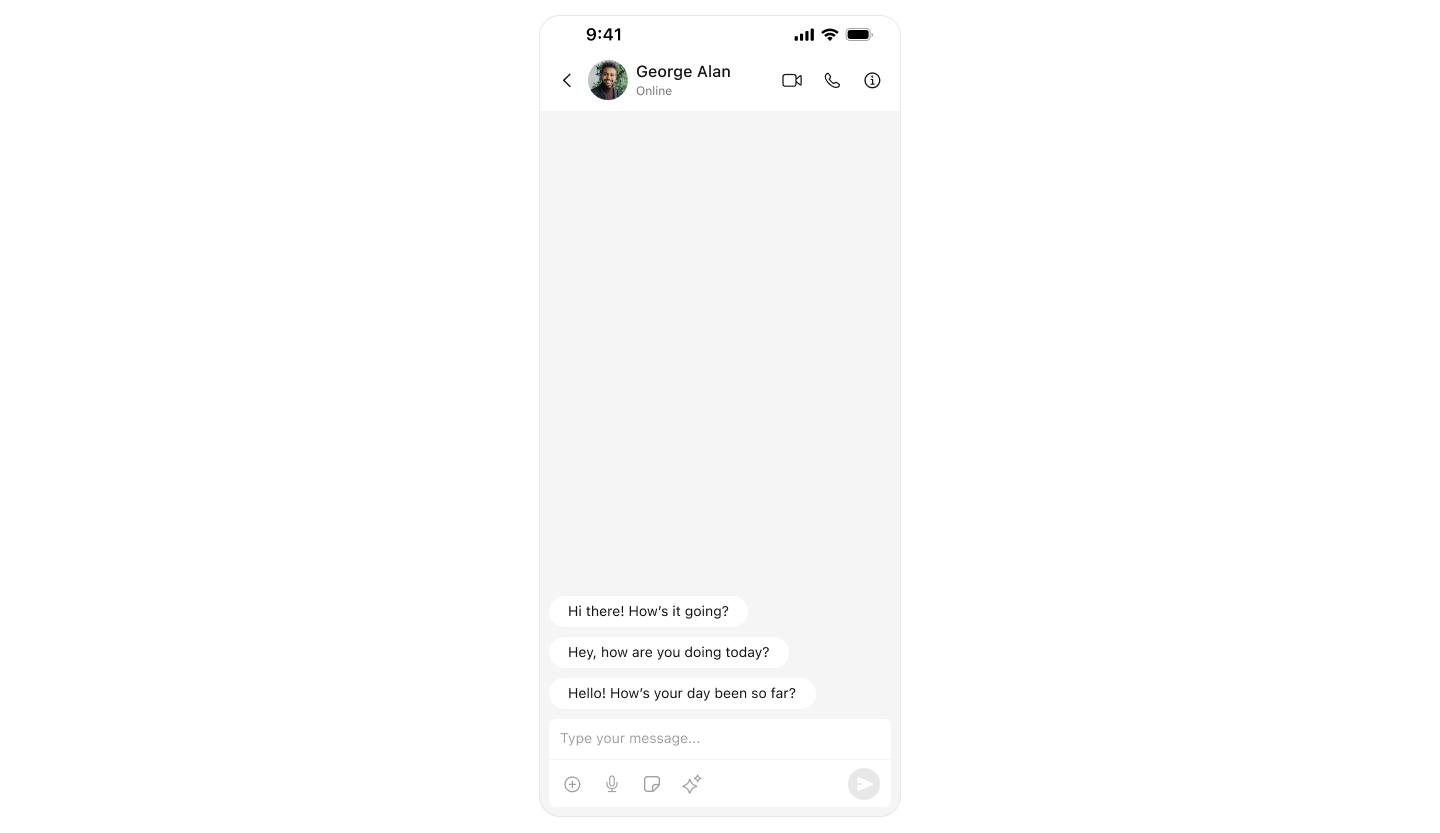
How It Works
- User opens chat with someone they haven’t messaged before
- AI analyzes user profiles and context
- Suggested messages appear in the message list
- User taps a suggestion to send it
Implementation
Conversation starters appear automatically inCometChatMessages:
- Swift
Smart Replies
AI suggests contextual responses based on the conversation.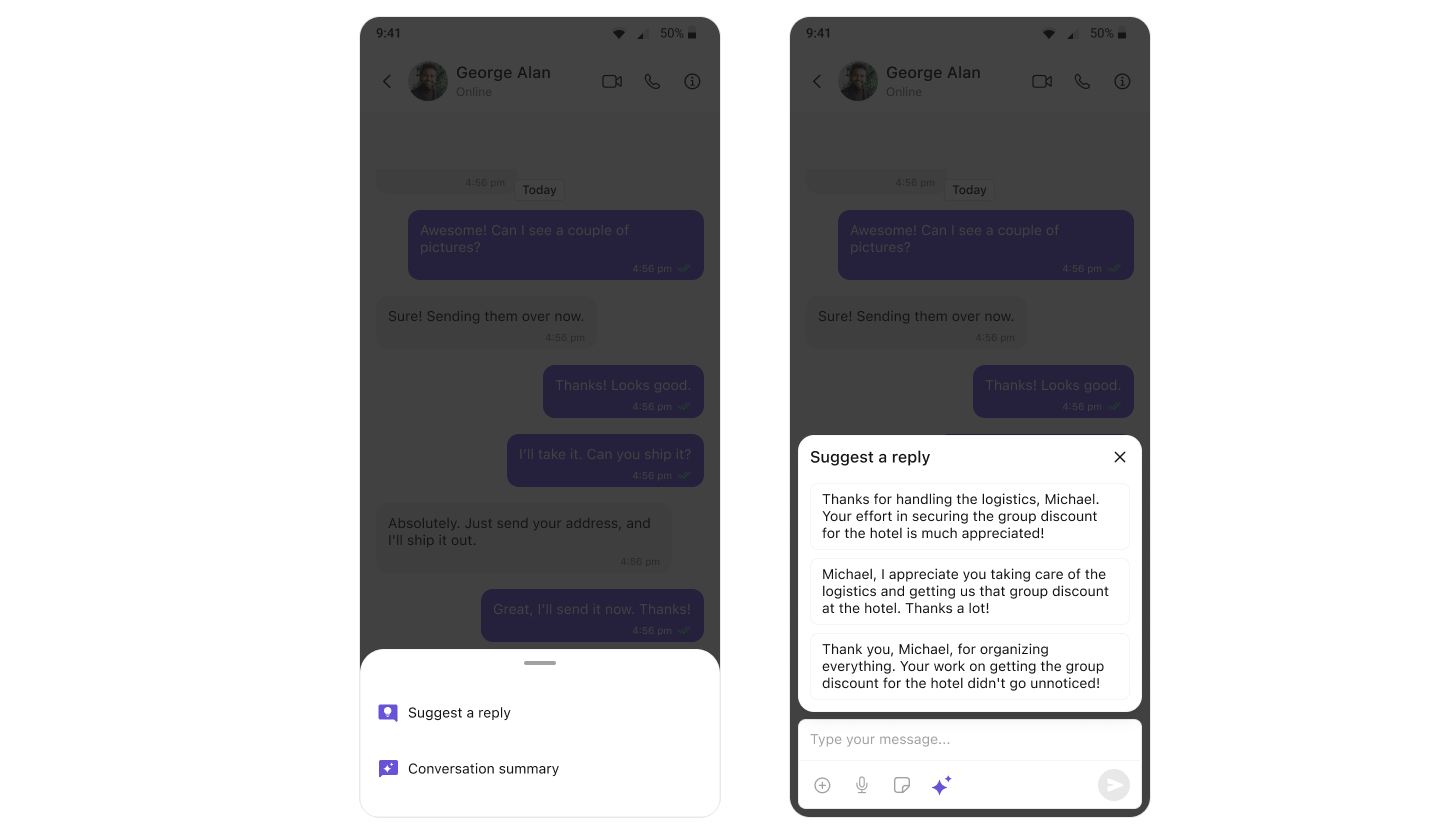
How It Works
- User receives a message
- AI analyzes the message and conversation context
- Smart reply suggestions appear in the composer action sheet
- User taps a suggestion to insert it
Implementation
Smart replies appear automatically inCometChatMessageComposer:
- Swift
Conversation Summary
AI generates summaries of long conversations so users can catch up quickly.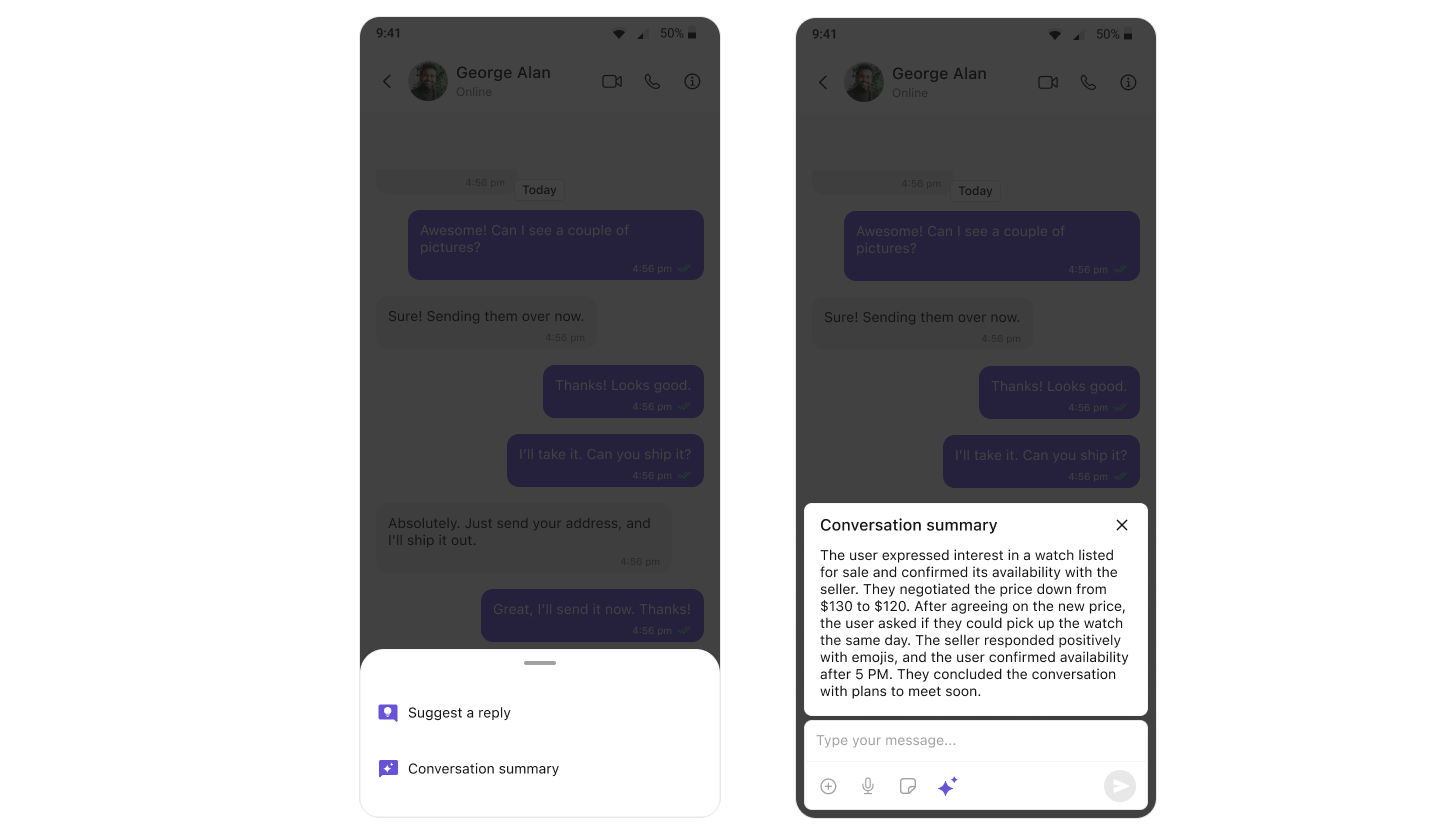
How It Works
- User opens a conversation with many messages
- User taps the summary option in composer action sheet
- AI processes the conversation
- Summary of key points is displayed
Implementation
Conversation summary is available automatically:- Swift
AI Assistant Chat History
View and continue conversations with AI assistants.Basic Implementation
- Swift
Full Implementation with Callbacks
- Swift
Customize AI Chat History Styling
- Swift