

Introduction
TheShortCutFormatter class extends the CometChatTextFormatter class to provide a mechanism for handling shortcuts within messages. This guide walks you through the process of using ShortCutFormatter to implement shortcut extensions in your CometChat application.
Setup
1. Create the ShortCutFormatter Class
Define theShortCutFormatter class by extending the CometChatTextFormatter class:
- Swift
2. Initialize with Tracking Character
Set thetrackingCharacter to '!' in the initializer:
- Swift
3. Define the Regex Pattern
Set the regular expression for shortcut detection in thegetRegex() method:
- Swift
4. Return the Tracking Character
Define thegetTrackingCharacter() method to return '!' as the shortcut tracking character:
- Swift
5. Implement the Search Method
Override thesearch() method to search for shortcuts based on the entered query:
- Swift
6. Handle Message String Preparation
Implement theprepareMessageString() method to convert the base chat message into an attributed string for display:
- Swift
7. Handle Text Tap Events
Override theonTextTapped() method if you need to handle tap events on formatted text:
- Swift
Complete Implementation
Here’s the completeShortcutFormatter class:
- Swift
Usage
1. Initialize the Formatter
Create an instance ofShortCutFormatter:
- Swift
2. Integrate with Message Composer
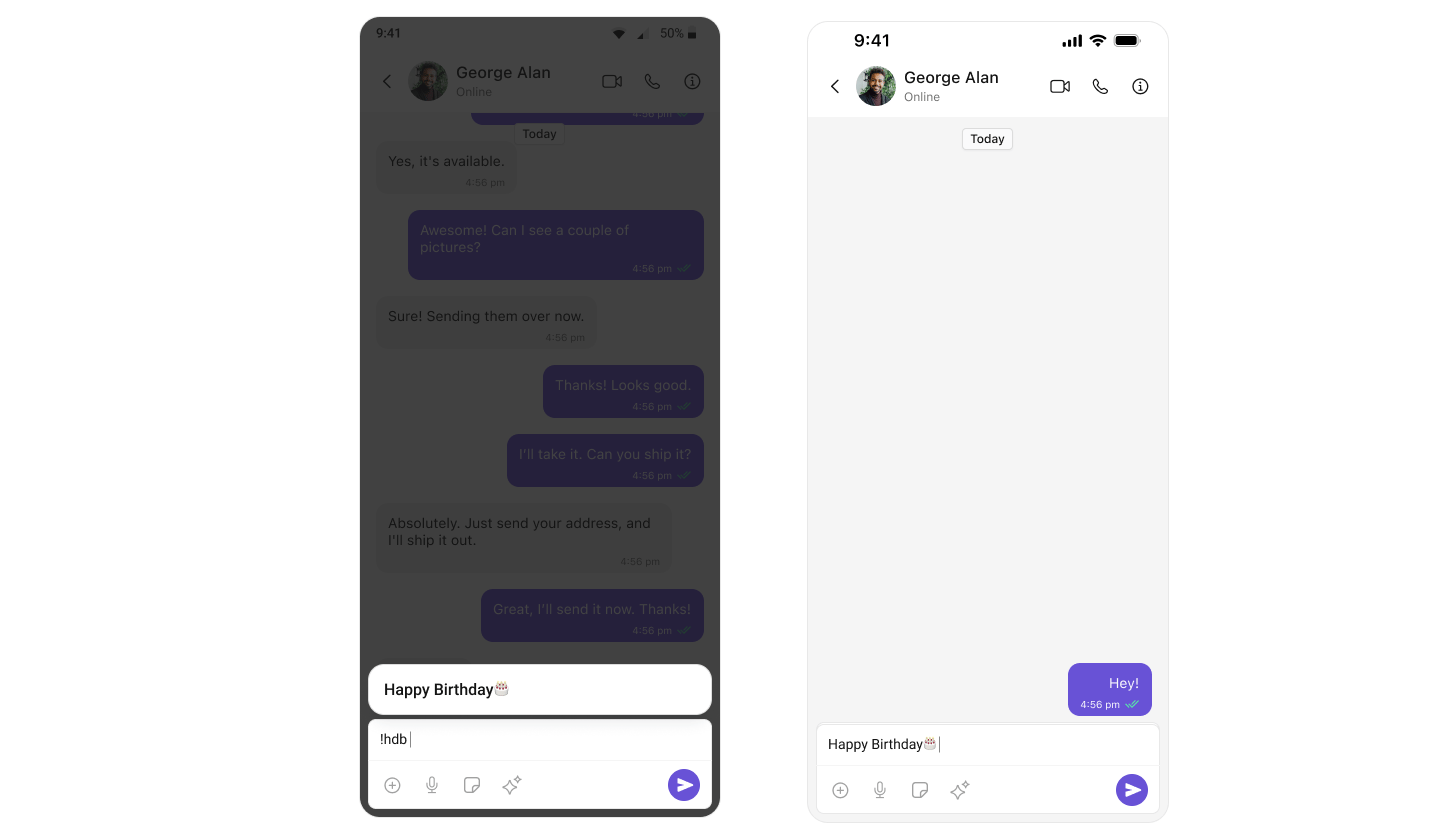
If you’re using the CometChatMessageComposer component, integrate theShortCutFormatter to manage shortcut functionalities:
- Swift
Ensure to pass and present
cometChatConversationsWithMessages. If a navigation controller is already in use, utilize the pushViewController function instead of directly presenting the view controller.Example
Next Steps
Mentions Formatter
Add @mentions with styled tokens and click handling.
Message Composer
Customize the message input component.
Message List
Display and customize chat messages.
Message Template
Define custom message bubble structures.