

AI Integration Quick Reference
AI Integration Quick Reference
CometChatMentionsFormatter extends CometChatTextFormatter to format @mentions in text messages. It styles mention tokens, generates suggestion lists as users type, and handles click events on rendered mentions across the message composer, message bubbles, and conversations list.
Usage
1. Create the formatter
- Kotlin
- Java
2. Add to a formatters list
- Kotlin
- Java
3. Pass to a component
UsesetTextFormatters() on CometChatMessageComposer, CometChatMessageList, or CometChatConversations.
- Kotlin
- Java
Styling Mentions
Mention Click Handling
Set a click listener for mentions in message bubbles: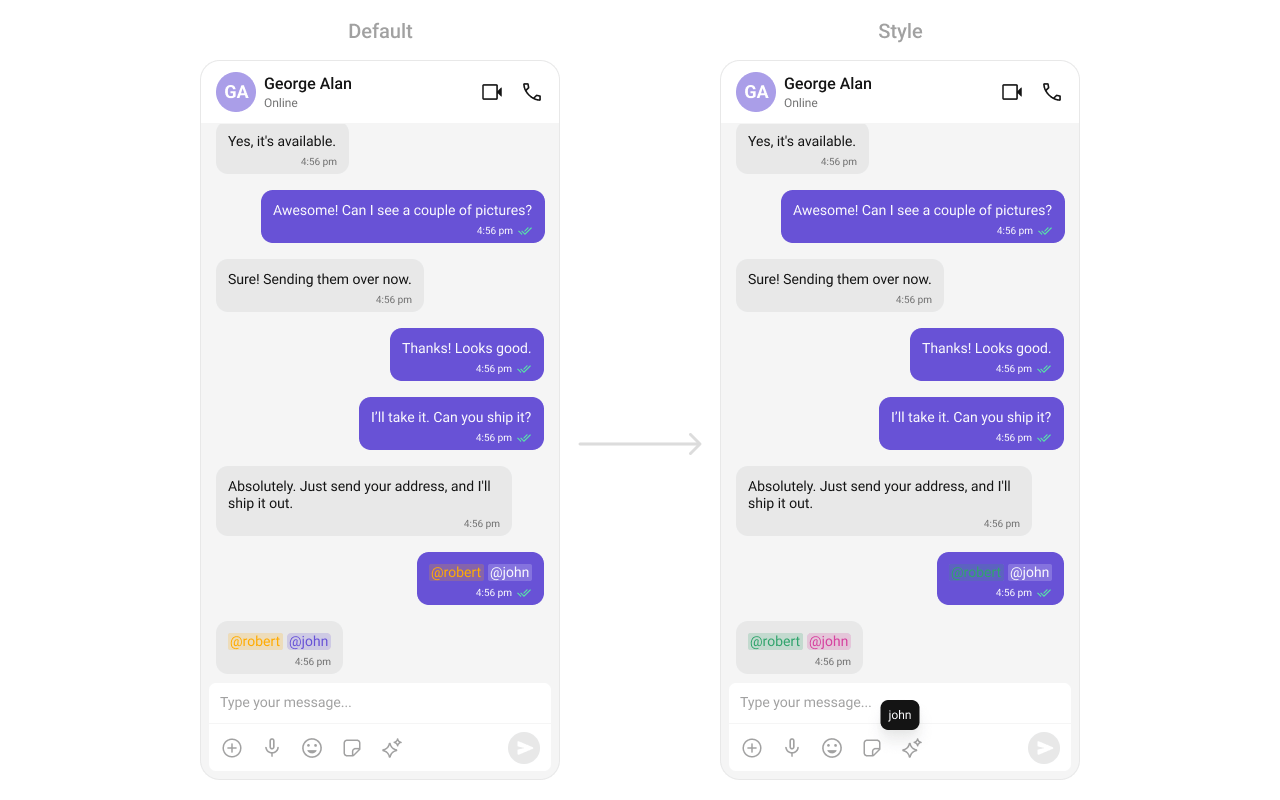
- Kotlin
- Java
Composer Mention Style
Customize how mentions appear in the message composer input field: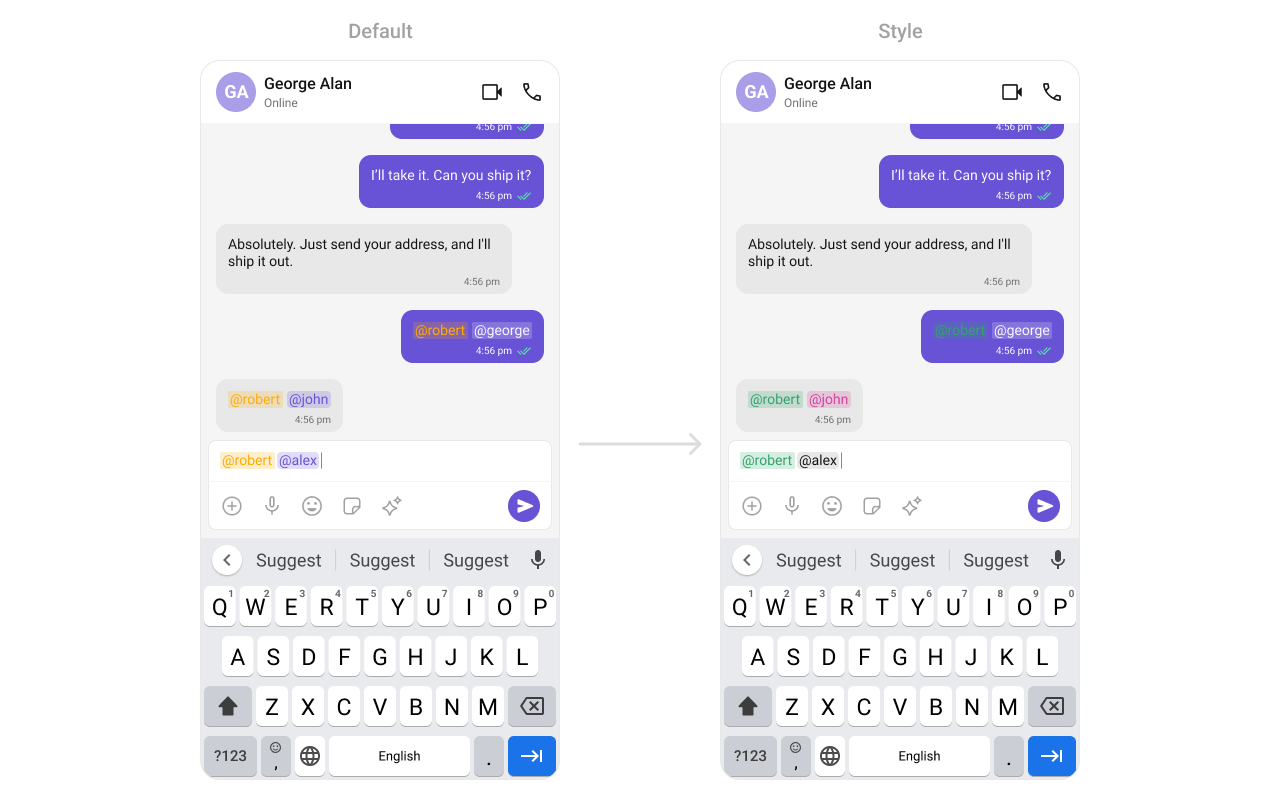
themes.xml
- Kotlin
- Java
Message Bubble Mention Style
Customize mentions in incoming and outgoing message bubbles: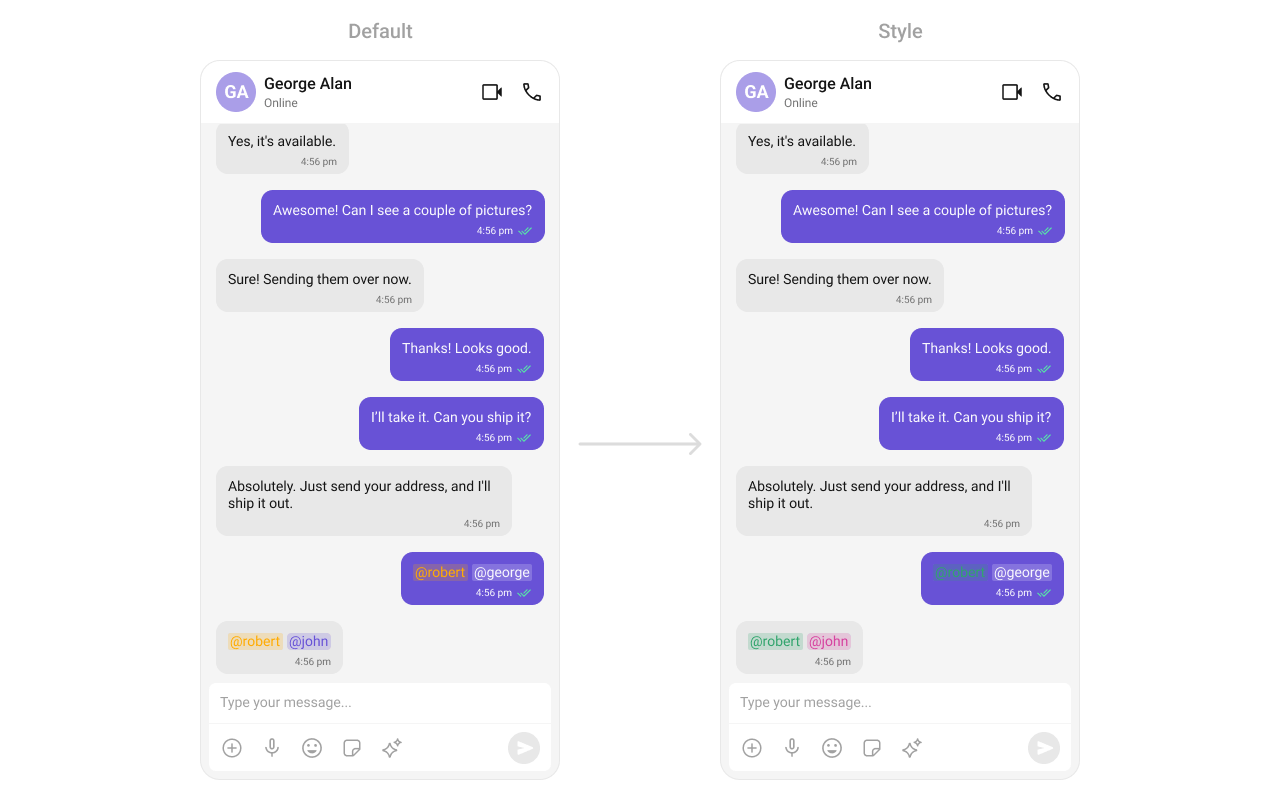
themes.xml
- Kotlin
- Java
Conversations Mention Style
Customize mentions in the conversations list last-message preview: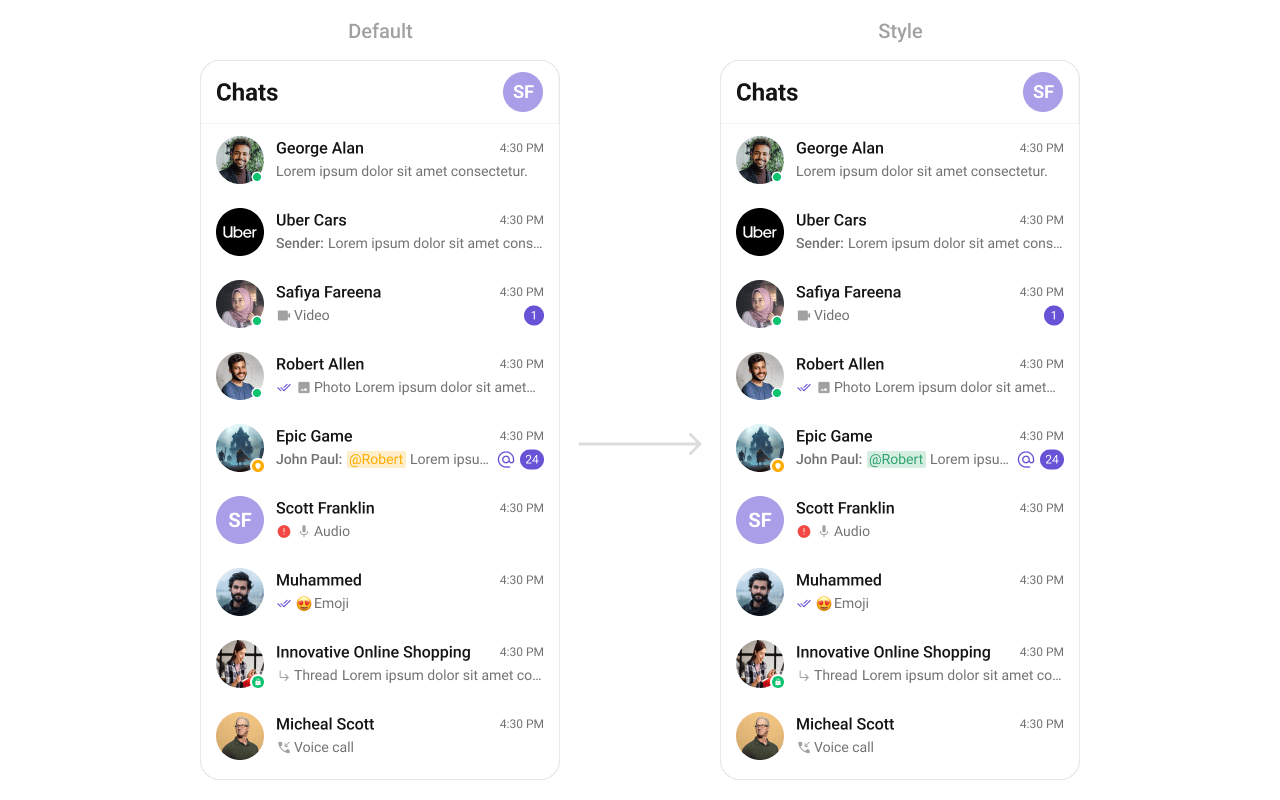
themes.xml
- Kotlin
- Java
Customization Matrix
Next Steps
Message Composer
Configure the composer where users type and send messages with mentions
Message List
Configure the message list where mention-styled bubbles are displayed
Conversations
Configure the conversations list where mention-styled previews appear
ShortCut Formatter
Add shortcut text expansion to the message composer