

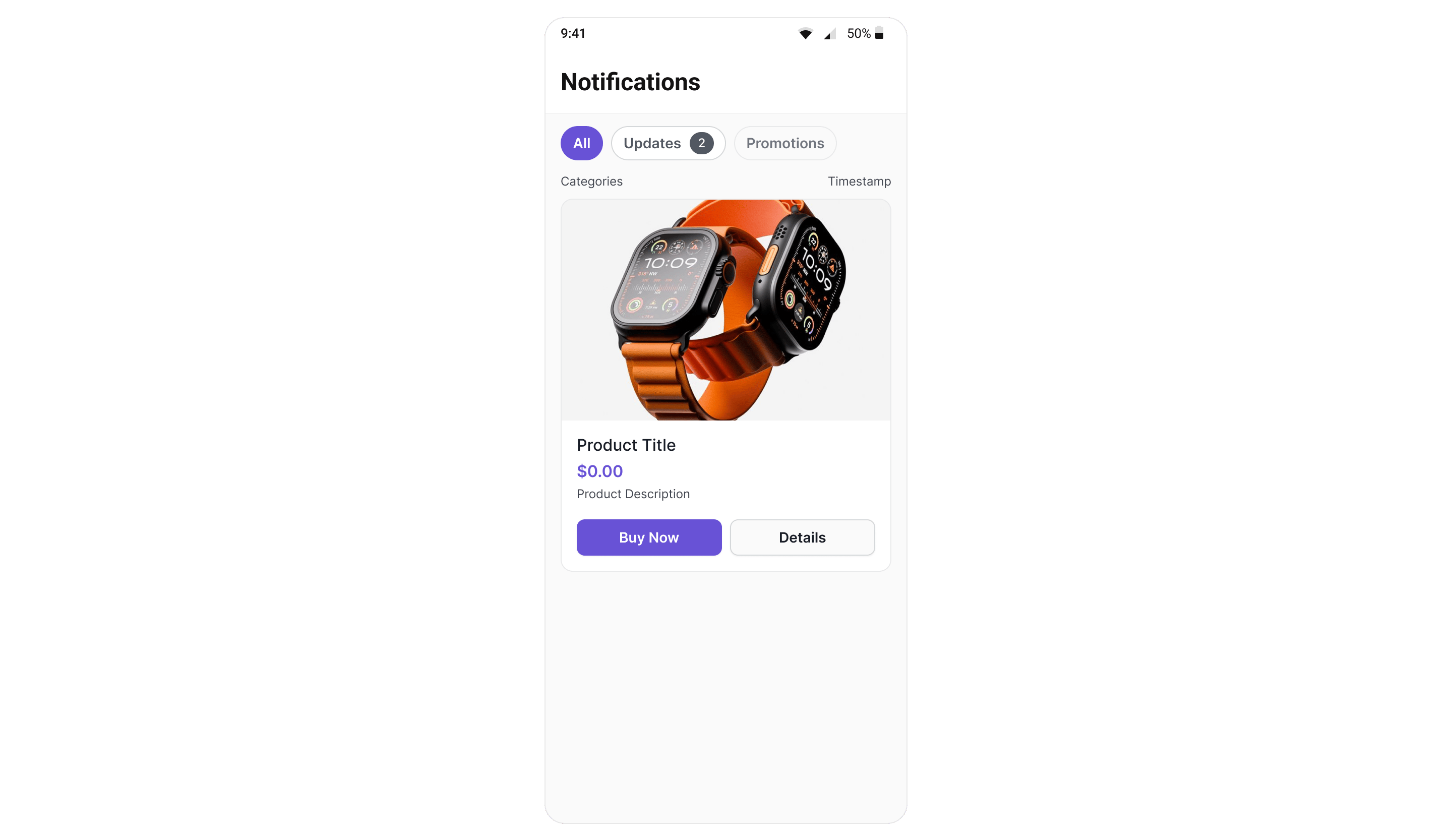
CometChatNotificationFeed displays a scrollable notification feed where each item is rendered as a native card using the CometChat Cards library. It handles fetching, pagination, category filtering, timestamp grouping, real-time updates, and read/delivered/engagement reporting automatically.
Where It Fits
CometChatNotificationFeed is a full-screen component. Drop it into an Activity, Fragment, or navigation destination. It manages its own data fetching, state, and real-time listeners — you just handle navigation callbacks.
- Jetpack Compose
- Kotlin (XML Views)
Quick Start
- Jetpack Compose
- Kotlin (XML Views)
CometChatUIKit.init() and a user logged in.
Filtering Feed Items
Control what loads using custom request builders:- Jetpack Compose
- Kotlin (XML Views)
Filter Options
Actions and Events
Callback Methods
onItemClick
Fires when a feed item card is tapped.
- Jetpack Compose
- Kotlin (XML Views)
onActionClick
Fires when an interactive element (button, link) inside a card is tapped.
- Jetpack Compose
- Kotlin (XML Views)
onError
Fires when an internal error occurs (network failure, SDK exception).
- Jetpack Compose
- Kotlin (XML Views)
onBackPress
Fires when the back button in the header is tapped.
- Jetpack Compose
- Kotlin (XML Views)
Automatic Behaviors
The component handles these automatically — no manual setup needed:Functionality
Custom View Slots
Header View
Replace the entire header:- Jetpack Compose
State Views
- Jetpack Compose
Style
- Jetpack Compose
- Kotlin (XML Views)
Style Properties
All colors default to
Color.Unspecified (Compose) or 0 (XML) to inherit from CometChatTheme. Override individual values without losing theme support.
ViewModel Access
The component usesCometChatNotificationFeedViewModel from the shared chatuikit-core module. You can provide a custom ViewModel for advanced scenarios:
- Jetpack Compose
ViewModel Factory Parameters
Common Patterns
Show only unread items
- Jetpack Compose
Hide filter chips and header
- Jetpack Compose
- Kotlin (XML Views)
Custom categories request
- Jetpack Compose
Next Steps
Campaigns Feature
Overview of how campaigns work end-to-end
SDK Campaigns API
Low-level SDK APIs for feed items, categories, and engagement
Component Styling
Full styling reference for all components
ViewModel & Data
Custom ViewModels, repositories, and ListOperations