

CometChatOutgoingCall renders the outgoing call screen and transitions to the ongoing call screen when the receiver accepts. It displays the recipient’s avatar, name, call status, and an end-call button.
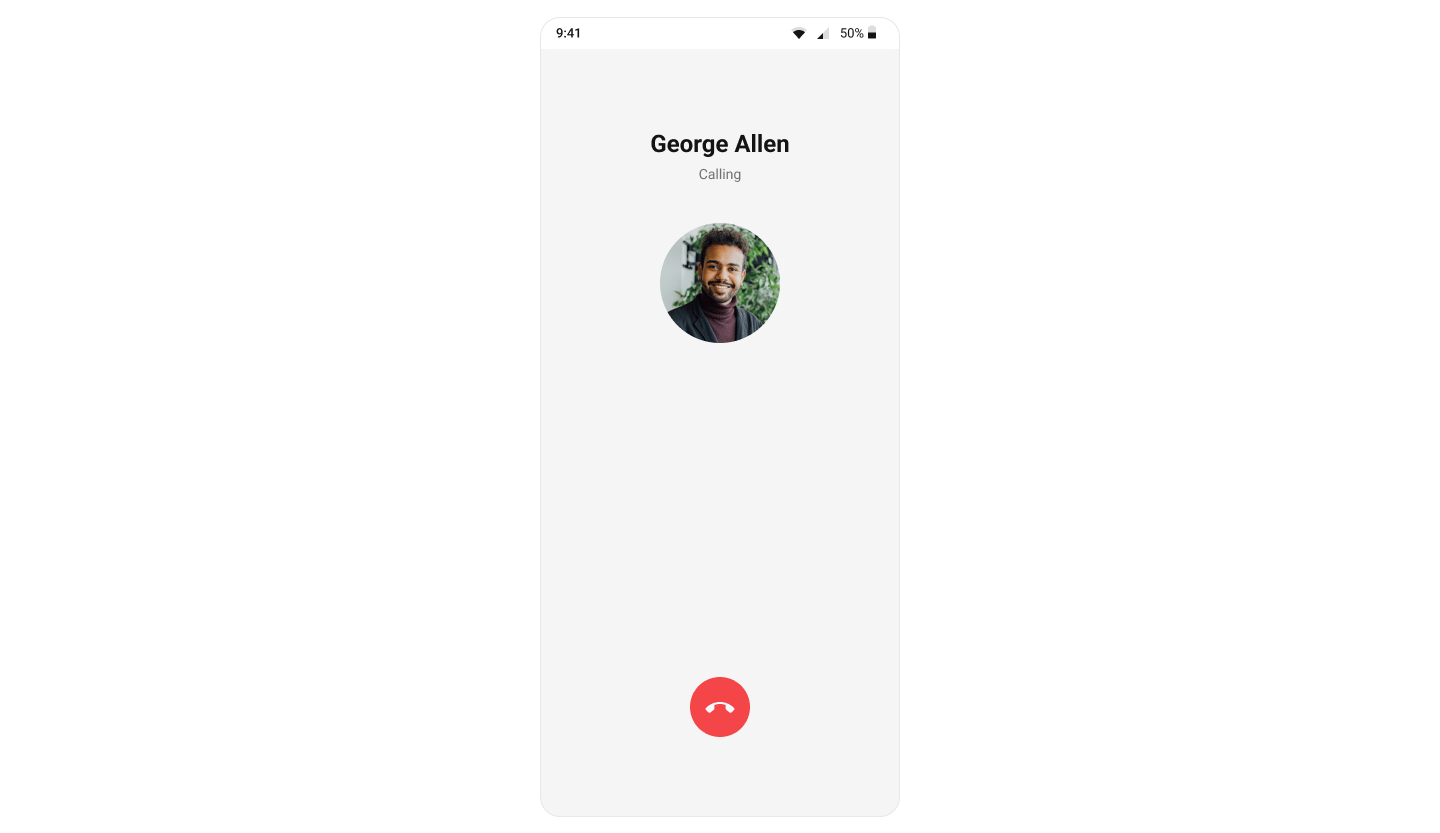
Where It Fits
CometChatOutgoingCall is a call-initiation component. Wire it to CometChatCallEvents to handle call-accepted and call-rejected transitions.
- Kotlin (XML Views)
- Jetpack Compose
activity_call.xml
Quick Start
- Kotlin (XML Views)
- Jetpack Compose
Add to your layout XML:Set the
Call object — this is required:CometChatUIKit.init(), a user logged in, and the UI Kit dependency added.
Actions and Events
Callback Methods
onEndCallClick
Fires when the end-call button is tapped. Default: cancels the outgoing call via the SDK.
- Kotlin (XML Views)
- Jetpack Compose
onError
Fires on internal errors (network failure, auth issue, SDK exception).
- Kotlin (XML Views)
- Jetpack Compose
Global UI Events (CometChatCallEvents)
SDK Events (Real-Time, Automatic)
Functionality
Custom View Slots
Title View
Replace the name / title text area.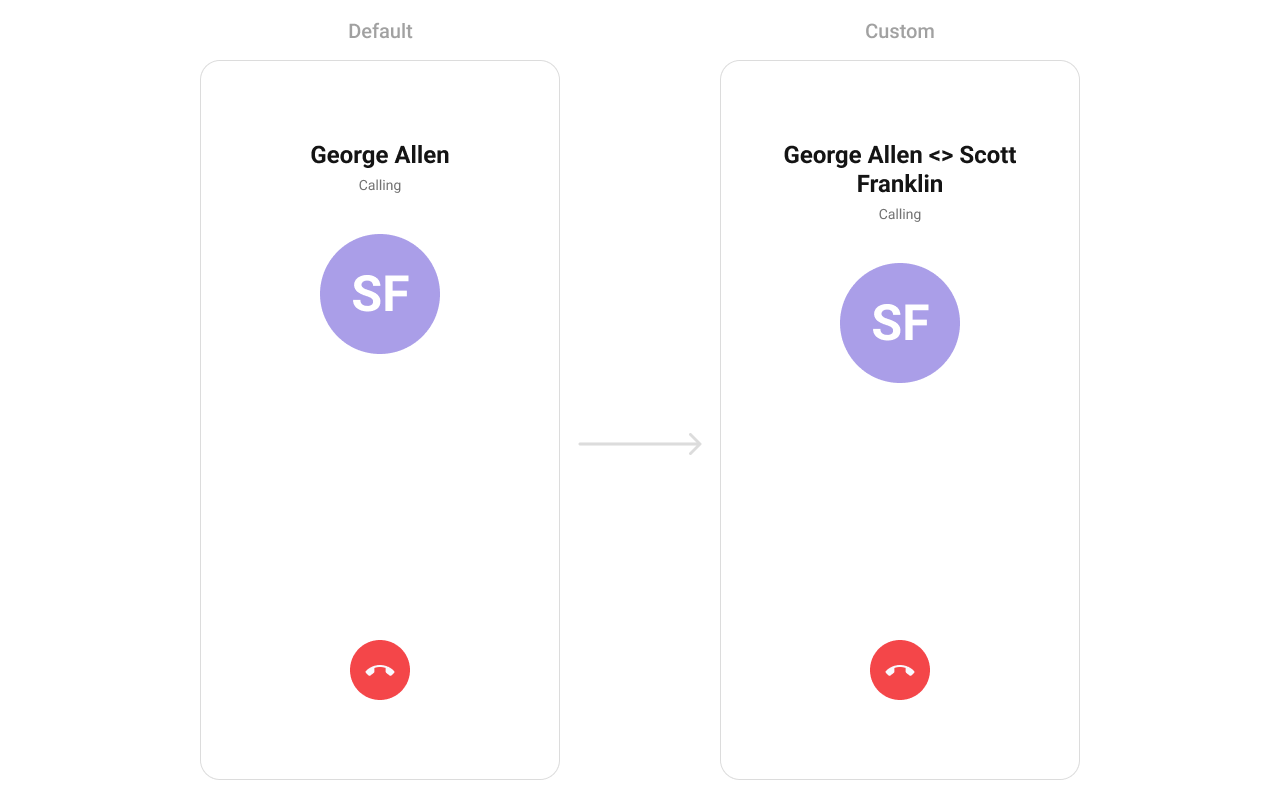
- Kotlin (XML Views)
- Jetpack Compose
Avatar View
Replace the avatar / profile picture area.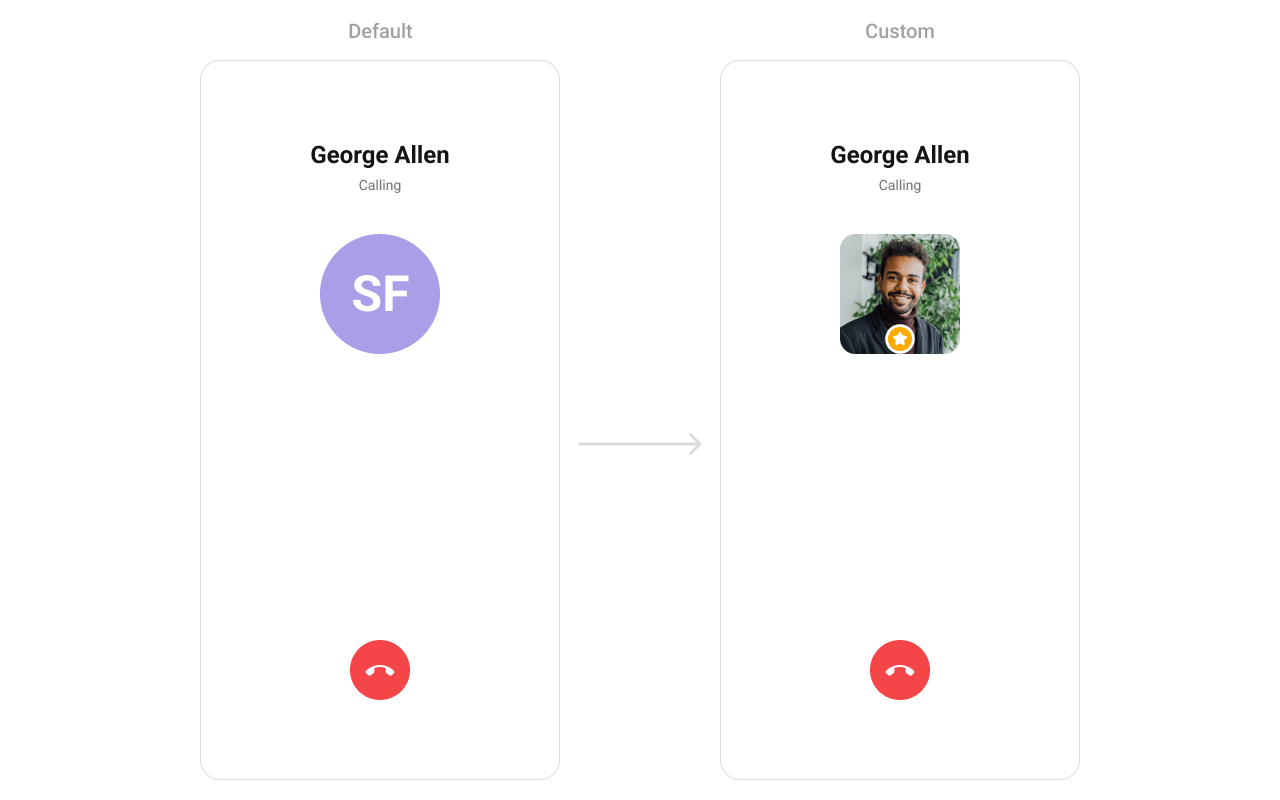
- Kotlin (XML Views)
- Jetpack Compose
Cancel Button View
Replace the end-call button.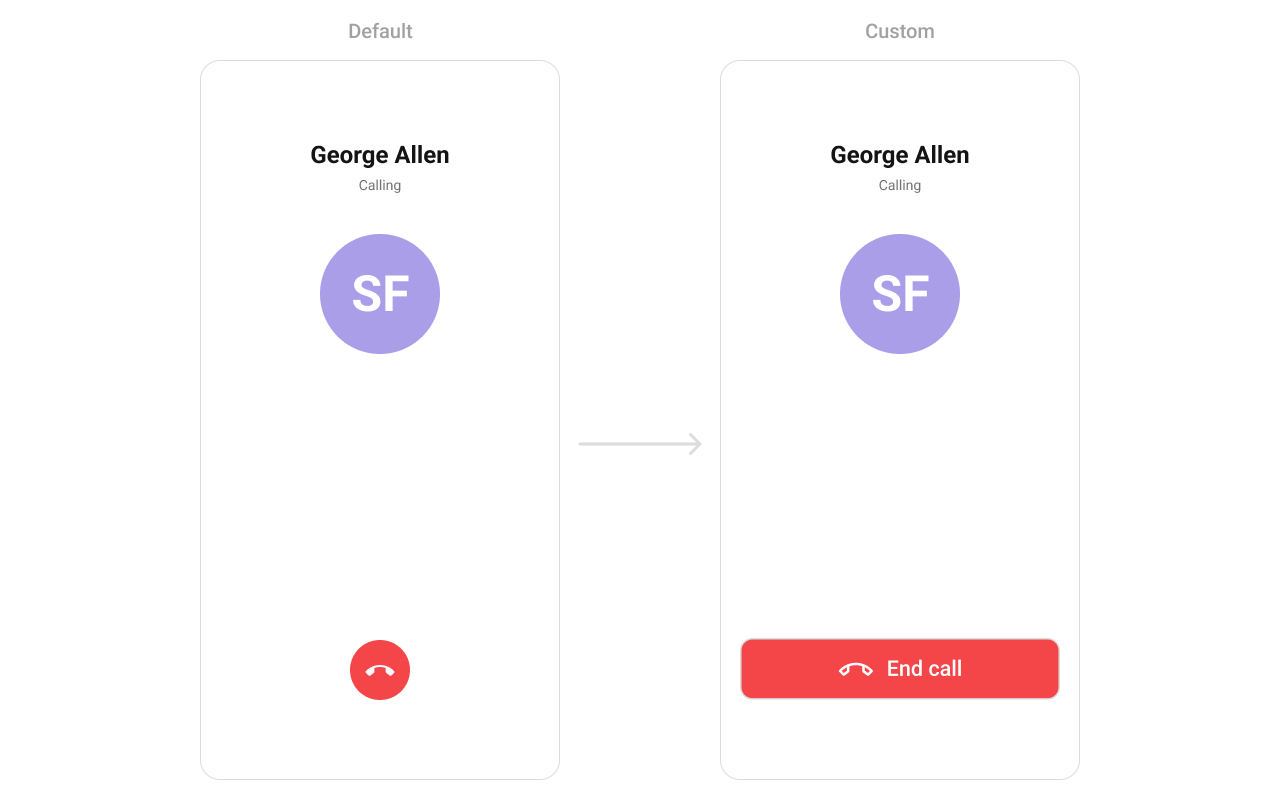
- Kotlin (XML Views)
- Jetpack Compose
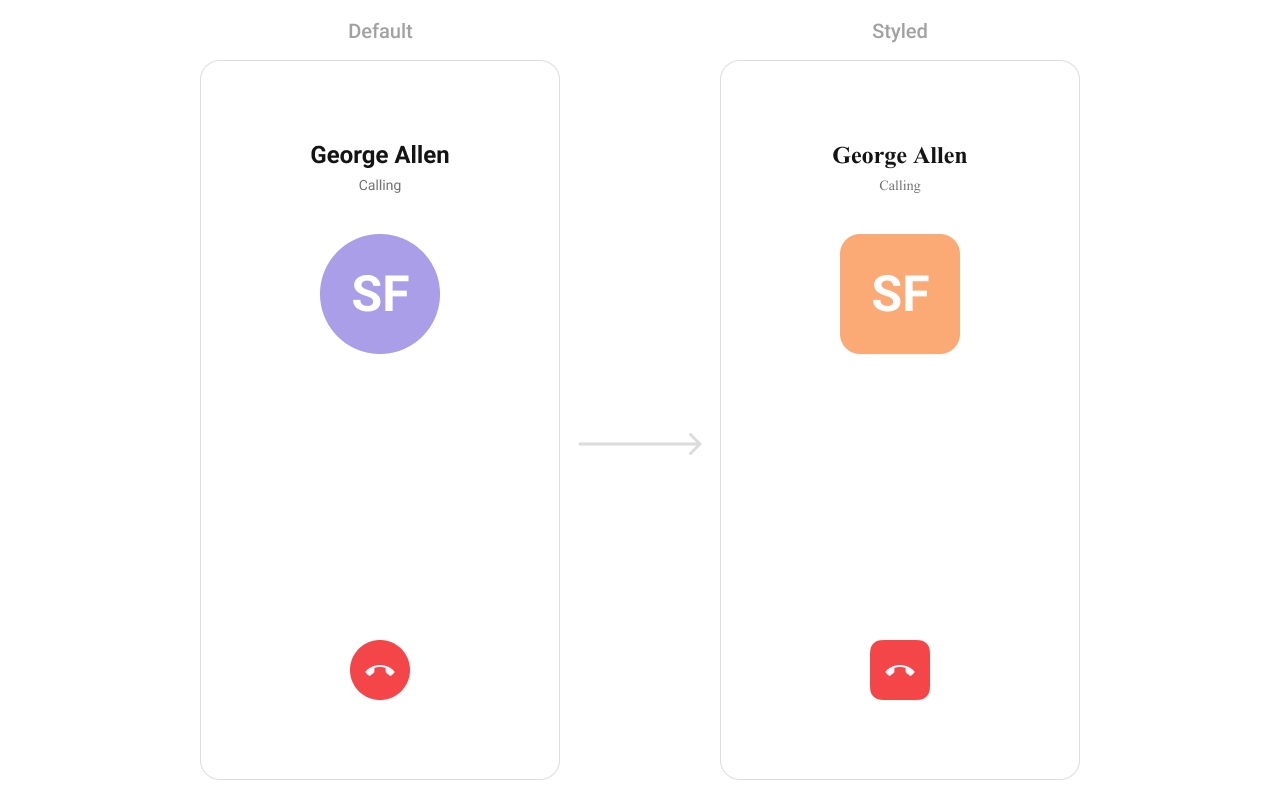
Style
- Kotlin (XML Views)
- Jetpack Compose
Define a custom style in
themes.xml:themes.xml
Next Steps
Incoming Call
Incoming call notification with accept/reject
Call Buttons
Voice and video call buttons
Call Logs
View call history
Conversations
Browse recent conversations