

AI Agent Component Spec
AI Agent Component Spec
Overview
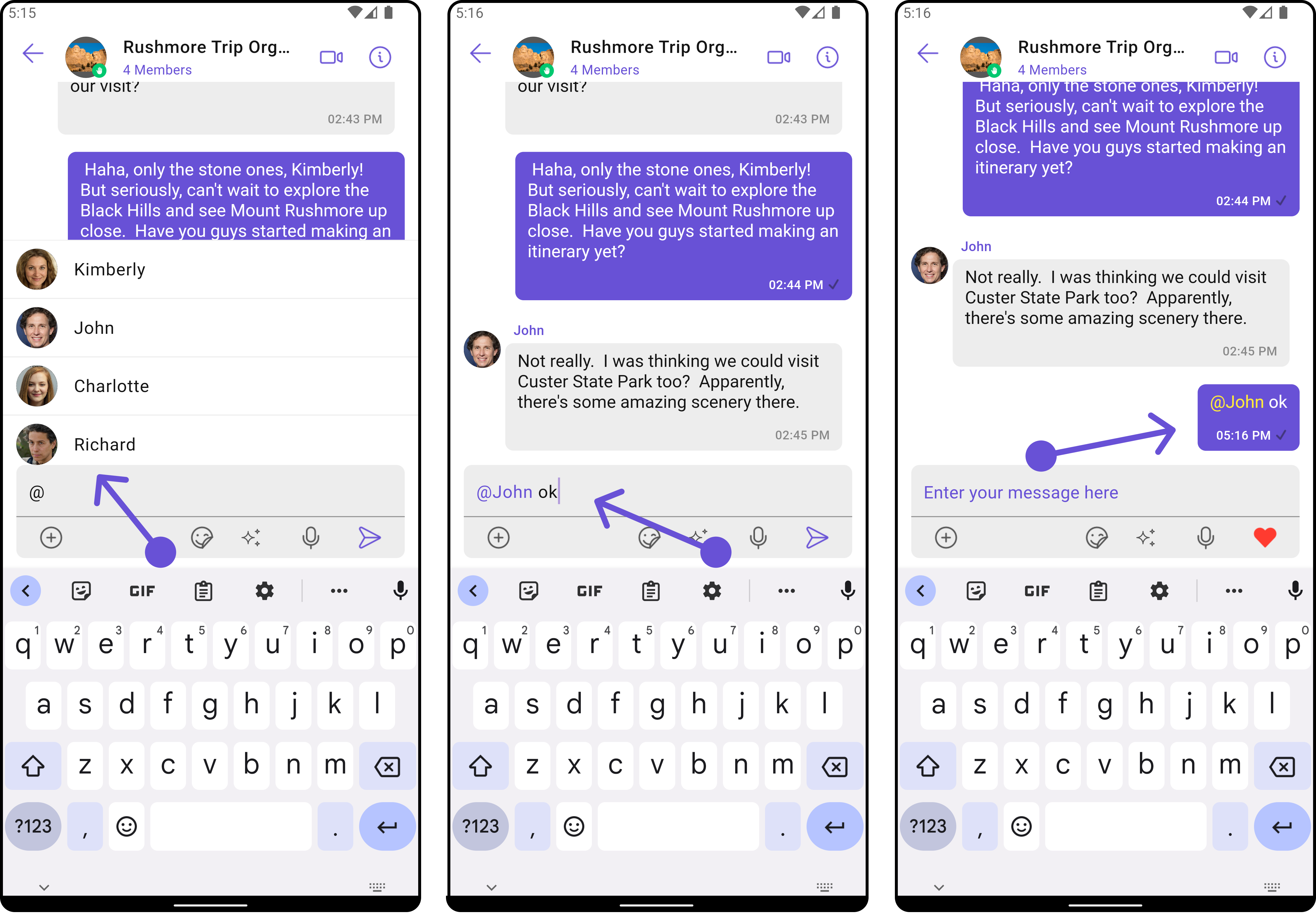
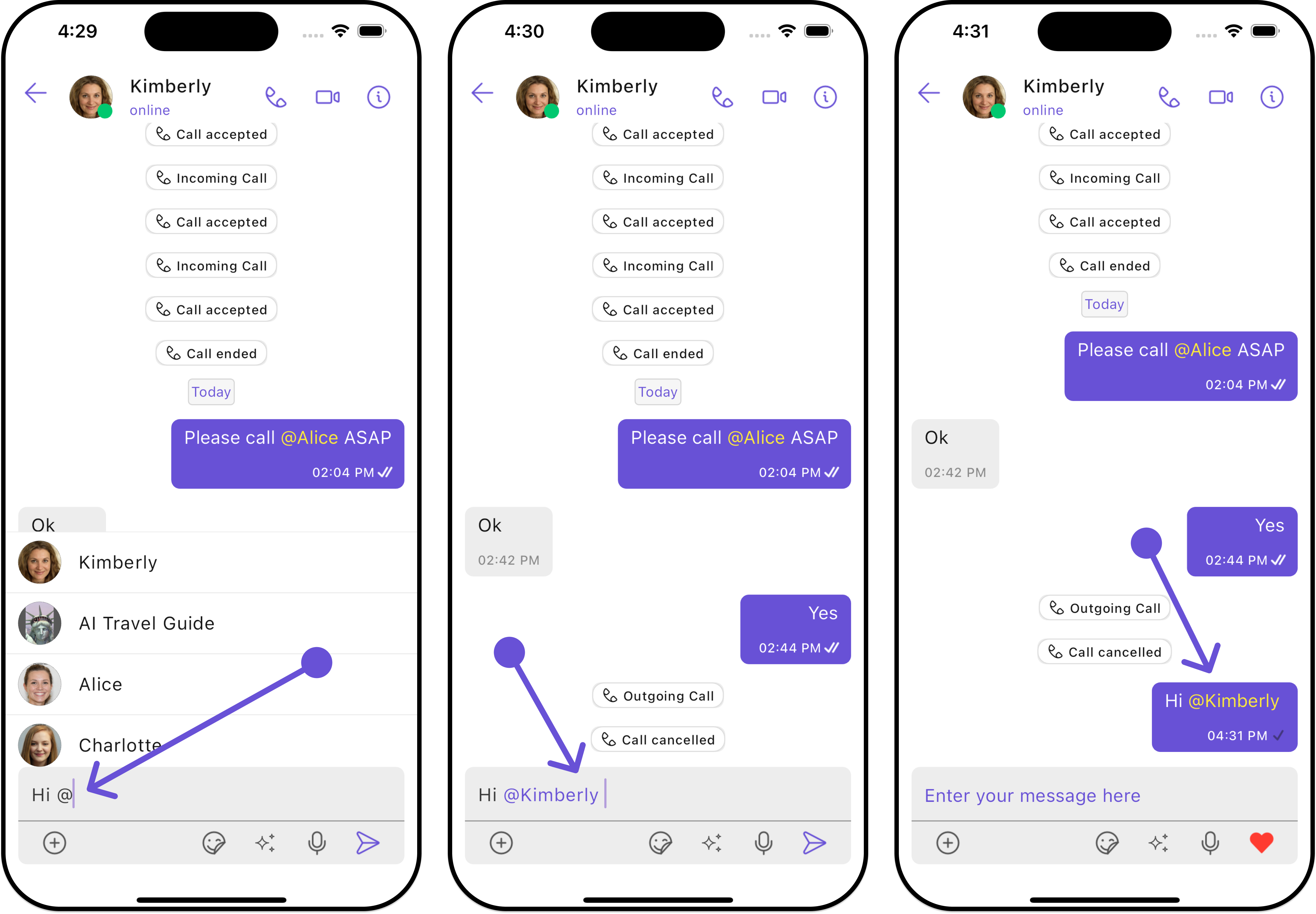
TheCometChatMentionsFormatter class is a part of the CometChat UI Kit, a ready-to-use chat UI widget library for integrating CometChat into your Android applications. This class provides functionality to format mentions within text messages displayed in the chat interface. Mentions allow users to reference other users within a conversation, providing a convenient way to direct messages or involve specific participants.
- Android
- iOS
Features
- Mention Formatting: Automatically formats mentions within text messages based on provided styles and settings.
- Customizable Styles: Allows customization of text styles for mentions, including colors, fonts, and background colors.
- User and Group Member Mentions: Supports mentions for both individual users and group members, providing flexibility in communication scenarios.
- Mention List Generation: Generates a list of suggested mentions based on user input, facilitating easy selection of recipients during message composition.
- Mention Click Handling: Provides a listener interface for handling click events on mentions, enabling custom actions to be performed when a mention is tapped by the user.
Usage
To integrate theCometChatMentionsFormatter class into your application:
-
Initialization: Create an instance of the
CometChatMentionsFormatterclass and configure it with desired settings, such as mention text styles and limit settings. -
Set Mention Listeners: Set listeners for handling mention click events (
setOnMentionClick). -
Format Messages: Use the
prepareLeftMessageBubbleSpan,prepareRightMessageBubbleSpan,prepareComposerSpan, andprepareConversationSpanmethods to format text messages with mentions appropriately for display in the chat interface. - Customization: Customize the appearance and behavior of mentions by adjusting the text styles, colors, and other formatting properties as needed.
CometChatMentionsFormatter class in widgets such as CometChatConversations, CometChatMessageList, CometChatMessageComposer.
- Dart
Actions
Actions dictate how a widget functions. They are divided into two types: Predefined and User-defined. You can override either type, allowing you to tailor the behavior of the widget to fit your specific needs.onMentionTap
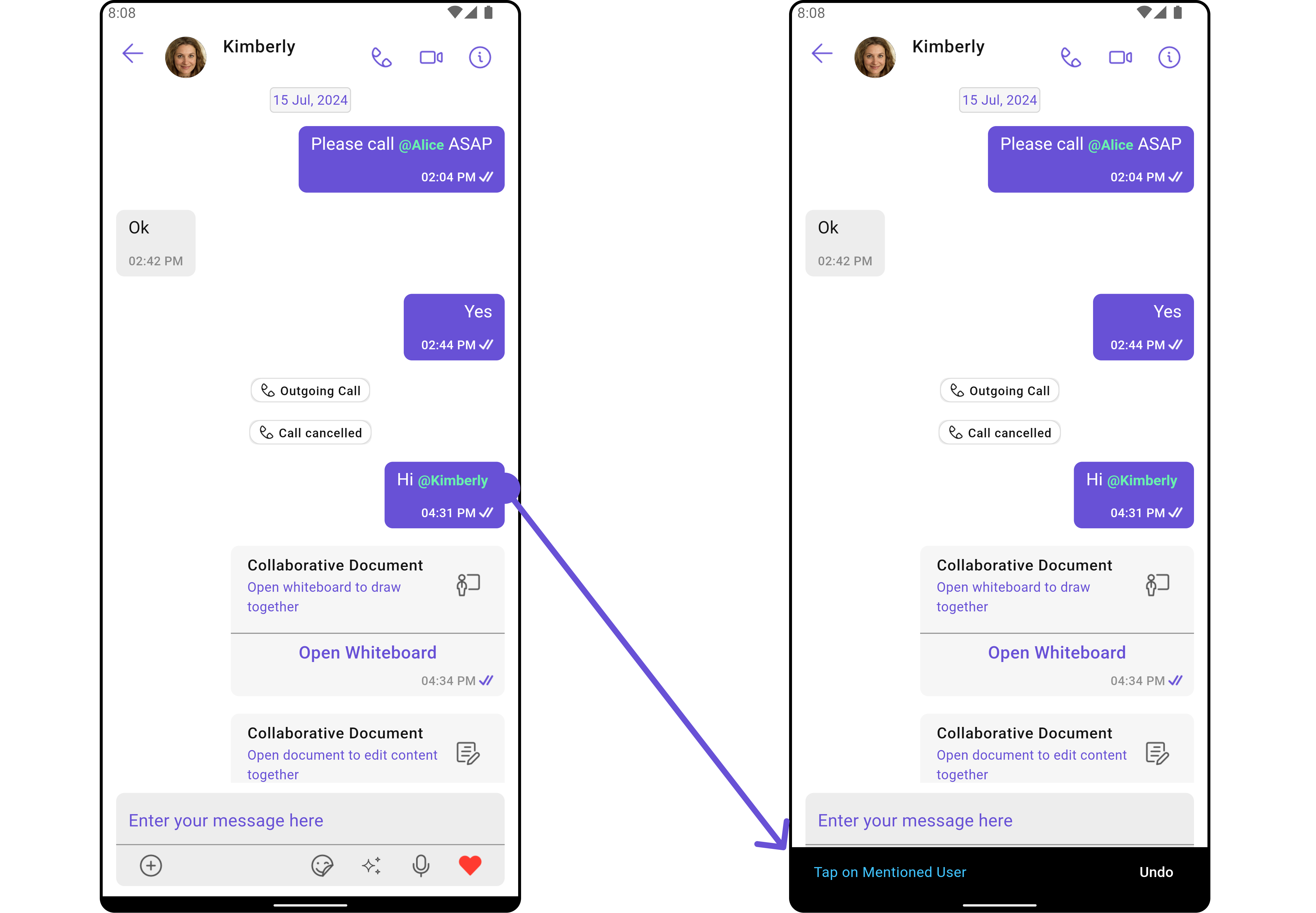
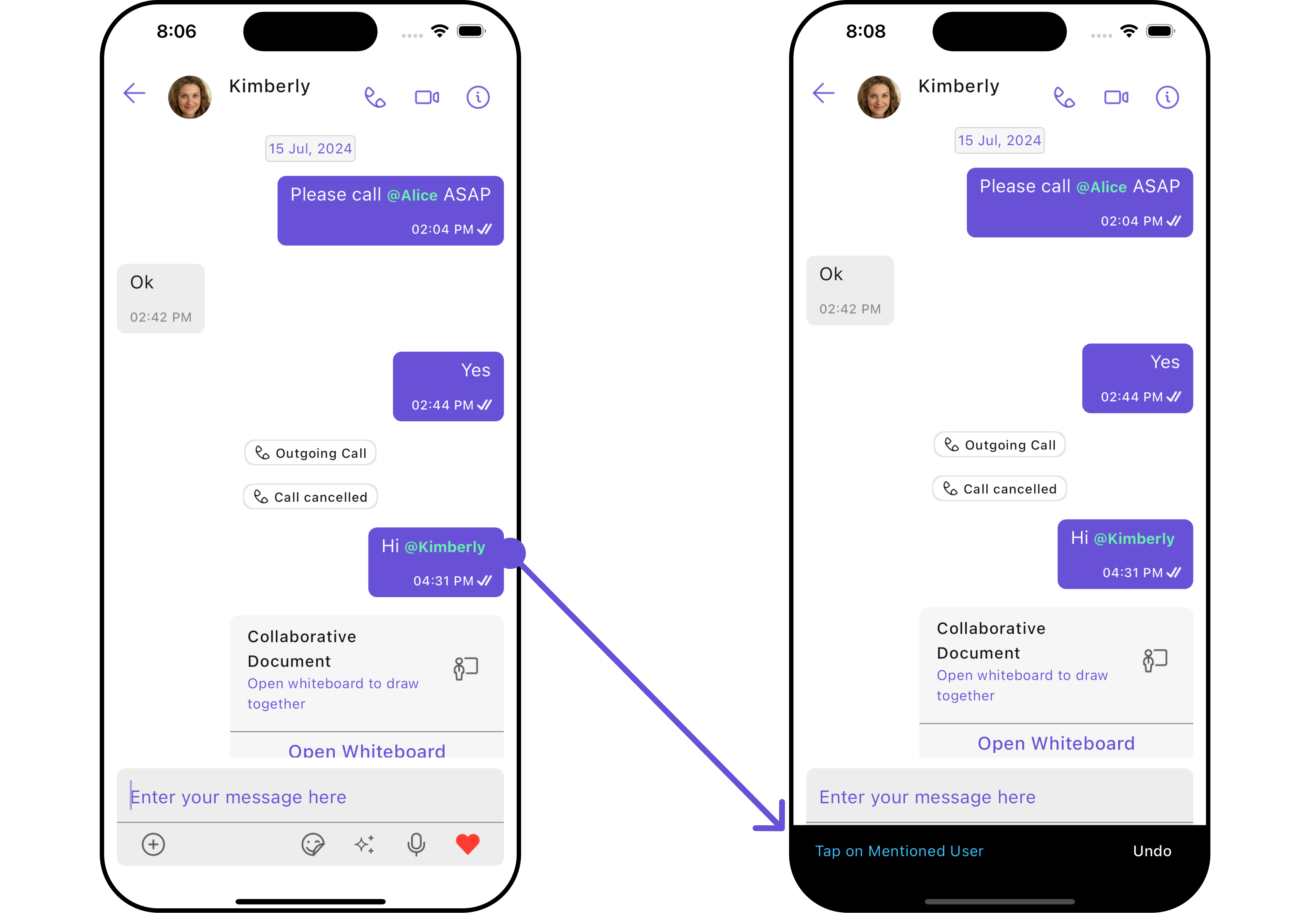
Setting a listener for mention-click events in Message Bubbles enhances interactivity within the chat. This listener is activated when a mention is clicked, returning the corresponding user object. This feature transforms mentions into interactive links, enabling more in-depth and contextual engagement with the user associated with the clicked mention.- Dart
- Android
- iOS
Customization
Advance
For advanced-level customization, you can set the style of the Mentions formatters. This lets you tailor each aspect of the widget to fit your exact needs and application aesthetics. You can create and define your formatters style.Custom Mentions Formatter
For deeper customization — such as filtering who appears in the suggestion list, transforming suggestions before they reach the UI, or handling mention taps with custom logic — you can extendCometChatMentionsFormatter and override its behavior. See the Custom Mentions Formatter guide for a full walkthrough.
@all Mention Feature
TheCometChatMentionsFormatter supports mentioning all members in a group using the @all feature. When enabled, users can type @ followed by “all” (or a custom label) to notify everyone in the group.
- Dart
- Dart
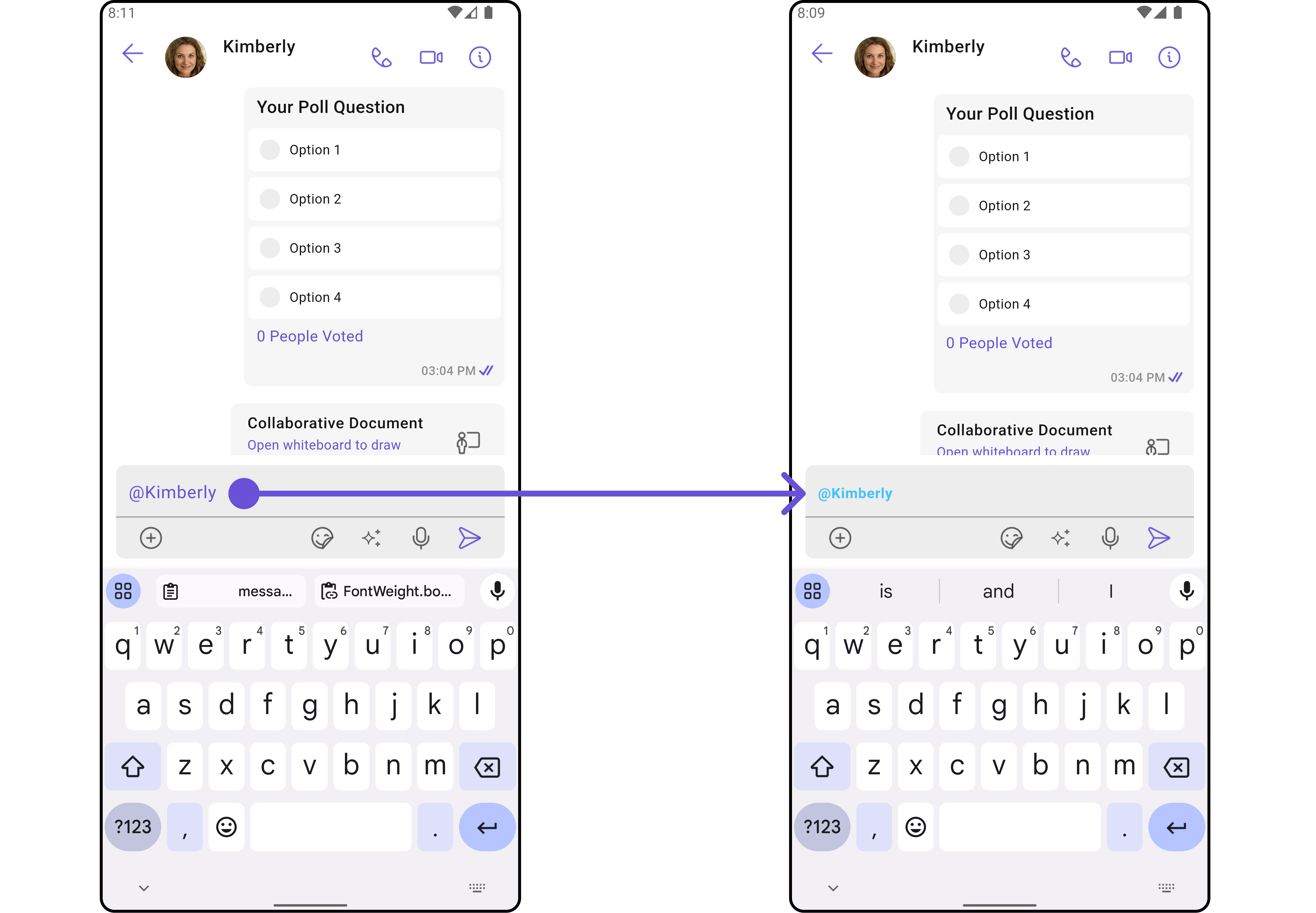
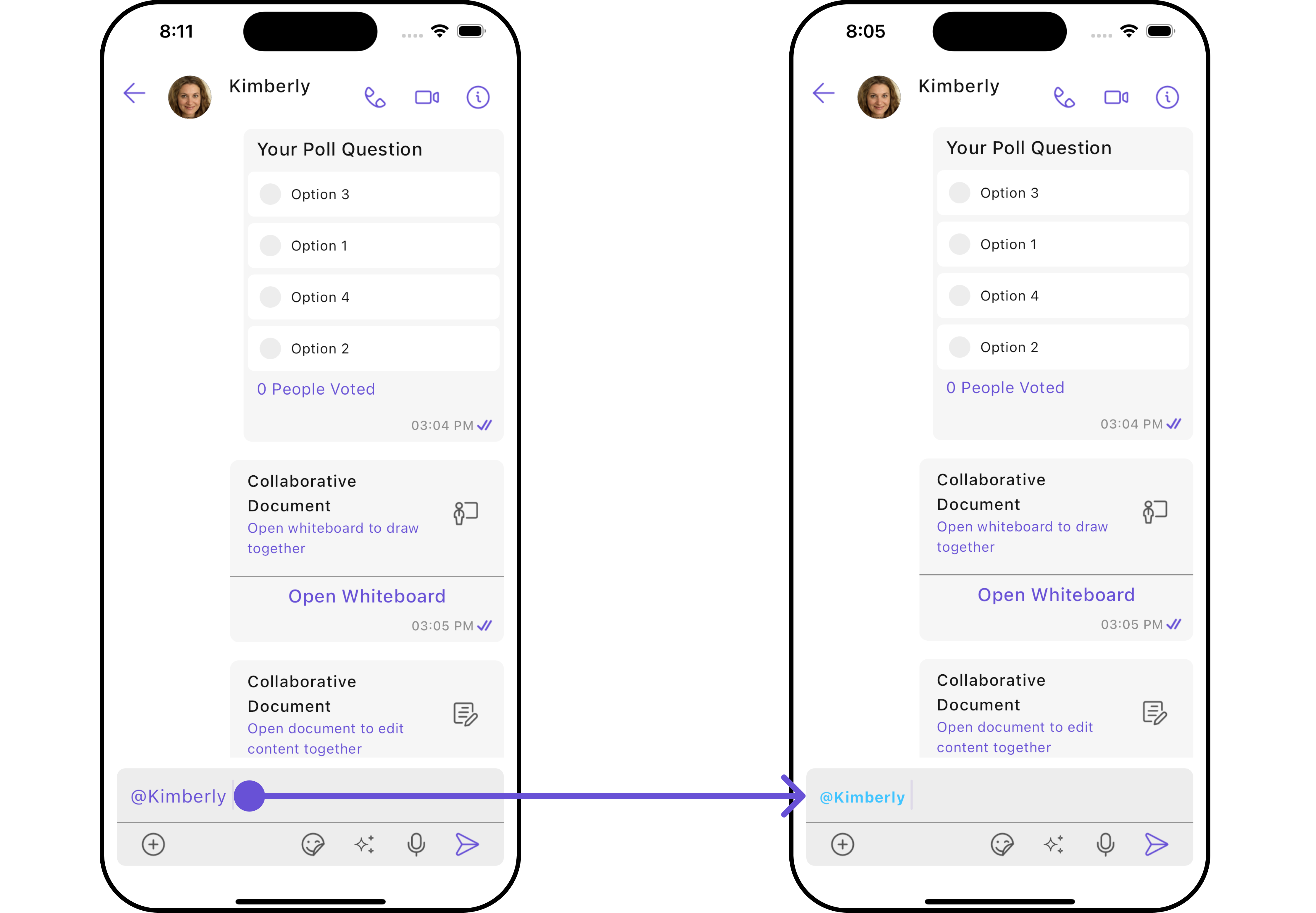
Composer Mention Text Style
Assigns the list of text formatters. If the provided list is not null, it sets the list. Otherwise, it assigns the default text formatters retrieved from the data source. To configure the existing Mentions look and feel for CometChatMessageComposer refer to the below code snippet- Dart
- Android
- iOS
Message Bubble Mention Text Style
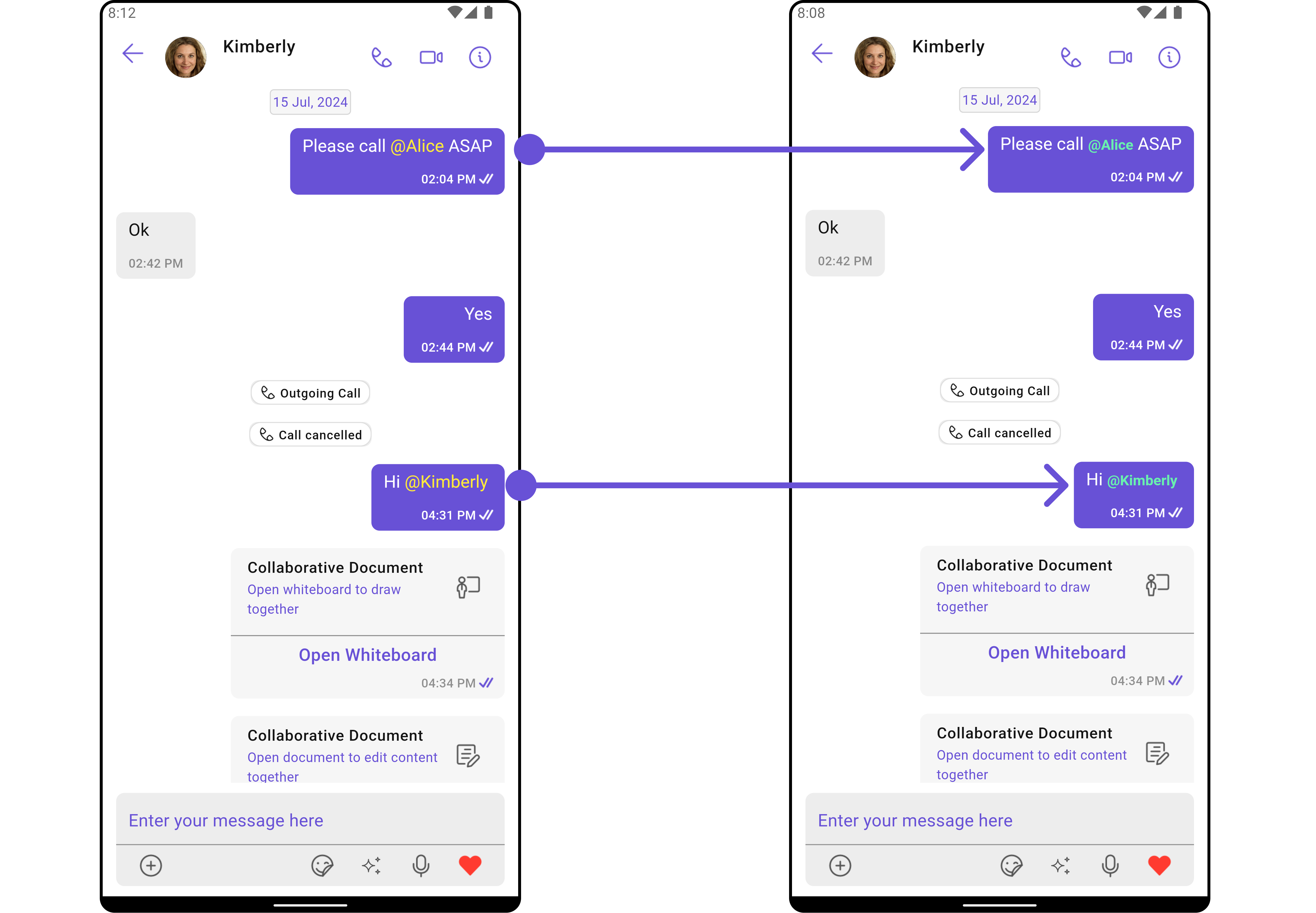
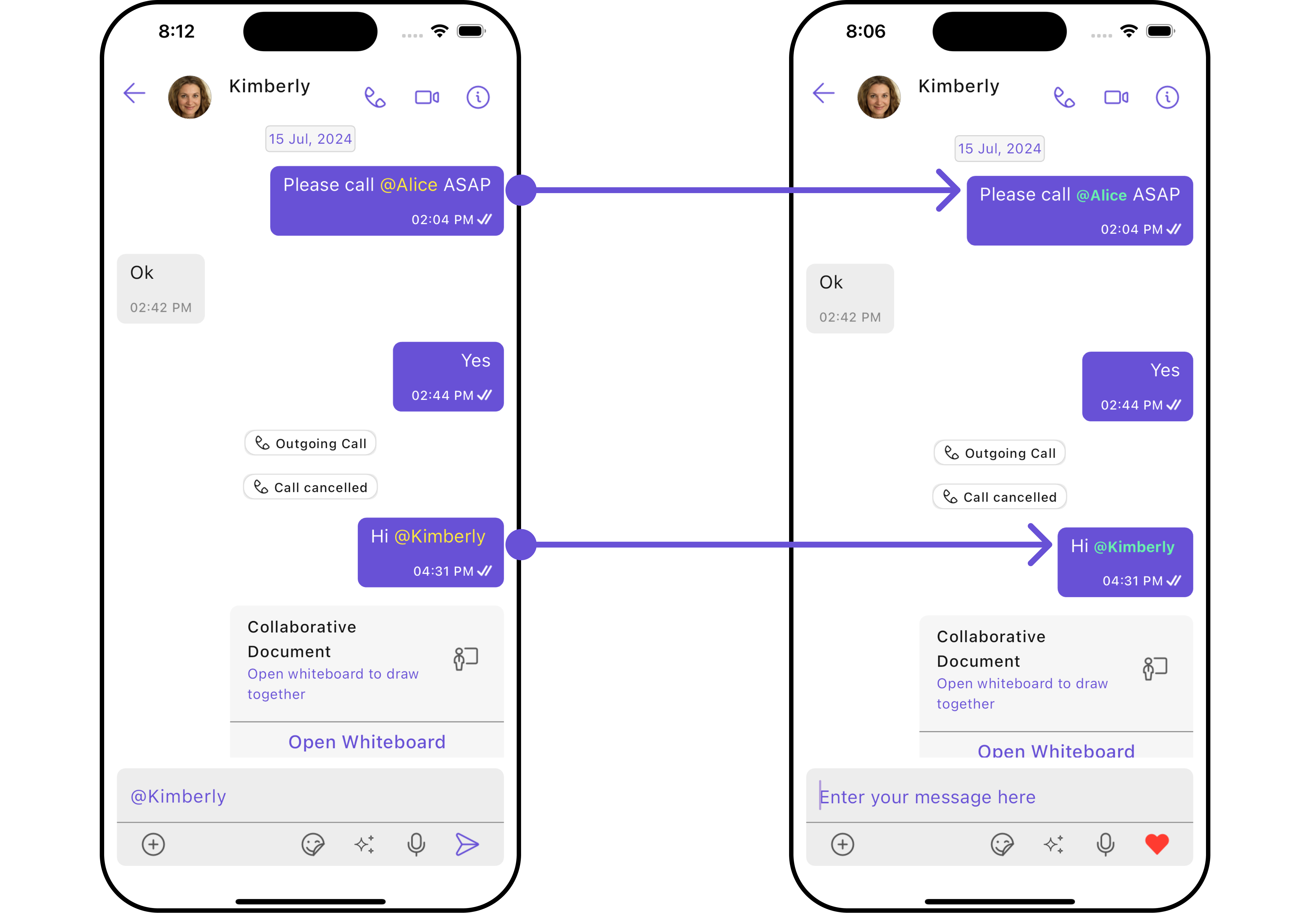
Assigns the list of text formatters. If the provided list is not null, it sets the list. Otherwise, it assigns the default text formatters retrieved from the data source. To configure the existing Mentions look and feel for CometChatMessageList- Dart
- Android
- iOS
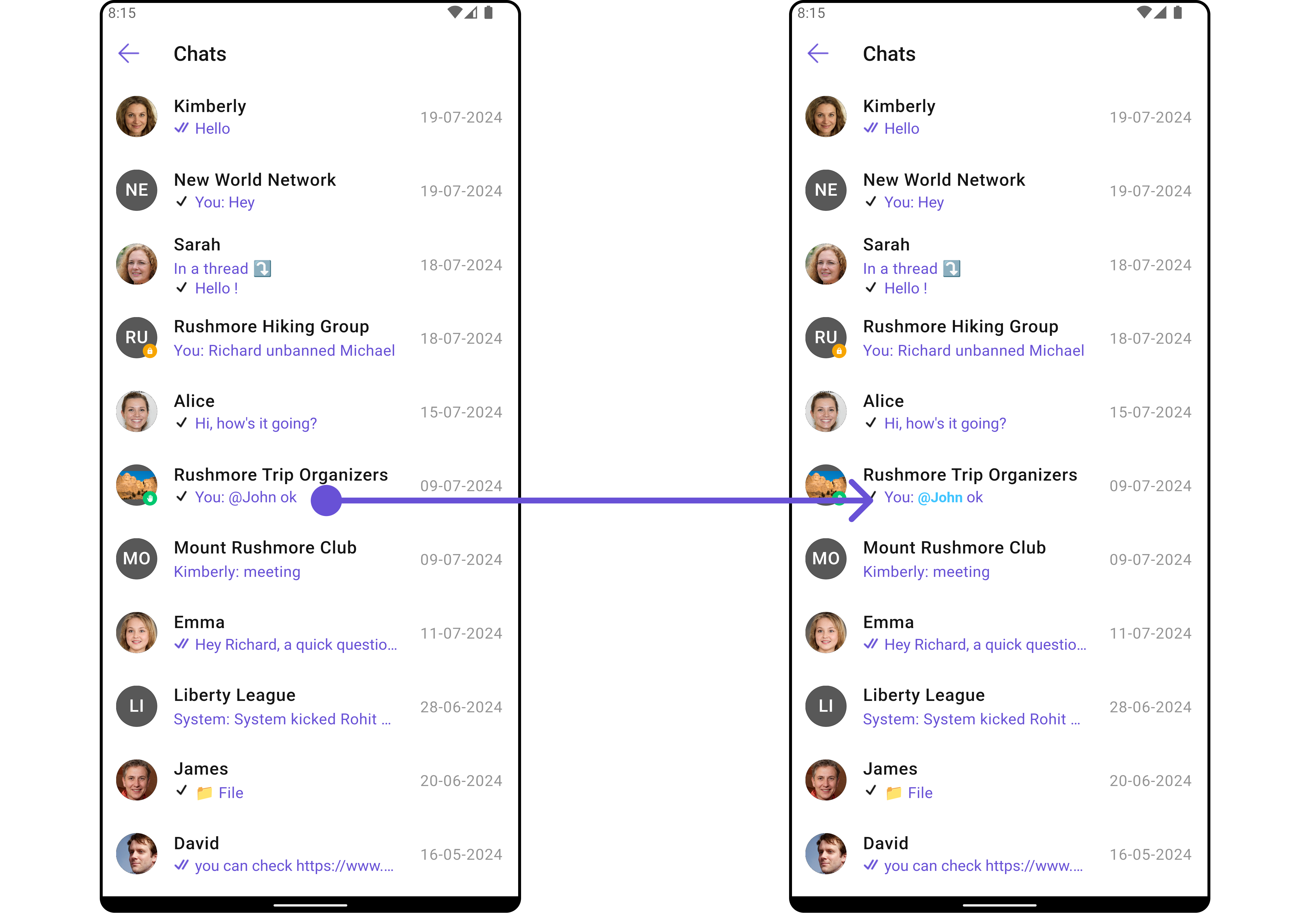
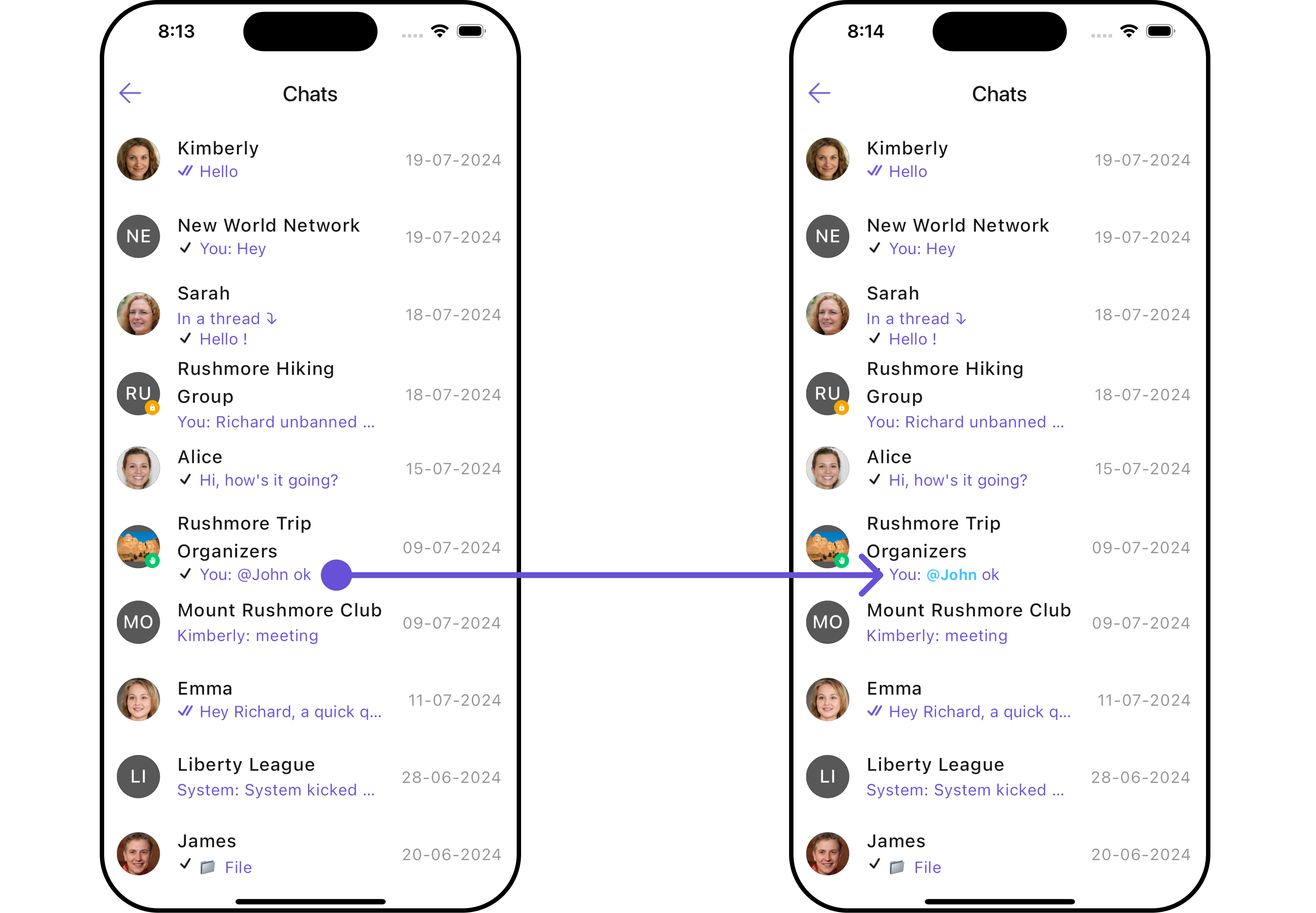
Conversations Mention Text Style
Assigns the list of text formatters. If the provided list is not null, it sets the list. Otherwise, it assigns the default text formatters retrieved from the data source. To configure the existing Mentions look and feel for CometChatConversations- Dart
- Android
- iOS
Next Steps
Custom Mentions Formatter
Build a custom mentions formatter with filtered suggestions.
Custom Text Formatter
Build custom inline text patterns with regex.
Message Composer
Customize the standard message input component.
All Guides
Browse all feature and formatter guides.