

AI Integration Quick Reference
AI Integration Quick Reference
Overview
CometChatIncomingCall is a full-screen notification component that automatically listens for incoming calls via the CometChat SDK CallListener. When an incoming call is detected, it displays the caller’s avatar, name, and call type (Voice/Video) with accept and decline buttons.
Live Preview — interact with the default incoming call screen.Open in Storybook ↗
The component handles:
- Automatic detection of incoming calls via SDK
CallListener - Caller avatar, name, and call type display (Voice/Video)
- Accept button — transitions to
CometChatOngoingCallinternally - Decline button — rejects the call via SDK
- Incoming call sound playback (looping while notification is visible)
- Self-managed visibility (renders nothing when no incoming call is active)
Placement: Render CometChatIncomingCall at your app’s root level. It manages its own visibility internally and only appears when an incoming call is detected.
Note: Call initiation buttons are provided by the standaloneCometChatCallButtonscomponent (also rendered automatically insideCometChatMessageHeader).CometChatIncomingCallis separate — it handles the incoming call notification flow.
Usage
Flat API
Full Layout Example
Actions and Events
Callback Props
Events Emitted
UI events this component publishes:Events Received
This component does not subscribe to any UI events from other components.SDK Listeners (Automatic)
These SDKCallListener callbacks are attached internally. The component updates its state automatically:
onIncomingCallReceived— shows the incoming call notificationonIncomingCallCancelled— hides the notification (caller cancelled)onOutgoingCallAccepted— transitions to ongoing call screenonOutgoingCallRejected— hides the notification (call rejected elsewhere)
Customization
View Props
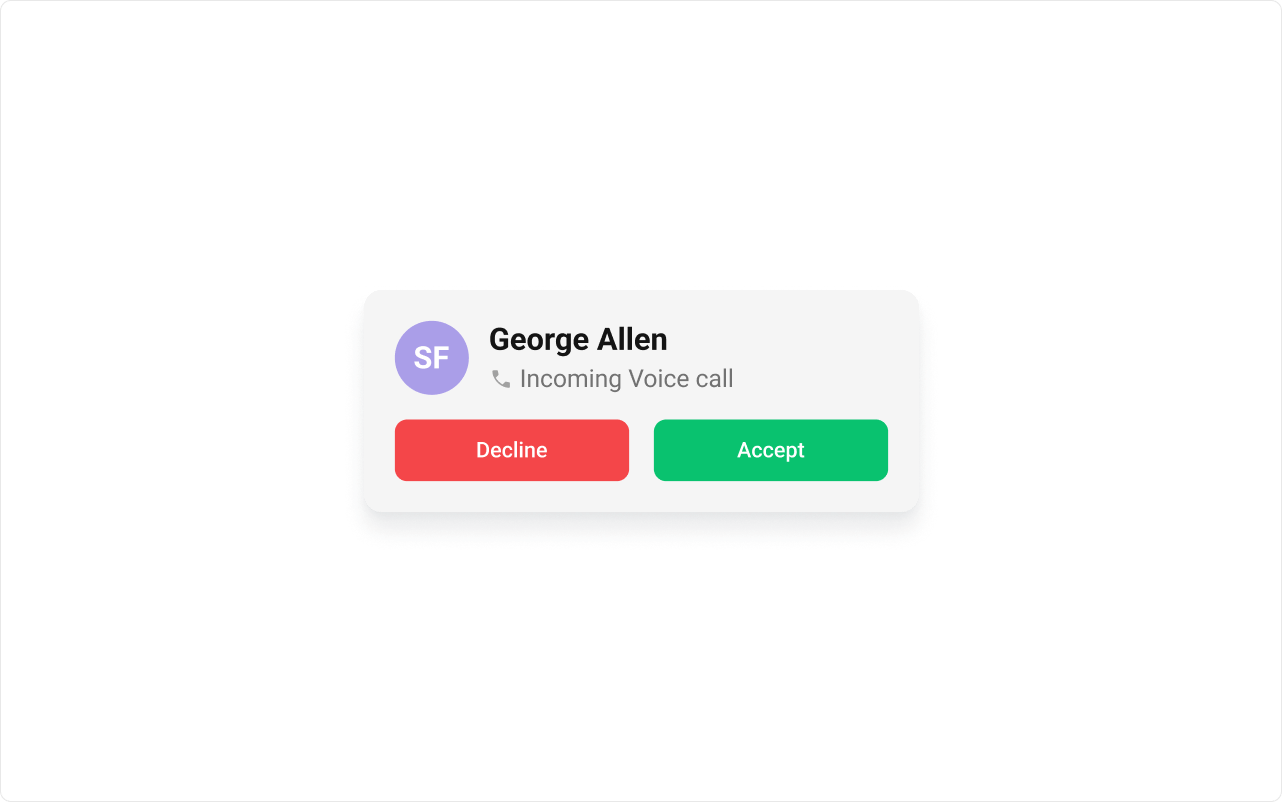
Use view props to replace sections of the default UI while keeping the component’s behavior intact:leadingView
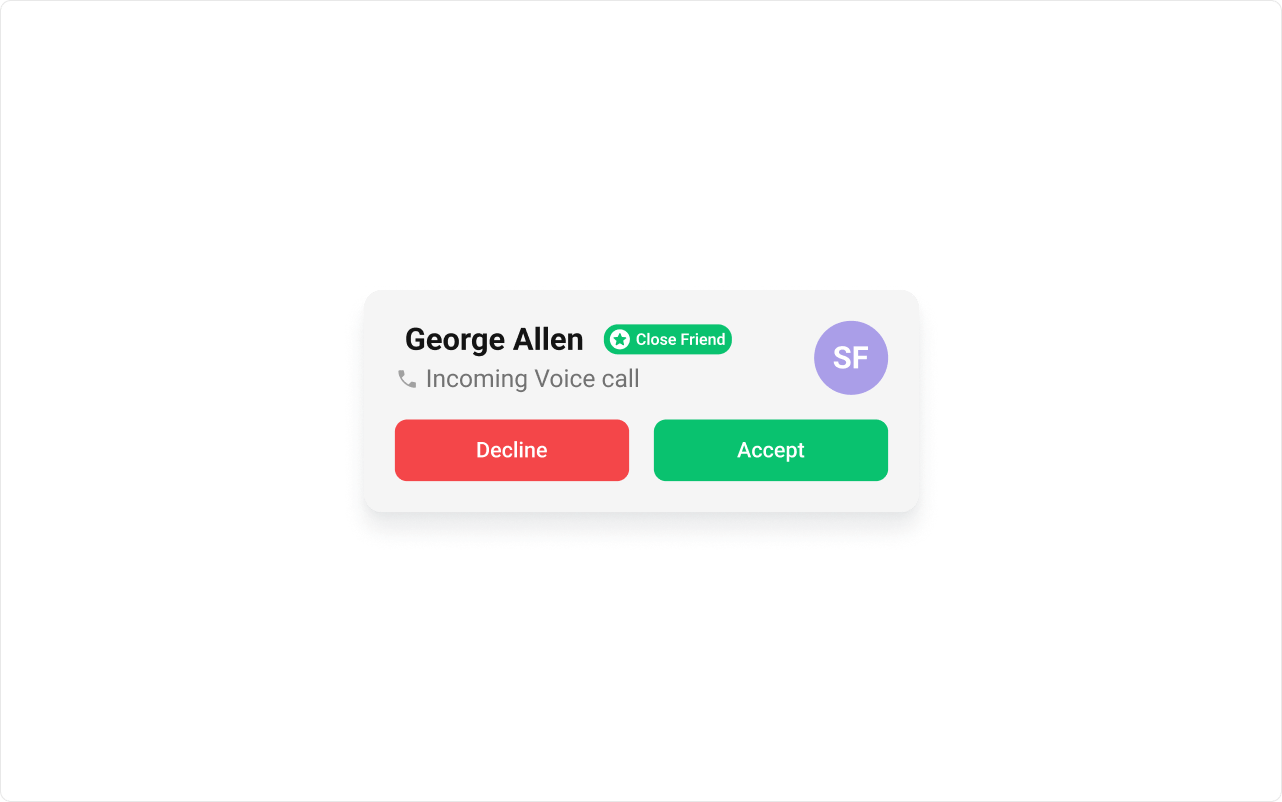
titleView
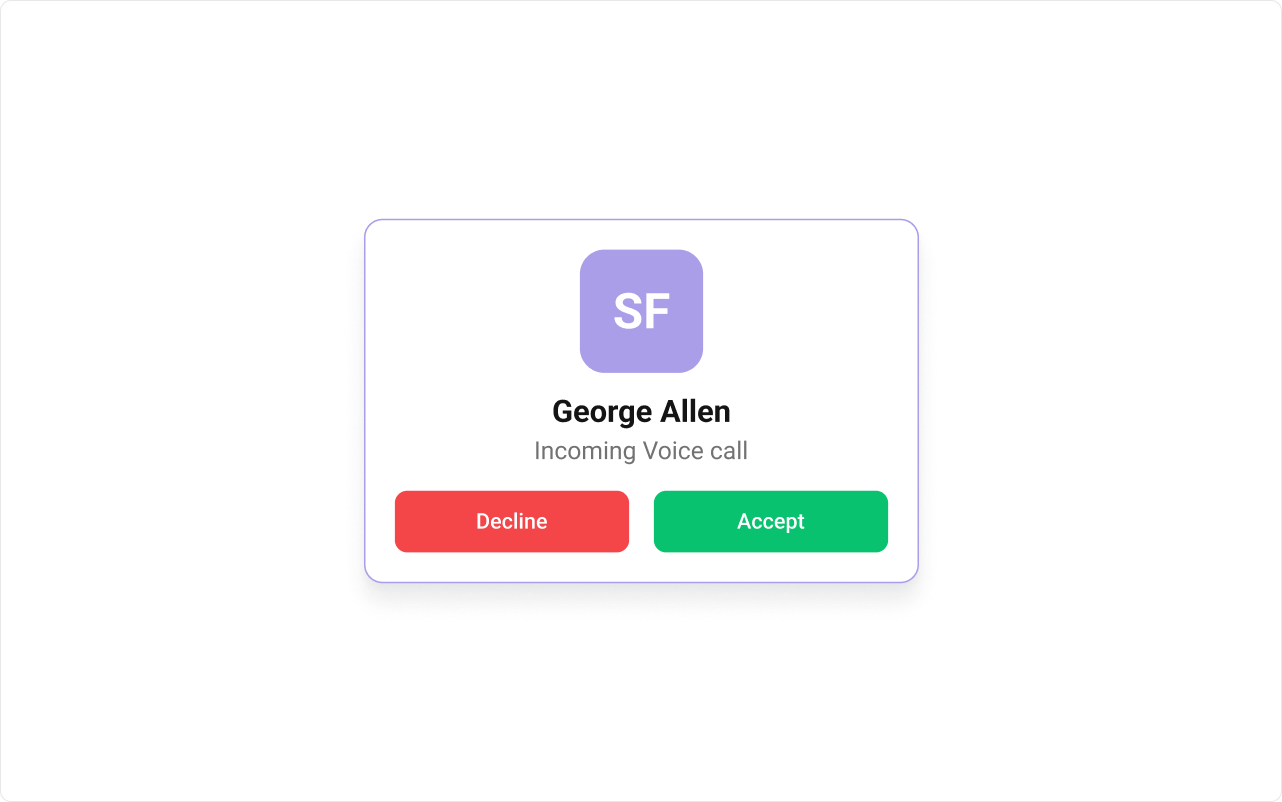
itemView
CSS Styling
Override design tokens on the component selector:Props
All props are optional.onAccept
Custom accept handler. When provided, overrides the defaultCometChat.acceptCall behavior.
onDecline
Custom decline handler. When provided, overrides the defaultCometChat.rejectCall behavior.
onCallEnded
Callback when the ongoing call session ends and the call screen should close.disableSoundForCalls
Disable the incoming call ringtone sound.customSoundForCalls
Custom sound URL to play for incoming calls (replaces the built-in ringtone).callSettingsBuilder
Custom call settings builder for the ongoing call session after accepting. If not provided, the component uses default settings.onError
Callback when an SDK error occurs.itemView
Custom renderer for the entire incoming call notification card.leadingView
Custom renderer for the avatar section.titleView
Custom renderer for the caller name.subtitleView
Custom renderer for the call type label (Voice/Video).trailingView
Custom renderer for the trailing section.className
Additional CSS class name applied to the root element.CSS Selectors
Next Steps
Outgoing Call
Display the outgoing call screen while waiting for the receiver to answer
Call Logs
Browse call history and re-initiate calls
Theming
Customize colors, fonts, and spacing