

AI Integration Quick Reference
AI Integration Quick Reference
Overview
CometChatMessageList is a scrollable message feed component. It renders messages for a given user or group conversation and emits thread navigation via onThreadRepliesClick. Wire it between CometChatMessageHeader and CometChatMessageComposer to build a standard chat panel.
Live Preview — interact with the default message list.Open in Storybook ↗
The component handles:
- Paginated message fetching with infinite scroll (older messages load on scroll-up)
- Plugin-based bubble rendering — each message type is rendered by a registered plugin
- Reactions with emoji picker and reaction list
- Read/delivery receipts (single and group)
- Thread reply indicators with reply count
- Real-time updates (new messages, edits, deletes, typing indicators)
- Smart replies — AI-generated quick reply suggestions based on incoming messages
- Conversation starters — AI-generated prompts when the conversation is empty
- Date separators and sticky floating date header
- Jump-to-message for search results and deep links
- Mark-as-unread support
Note:userandgroupare mutually exclusive. Pass one or the other to specify the conversation context.
Usage
Flat API
Compound Composition
Full Layout Example
Filtering
Pass aCometChat.MessagesRequestBuilder to messagesRequestBuilder to control which messages load. Pass the builder instance — not the result of .build(). Refer to MessagesRequestBuilder for the full builder API.
Filter Recipes
Actions and Events
Callback Props
Events Emitted
UI events this component publishes:The “Edit” and “Reply” context menu options publish
ui:compose/edit and ui:compose/reply events respectively. These are emitted by the message options system (plugins), not by the MessageList component directly. The MessageComposer subscribes to these events to enter edit/reply mode.Events Received
UI events this component subscribes to (published by other components):SDK Listeners (Automatic)
These SDK listeners are attached internally. The component updates its state automatically — no manual subscription needed:- Message listeners:
onTextMessageReceived,onMediaMessageReceived,onCustomMessageReceived,onInteractiveMessageReceived - Typing:
onTypingStarted,onTypingEnded - Receipts:
onMessagesDelivered,onMessagesRead,onMessagesDeliveredToAll,onMessagesReadByAll - Edits & deletes:
onMessageEdited,onMessageDeleted - Transient:
onTransientMessageReceived
Customization
View Props
Use view props to replace sections of the default UI while keeping the component’s behavior intact:headerView
Custom view above the message list.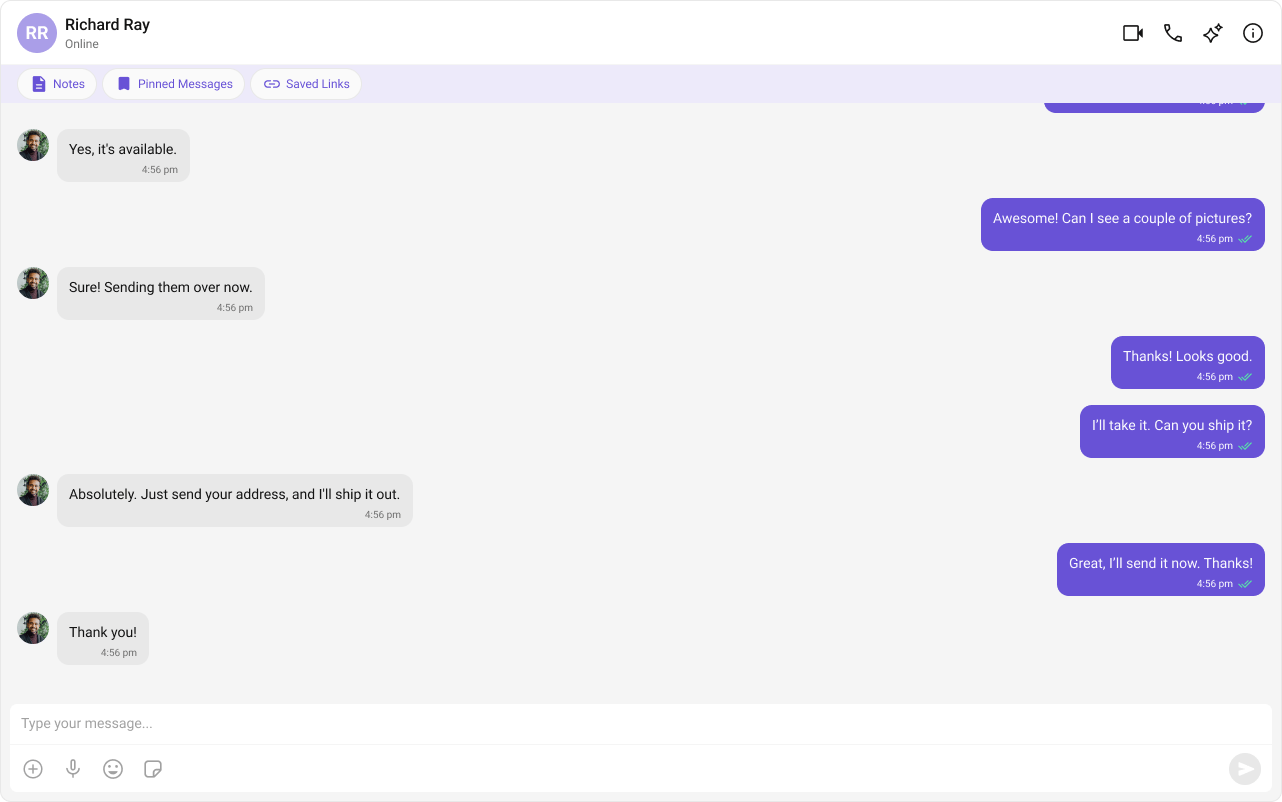
- TypeScript
- CSS
footerView
Custom view below the message list.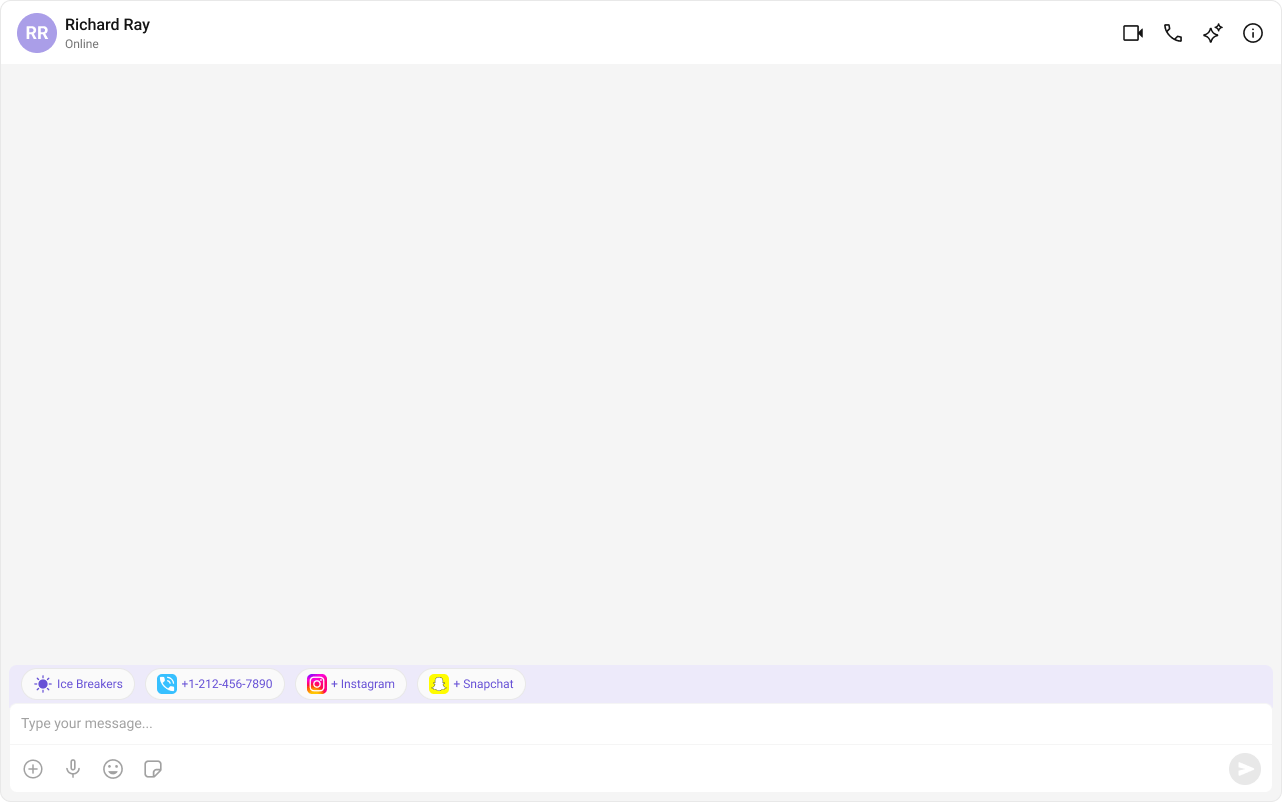
- TypeScript
- CSS
Compound Composition
For full layout control, use sub-components. Omit any sub-component to hide it:CSS Styling
Override design tokens on the component selector:Props
All props are optional (though you must pass eitheruser or group to render messages).
View slot props (
bubbleView, headerView, footerView, loadingView, emptyView, errorView) are convenience props available only on the flat API. In compound composition mode, use the corresponding sub-components directly.Entity
user
The user entity for a 1-on-1 conversation. Mutually exclusive withgroup.
group
The group entity for a group conversation. Mutually exclusive withuser.
parentMessageId
Enables thread mode. When set, the component fetches and displays replies to the specified parent message instead of the main conversation feed.Data
messagesRequestBuilder
Custom request builder for fetching messages. Controls pagination, filtering, and sorting.reactionsRequestBuilder
Custom request builder for fetching reactions on messages.messageTypes
Restrict which message types are fetched and displayed.messageCategories
Restrict which message categories are fetched and displayed.goToMessageId
Jump to a specific message by ID (e.g., from search results or a deep link). The list scrolls to and highlights the target message.startFromUnreadMessages
Whentrue, the list scrolls to the first unread message on open instead of the bottom.
loadLastAgentConversation
Whentrue, loads the last agent conversation on initial render. Used for AI agent chat flows.
Visibility
hideReceipts
Hide message delivery/read receipts (double ticks) on message bubbles.hideStickyDate
Hide the sticky date header that floats at the top of the scroll area.hideDateSeparator
Hide date separators between calendar days in the message feed.hideAvatar
Hide the avatar on incoming messages in group conversations.hideGroupActionMessages
Filter out group action messages (member joined, left, kicked, etc.).hideModerationView
Hide the moderation footer beneath disapproved messages.showScrollbar
Show the native scrollbar on the message list. Whenfalse, the scrollbar is hidden but scrolling still works.
showSmartReplies
Show AI-generated smart reply suggestions in the footer when the last received message matches keyword criteria.showConversationStarters
Show AI-generated conversation starters in the footer when the message list is empty.showMarkAsUnreadOption
Show the “Mark as Unread” option in the message context menu.disableTruncation
Disable text truncation (read more / show less) in text bubbles. Whentrue, full message text is always shown.
isAgentChat
Whether this is an AI agent chat. Suppresses moderation UI and enables agent-specific behaviors.Option Toggles
hideReplyOption
Hide the “Reply” option from the message context menu.hideReplyInThreadOption
Hide the “Reply in Thread” option from the message context menu.hideEditMessageOption
Hide the “Edit” option from the message context menu.hideDeleteMessageOption
Hide the “Delete” option from the message context menu.hideCopyMessageOption
Hide the “Copy” option from the message context menu.hideReactionOption
Hide the “React” option from the message context menu.hideMessageInfoOption
Hide the “Message Info” option from the message context menu.hideFlagMessageOption
Hide the “Flag/Report” option from the message context menu.hideMessagePrivatelyOption
Hide the “Message Privately” option from the message context menu.hideTranslateMessageOption
Hide the “Translate” option from the message context menu.hideFlagRemarkField
Hide the remark textarea in the flag/report message dialog.quickOptionsCount
Number of quick-action options shown inline next to the bubble before overflowing into the “More” menu.Date Formatting
separatorDateTimeFormat
Custom date format for in-list day separators (“Today”, “Yesterday”, etc.).stickyDateTimeFormat
Custom date format for the sticky date header floating above messages.messageSentAtDateTimeFormat
Custom date format for the timestamp shown beside the message bubble.messageInfoDateTimeFormat
Custom date format for timestamps in the MessageInformation sheet.Alignment
messageAlignment
Controls message bubble alignment.0 aligns all messages to the left. 1 uses standard alignment (sent on right, received on left).
Sound
disableSoundForMessages
Disable the notification sound when new messages arrive.customSoundForMessages
Custom sound URL to play when new messages arrive (replaces the built-in sound).AI Features
smartRepliesKeywords
Keywords that trigger smart replies when found in a received text message. If set to an empty array, smart replies show for every received text message.smartRepliesDelayDuration
Delay in milliseconds before showing smart replies after a qualifying message is received. Acts as a debounce — if another message arrives within this window, the timer resets.Callbacks
onThreadRepliesClick
Callback when the thread reply indicator is clicked on a message bubble.onAvatarClick
Callback when an incoming message avatar is clicked.onEditMessage
Callback when the “Edit” context menu option is clicked. Typically sets the message in edit mode in the composer.onReplyMessage
Callback when the “Reply” context menu option is clicked. Typically sets the message as reply-to in the composer.onReactionClick
Callback when a reaction count pill is clicked on a message.onReactionListItemClick
Callback when an individual reactor in the reaction list is clicked.onActiveChatChanged
Callback invoked on first load with the active chat context (user/group, last message, unread count).onMessageRead
Callback when a message is marked as read.onMessageDeleted
Callback when a message is deleted.onConversationMarkedAsRead
Callback when the conversation is marked as read.onConversationUpdated
Callback when mark-as-unread succeeds (conversation updated).onError
Callback when an SDK error occurs during fetch or real-time operations.View Slots
bubbleView
Replace the entire bubble rendering for each message. When provided, the default plugin-based BubbleRenderer is skipped entirely.headerView
Custom content rendered above the scroll container (e.g., typing indicator, pinned message).footerView
Custom content rendered below the scroll container (e.g., smart replies bar).loadingView
Custom loading state shown while messages are being fetched.emptyView
Custom empty state shown when there are no messages in the conversation.errorView
Custom error state shown when message fetching fails.CSS Selectors
Next Steps
Message Composer
Add a composer below the message list for sending messages
Thread Header
Display thread context above a threaded message list
Plugins Overview
Learn how plugins register custom bubble renderers
Theming
Customize colors, fonts, and spacing